
Odoo Accounting in Thailand: One Month-End, From Vendor Bill to Tax Return
It's the last week of October at Siam Carton Works, a packaging maker in Bang Na. The accountant has a supplier bill that doesn't match the purchase order, a bank statement full of customer transfers, a payment from Singapore in dollars, and a VAT return due next month.
None of this is unusual. What usually hurts is the time it takes: checking prices line by line, ticking off bank lines one by one, working out exchange differences in a spreadsheet, and rebuilding the tax report by hand.
We ran this exact month-end in Odoo accounting on an Odoo 20 demo database, with a fictional company and real screenshots. Here's what happened, step by step.
1. Vendor bills that check themselves against the purchase order
On 14 October, Siam Carton Works ordered 4,000 corrugated sheets at 14.00 ฿ and 60 kg of printing ink from Chao Phraya Packaging (purchase order P00002). The goods arrived and passed quality control.
A week later the supplier's bill INV-CPP-26-1128 arrives. The accountant enters the two lines, selects P00002 in the Auto-Complete field, and Odoo confirms: 2 bill lines matched, 0 unmatched remaining. The PO Matching button shows 100%.
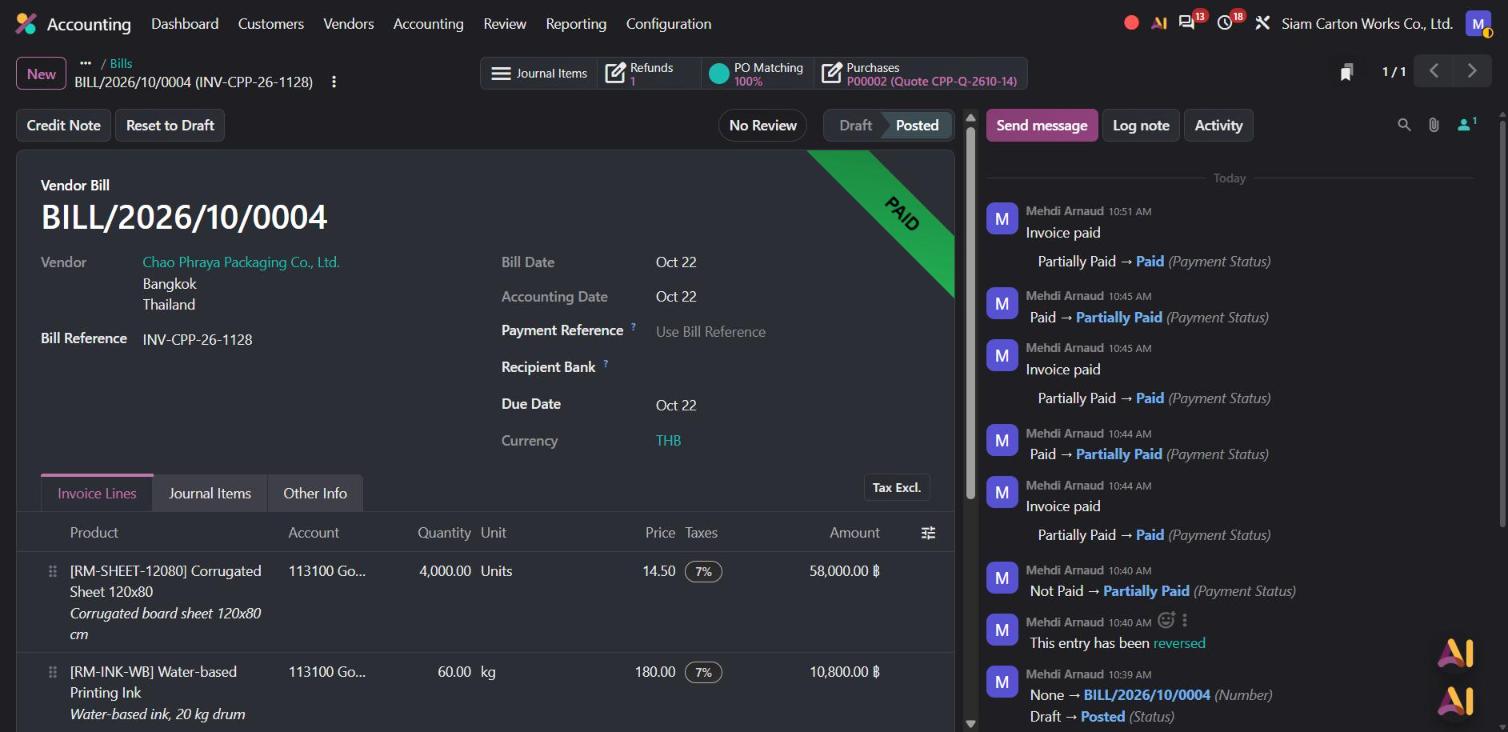
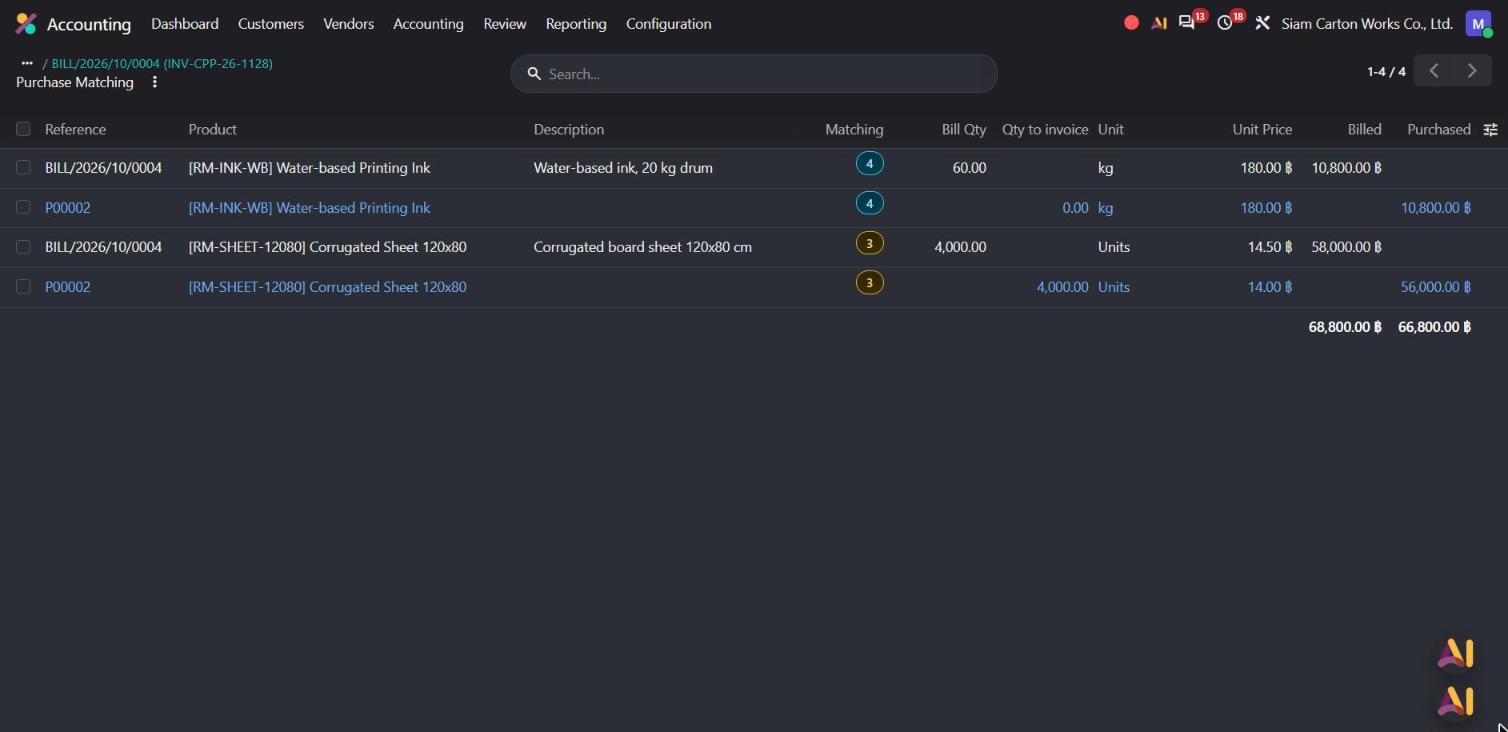
One click on PO Matching shows bill and order side by side. The sheets were billed at 14.50 ฿ instead of 14.00 ฿, so the bill says 68,800 ฿ against 66,800 ฿ ordered. Odoo flags the line before anyone pays it.
The accountant calls the supplier, who agrees to credit the difference. From the bill, she clicks Credit Note, keeps only the sheet line at 0.50 ฿, and posts credit note CN-CPP-26-031 for 2,000 ฿ + VAT (2,140 ฿). Applied to the bill, the amount due drops to 71,476 ฿, exactly what was ordered.
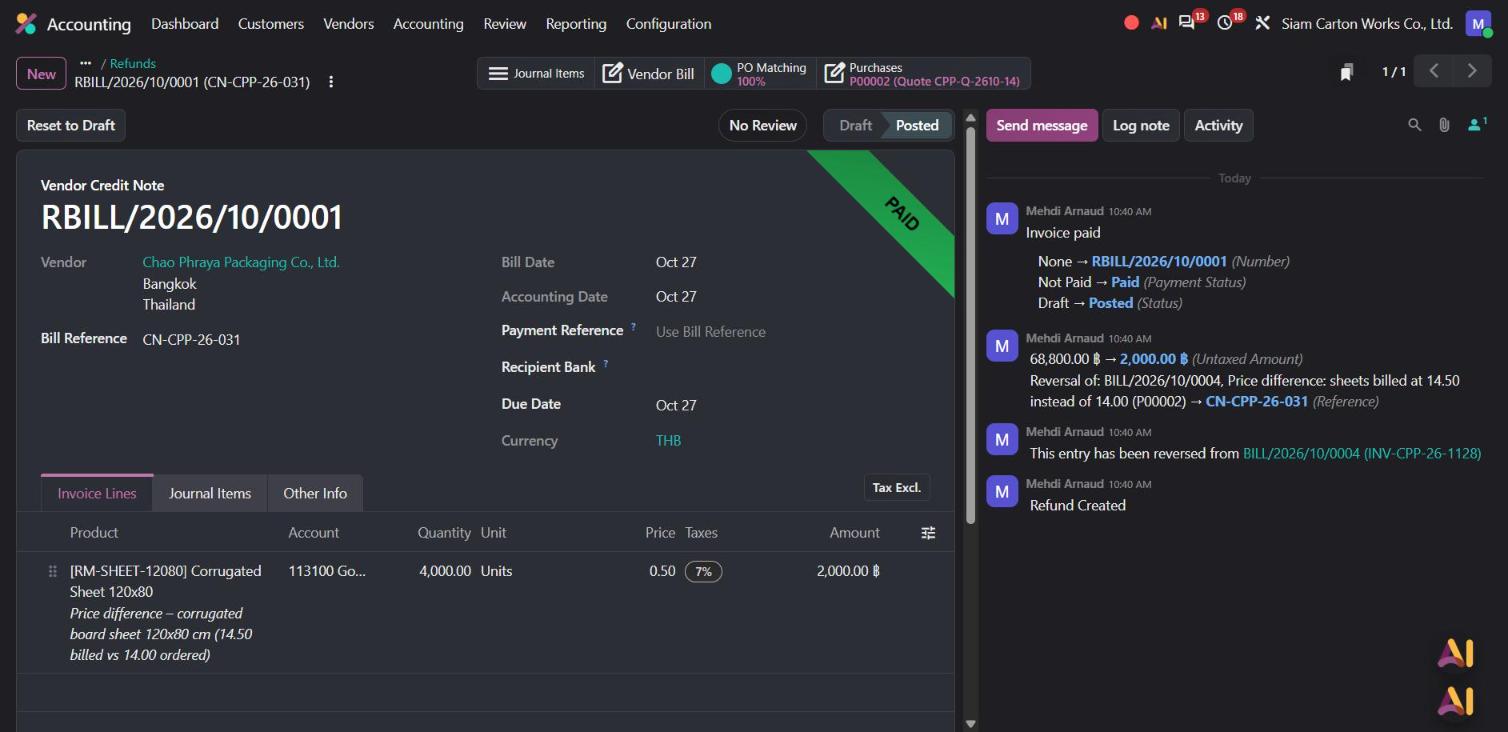
Why it matters: price errors are caught before payment, not after. And the credit note is linked to the original bill, so your auditor can follow the story in one click.
2. Bank reconciliation in one click, even when customers pay short
The October bank statement has six lines: customer transfers, the supplier payment, a transfer from savings and the monthly bank fee. One detail always slows things down: Siam Fresh Mart paid 102,700 ฿ for invoice INV/2026/00001 of 102,720 ฿. Their bank kept 20 ฿ in fees.
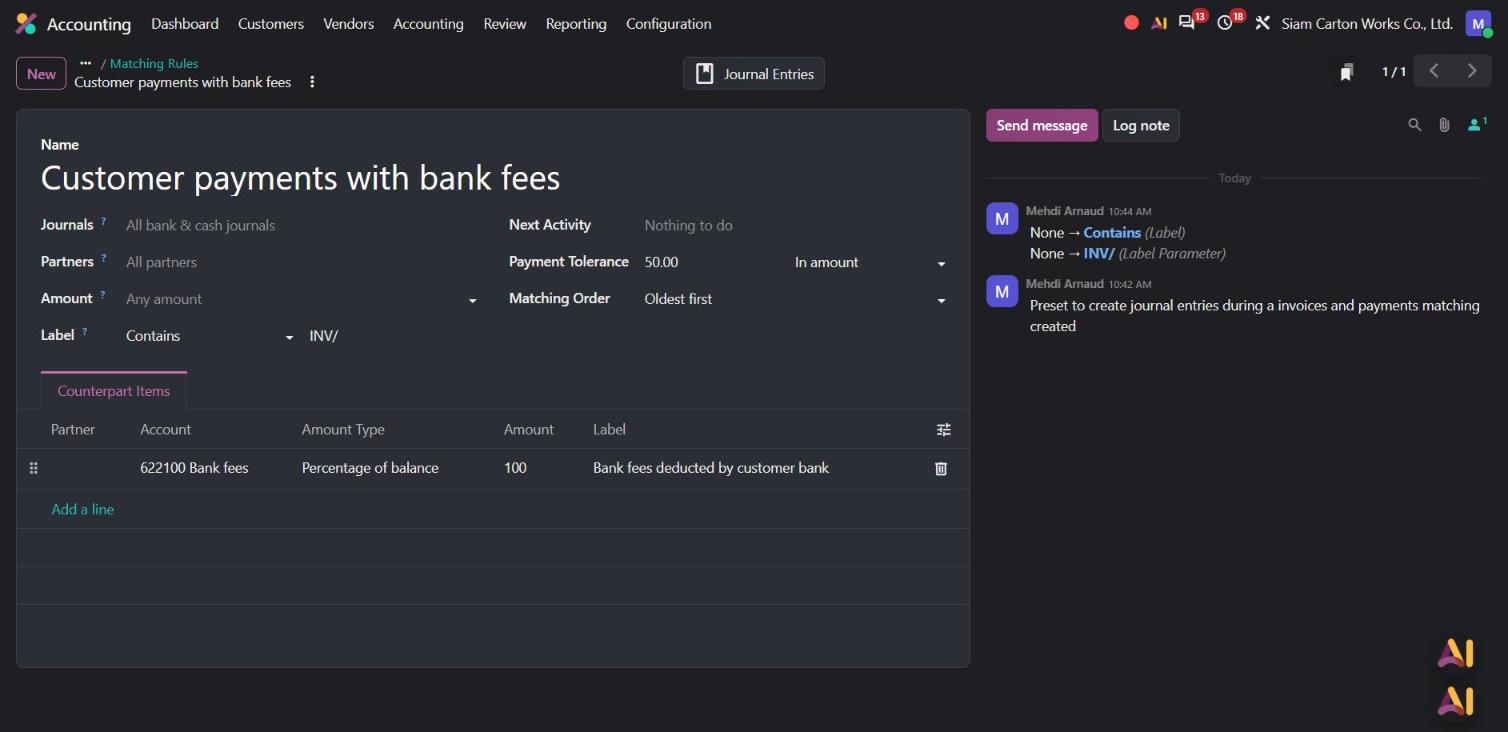
Odoo 20 adds Matching Rules with a payment tolerance. The accountant creates one called Customer payments with bank fees: up to 50 ฿ difference is accepted and written off to the Bank fees account.
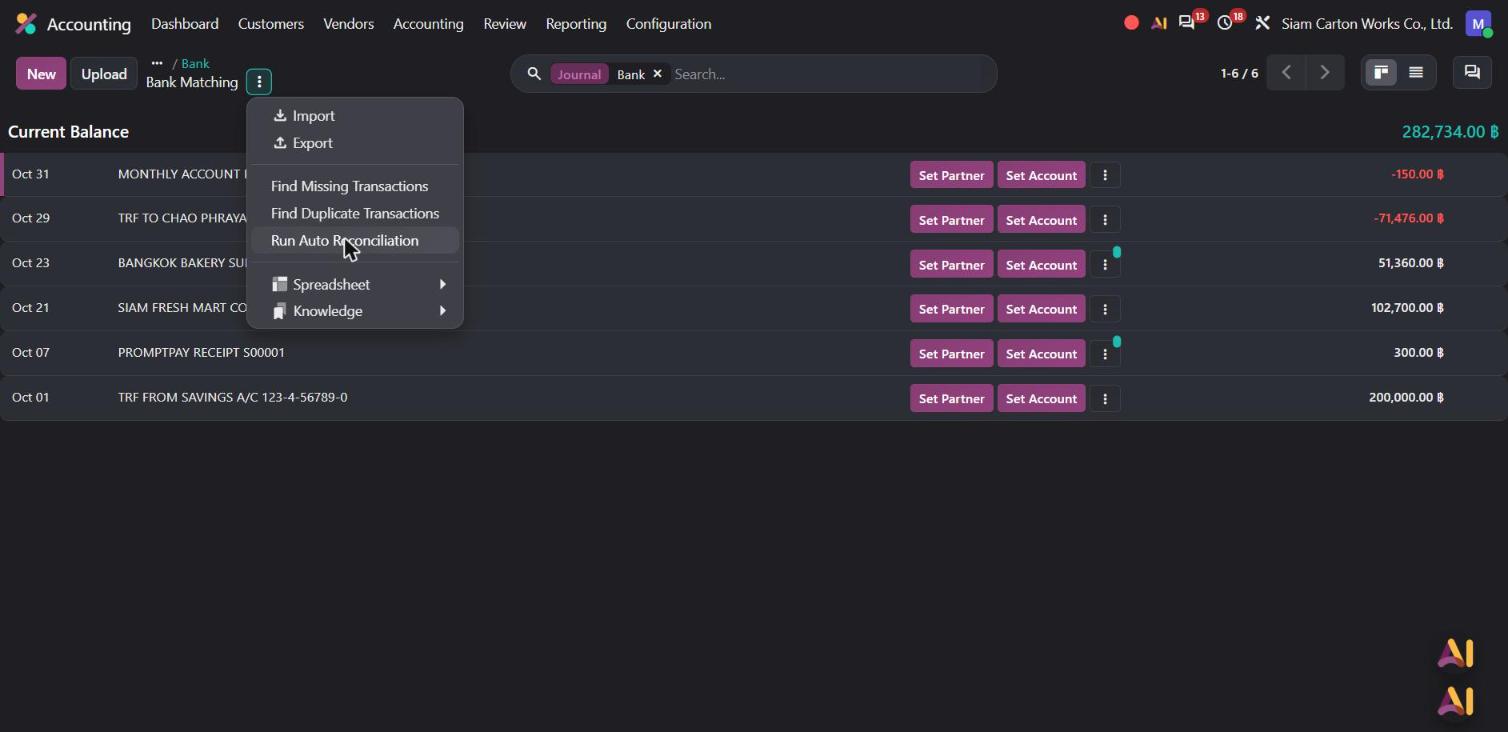
In the Bank Matching screen, she opens the action menu and clicks Run Auto Reconciliation, a new Odoo 20 option to re-run the automatic matching whenever she wants.
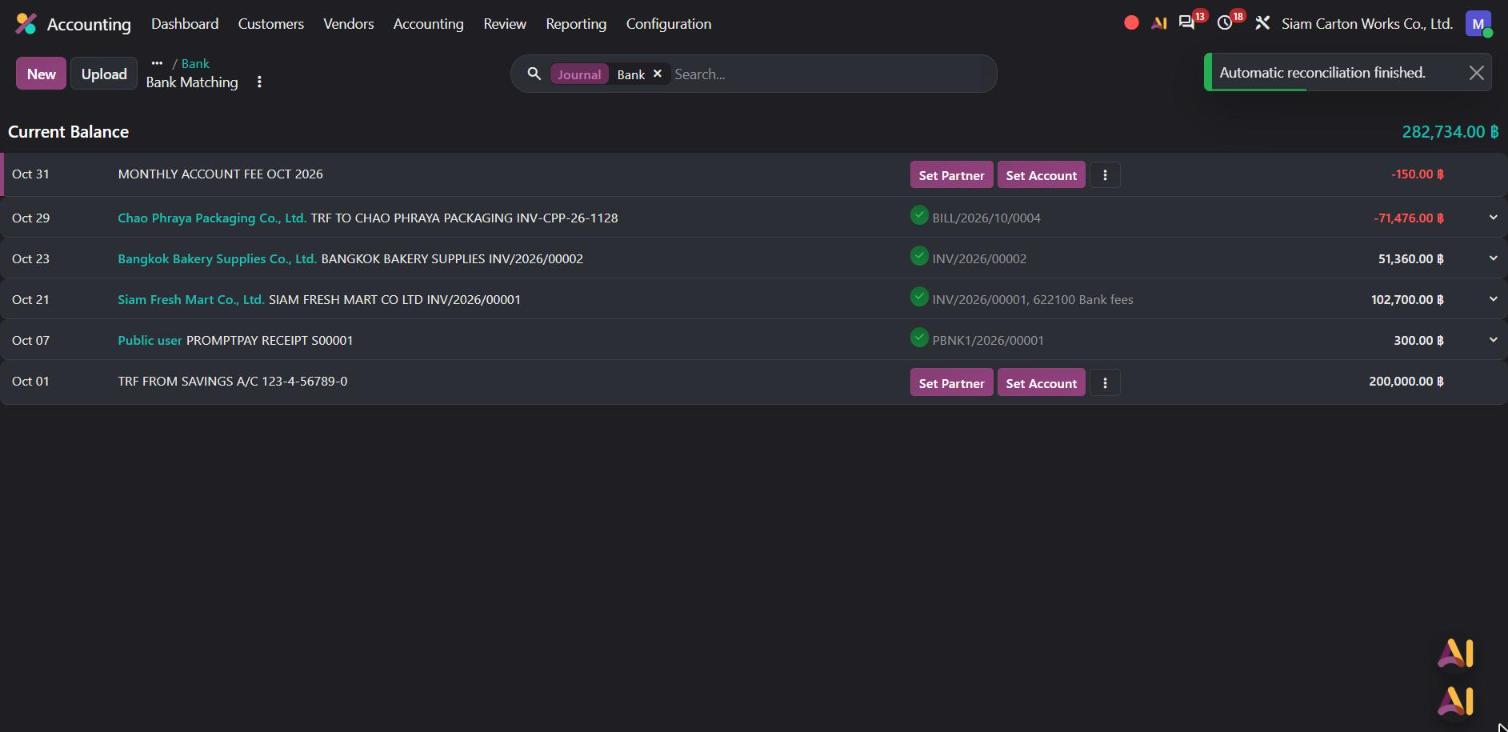
Four of the six lines are matched at once: both customer invoices, the supplier bill and a small PromptPay receipt. The 20 ฿ short payment is closed automatically, with the difference booked to Bank fees.
The last two lines take a few seconds each with Set Account: 150 ฿ to Bank fees and the 200,000 ฿ transfer to the liquidity transfer account. Then the new bank reconciliation summary report confirms the result: an ending bank balance of 282,734 ฿, equal to the general ledger, with 0 unreconciled transactions.
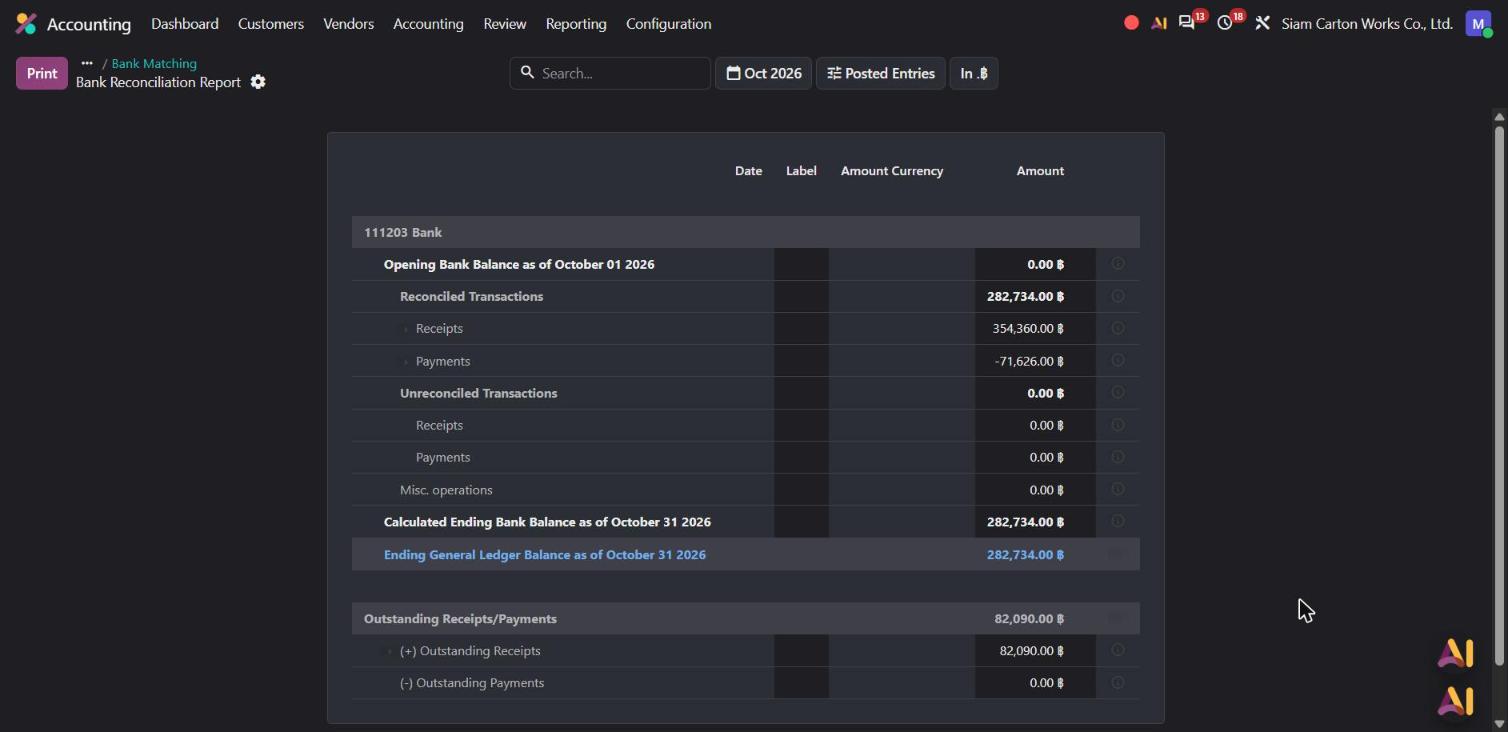
Why it matters: the small differences that used to block a reconciliation are handled by a rule you set once. And the summary report gives you a clean proof for month-end and for your auditor.
3. Foreign currency payments, with the rate and the gain in plain sight
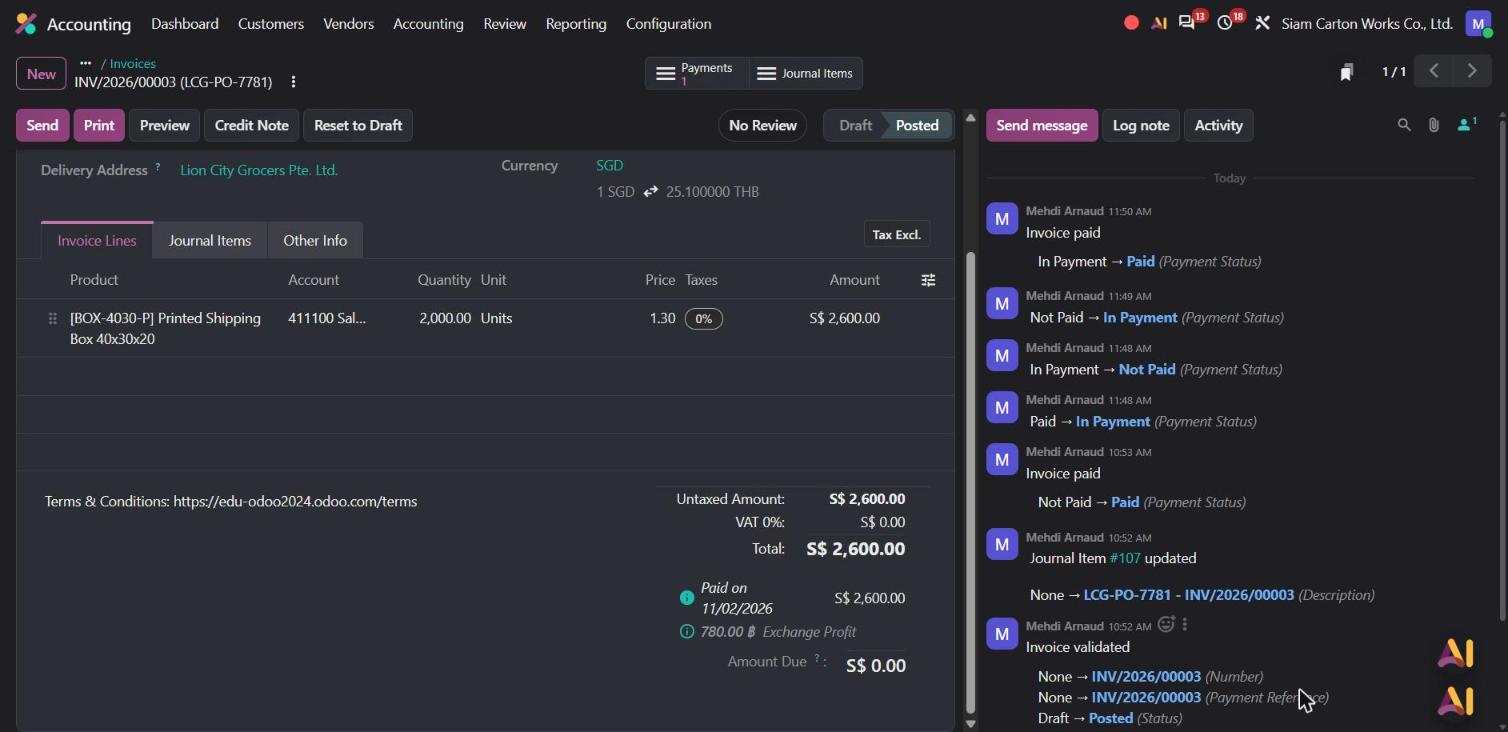
Siam Carton Works also exports. On 12 October it invoiced Lion City Grocers in Singapore S$2,600 for 2,000 printed boxes (INV/2026/00003). At that day's rate of 25.10, the invoice was worth 65,260 ฿.
On 29 October the customer confirms the transfer, and the accountant clicks Pay. Odoo 20 now shows the conversion rate directly in the payment window: 1 SGD = 25.40 THB.
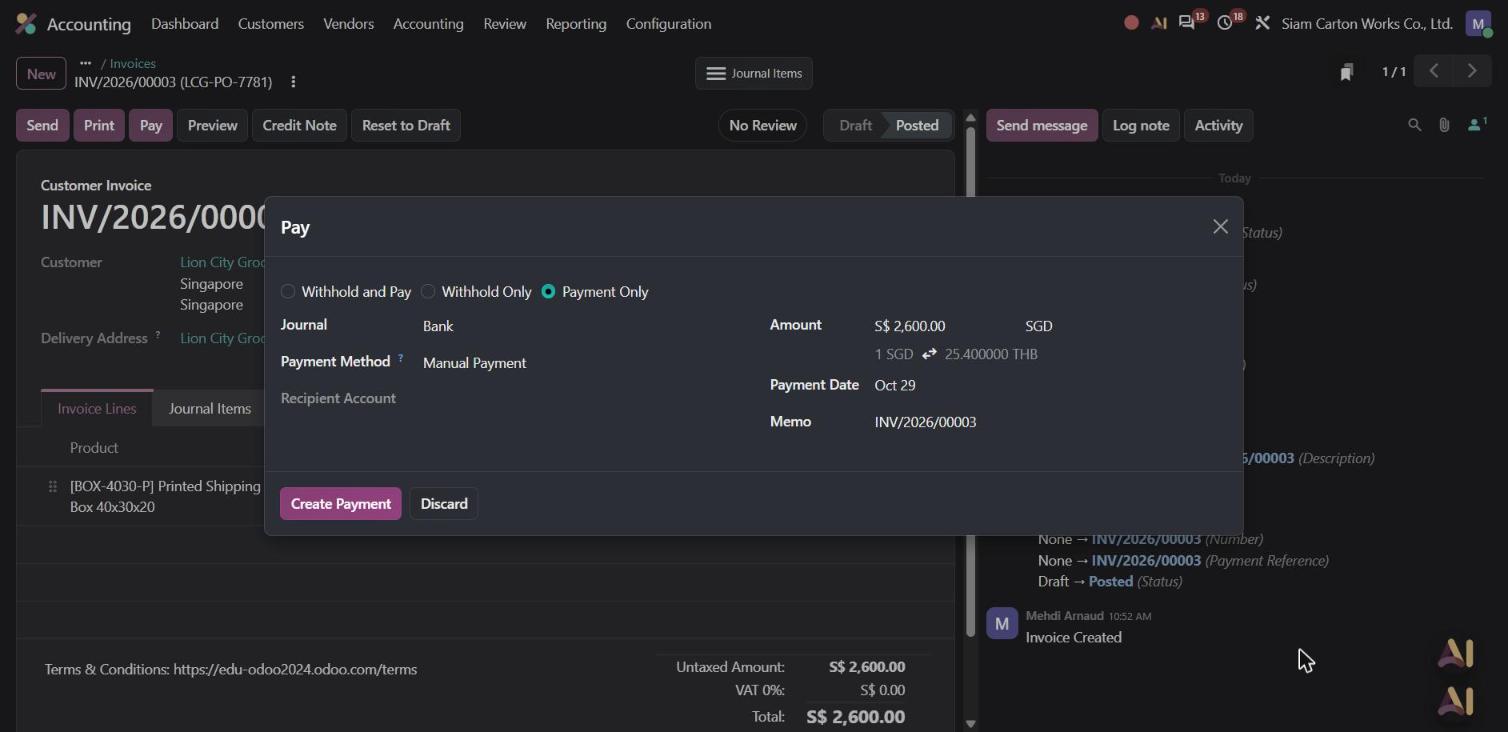
In Odoo 20 Accounting, a payment is only final once it meets the bank. When the transfer appears on the bank statement on 2 November, Bank Matching links it to the invoice and Odoo books the exchange difference on one line: 780 ฿ Exchange Profit. Exchange gains and losses are now consolidated into a single line per invoice, which you can open to see the calculation.
There is no closing journal to prepare. The Profit and Loss report already includes October's sales, 209,260 ฿ of revenue in this demo, and the 780 ฿ exchange gain under Other Income. The balance sheet is built from the same entries, so both reports are ready the moment the last bank line is matched.
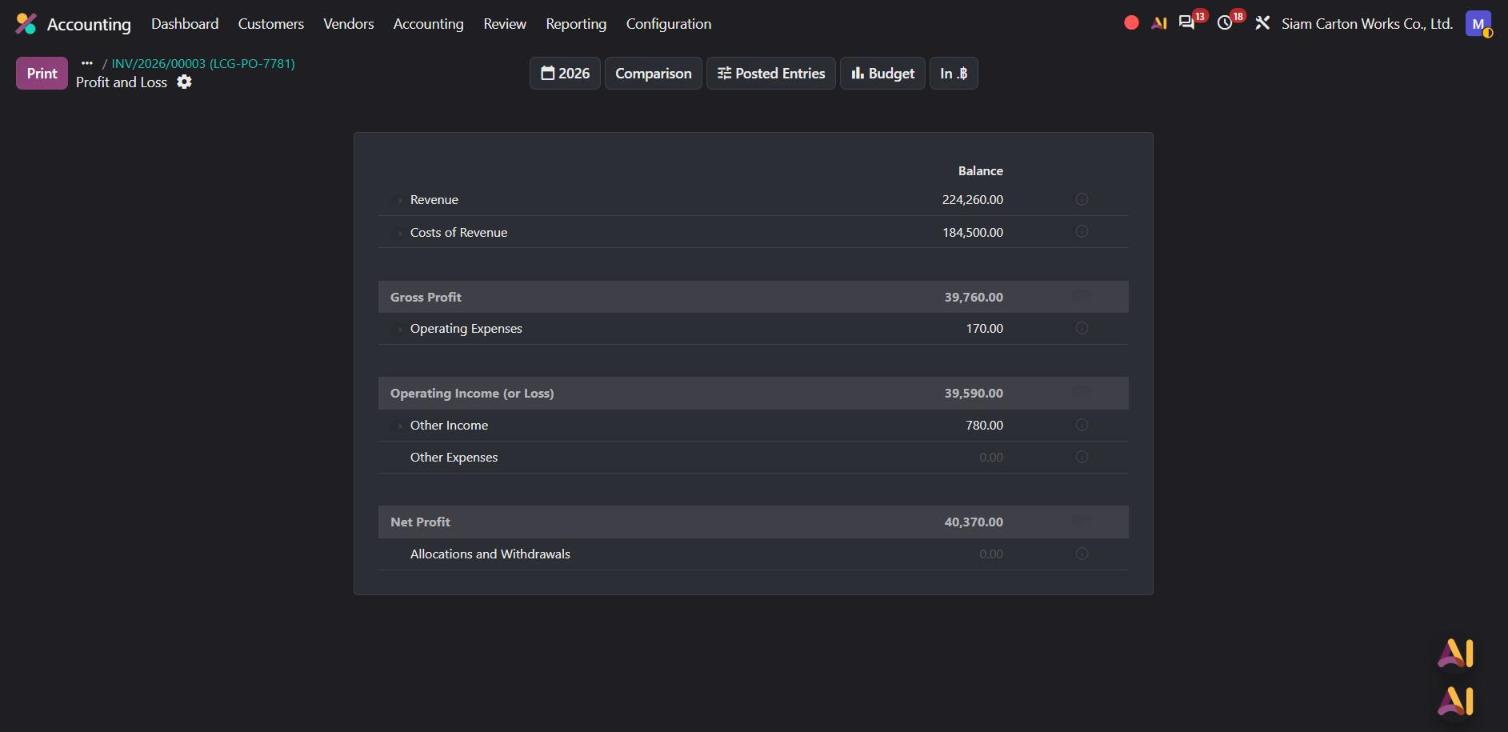
Why it matters: exporters see the rate they're paid at before they confirm, and the exchange result lands in the right account automatically, ready for the P&L.
4. Thai tax compliance built into the standard Thai localization
Odoo 20's Thai localization brings several changes that Thai accountants will notice straight away. We tested four of them.
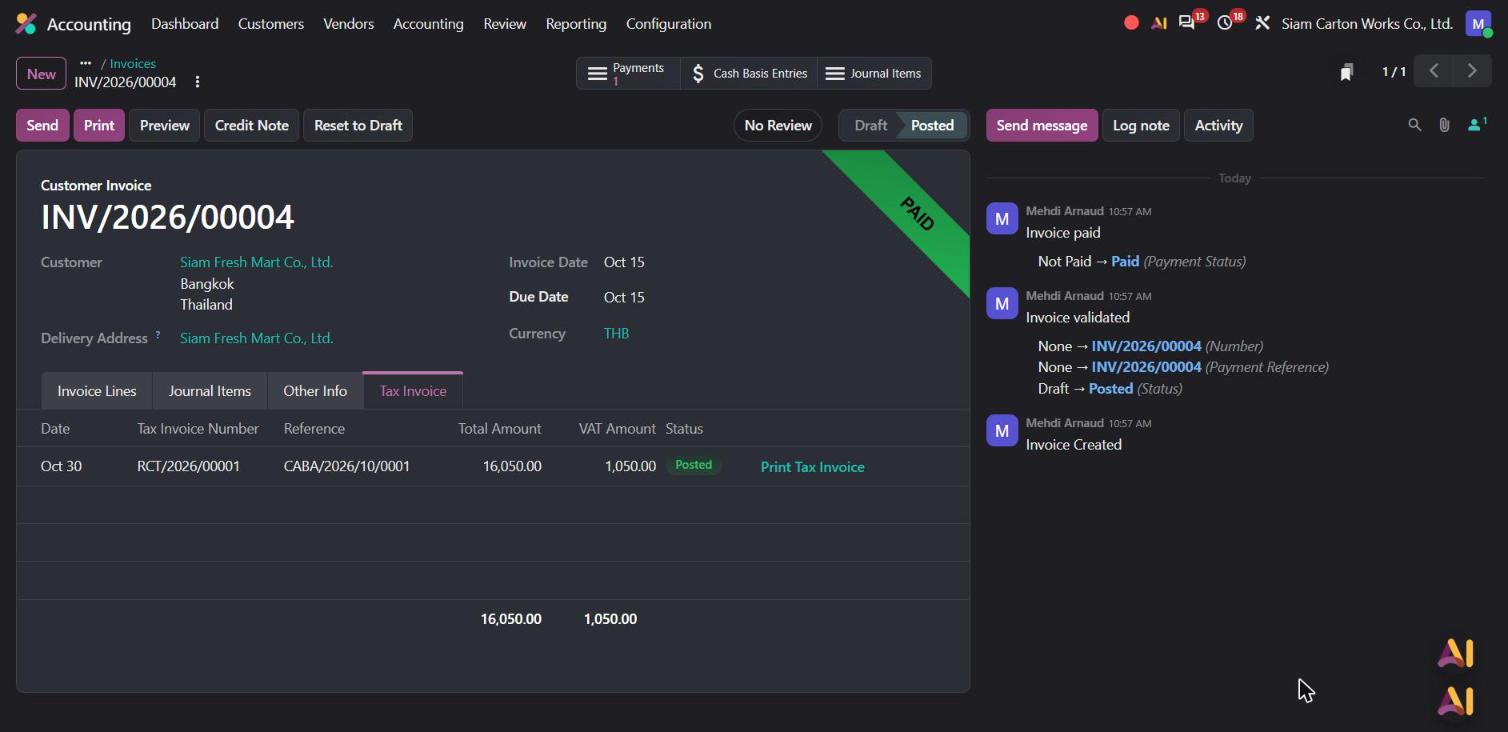
Tax invoices with their own numbering. In October, Siam Carton Works also invoiced Siam Fresh Mart 15,000 ฿ + 7% VAT for box artwork design (INV/2026/00004, 15 October). For services, VAT is due when the customer pays. When the payment was registered on 30 October, Odoo created a separate tax invoice, RCT/2026/00001, dated on the payment day, with its own sequence and a Print Tax Invoice button.
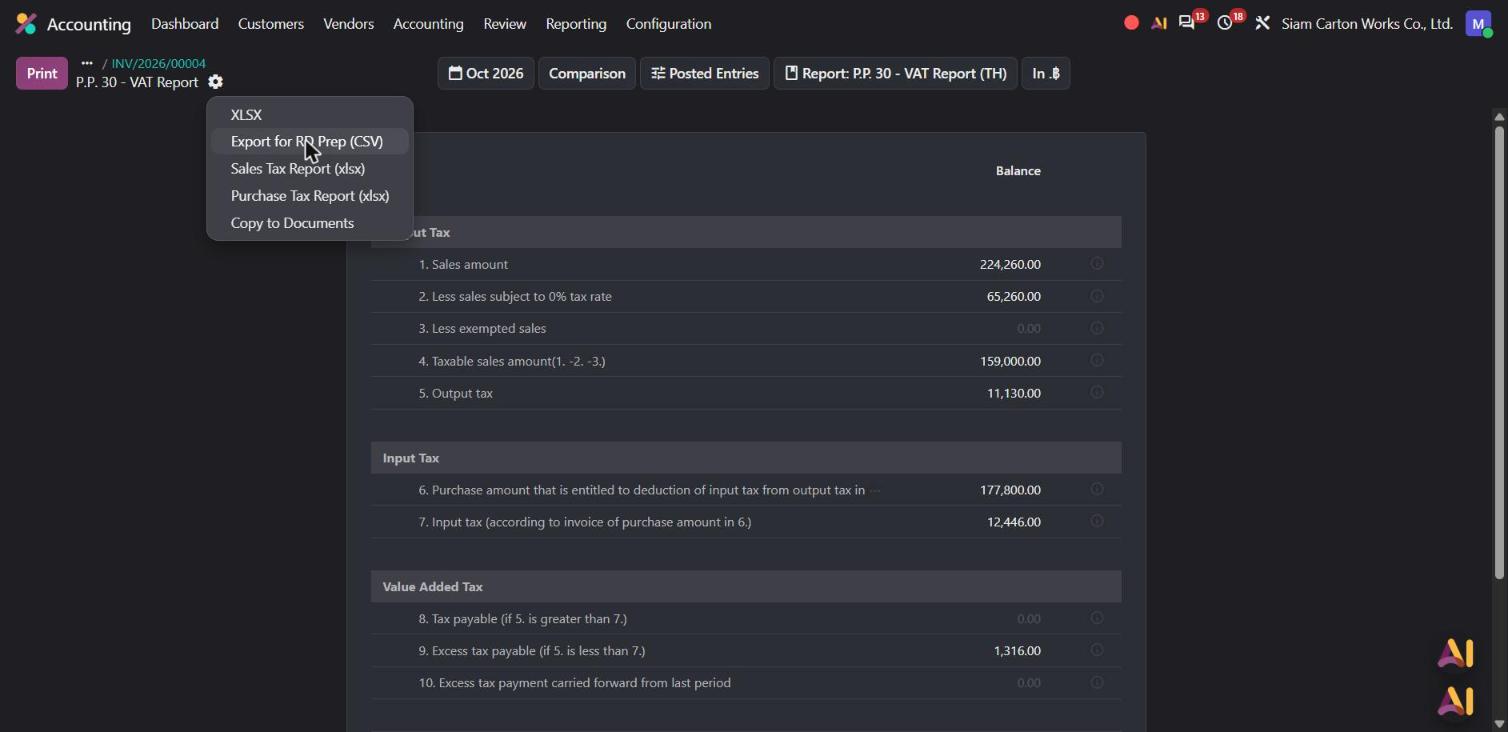
P.P.30 ready for RD Prep. The P.P.30 VAT report for October shows taxable sales of 159,000 ฿ and output tax of 11,130 ฿, with the export sales listed separately at 0%. From the report menu, Export for RD Prep (CSV) produces the file the Revenue Department's RD Prep software expects for the monthly filing.
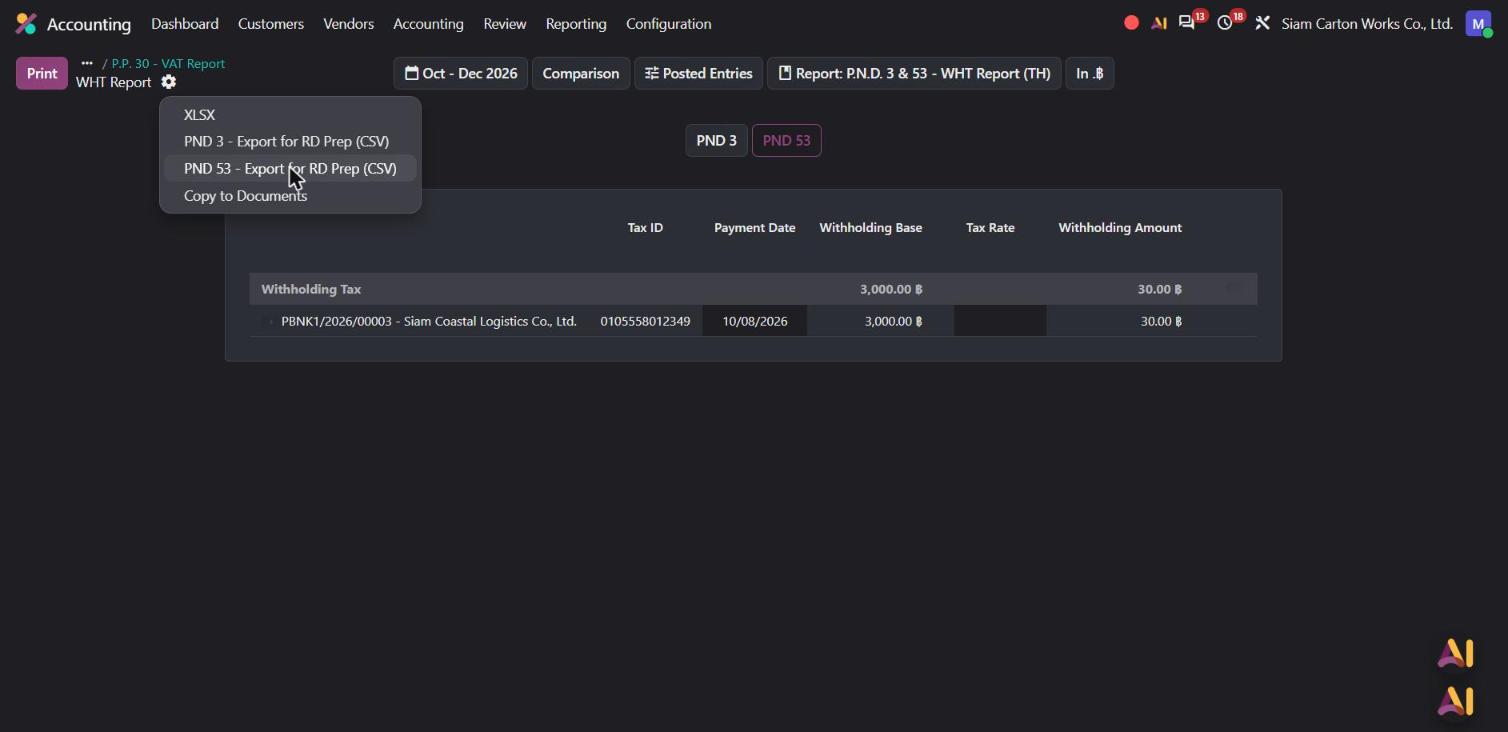
PND 3 and PND 53 in one report. The freight paid to Siam Coastal Logistics on 8 October had 1% withholding tax: 30 ฿ on a base of 3,000 ฿. It appears in the PND 53 tab of the withholding tax report, which exports to RD Prep in CSV too.
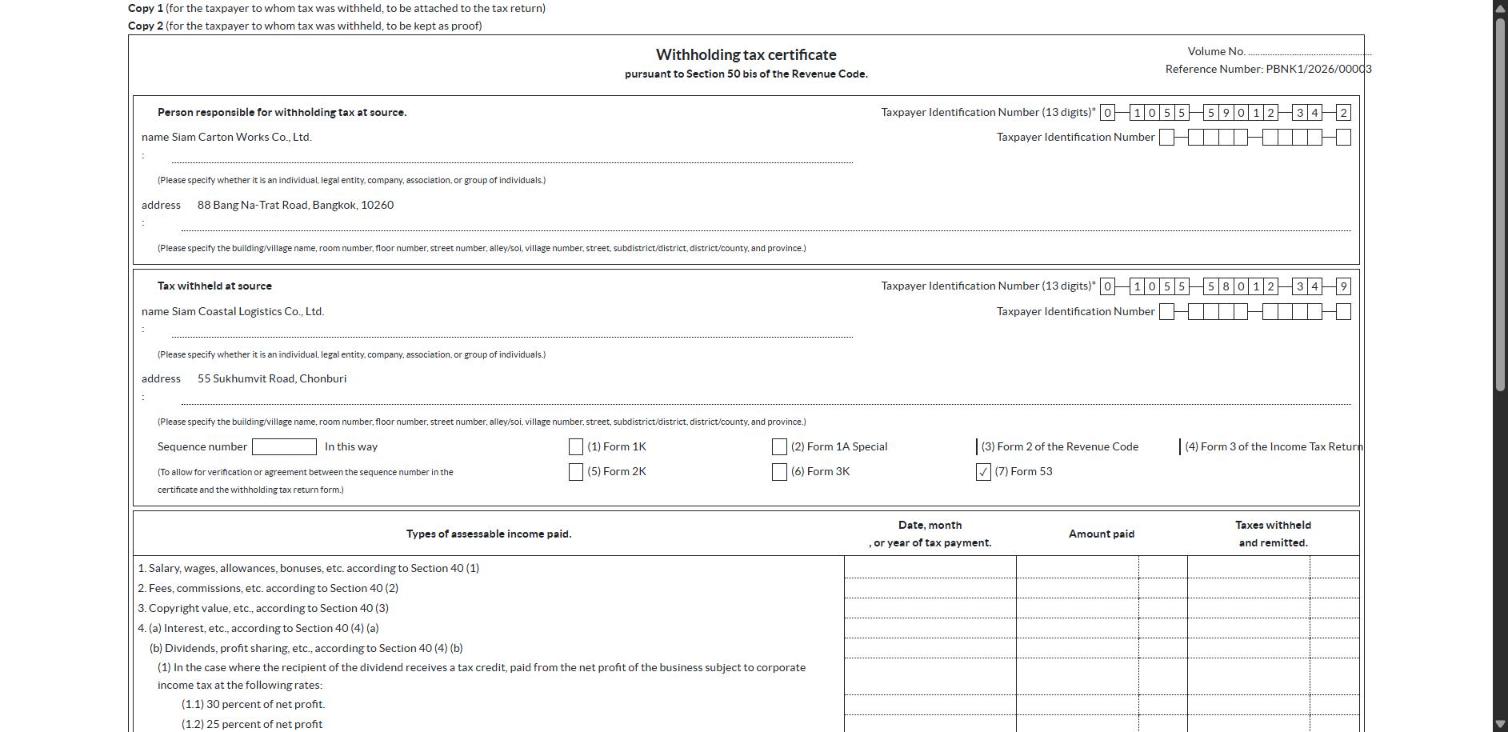
50 Tawi certificate in PDF. From the same payment, Odoo generates the official 50 Tawi withholding tax certificate, with both companies' 13-digit tax IDs filled in and Form 53 ticked.
Why it matters: the documents you file every month with the Revenue Department come out of the same entries you already posted. No retyping in Excel, no separate tool.
What this means for your finance team
Bills checked against purchase orders: price gaps flagged before payment and fixed with a linked credit note.
Bank reconciliation in one click: matching rules absorb small bank fees, and a summary report gives you the proof.
Foreign currency made clear: the rate in the payment window and one exchange line per invoice.
Thai filings from your own entries: separate tax invoices, P.P.30 and PND 3/53 exports for RD Prep, and the 50 Tawi certificate in PDF.
And because Purchase, Sales, Bank and Accounting live in the same system, nothing is typed twice between your order, your books and your tax return.
At Stenas Digital, we help Thai businesses set up Odoo Accounting around the way they actually work: your chart of accounts, your banks, your tax filings. For needs beyond the standard Thai localization, our own Thai Accounting module adds more local features. We handle implementation, migration and support, in Thai and English.