
It's Monday morning at the Bangkok head office of Siam Carton Works, on Rama IV Road. Three contracts are waiting. Thanawat, the new Procurement Officer, starts on 1 December and still has no signed employment contract. Procurement needs a logistics agreement signed by four people, two of them outside the company. And a new pallet supplier wants to see prices, but nobody has sent them an NDA yet.
In many head offices, each of these means printing, scanning, chasing signatures by email and retyping details into HR. Odoo Sign removes most of that work. Odoo 20 adds several improvements that matter for a head office: signature requests sent from activities, signed fields that update your records, clearer progress tracking and automated requests.
We set up the whole week in an Odoo 20 demo database for our fictional head office. Here's how it went.
1. The contract leaves with the onboarding plan
HR doesn't open the Sign app to send Thanawat's contract. On his employee record, the HR manager clicks Launch Plan and picks Head Office Onboarding. The plan has three steps: sign the employment contract, prepare a laptop and system access, and run the head office induction.
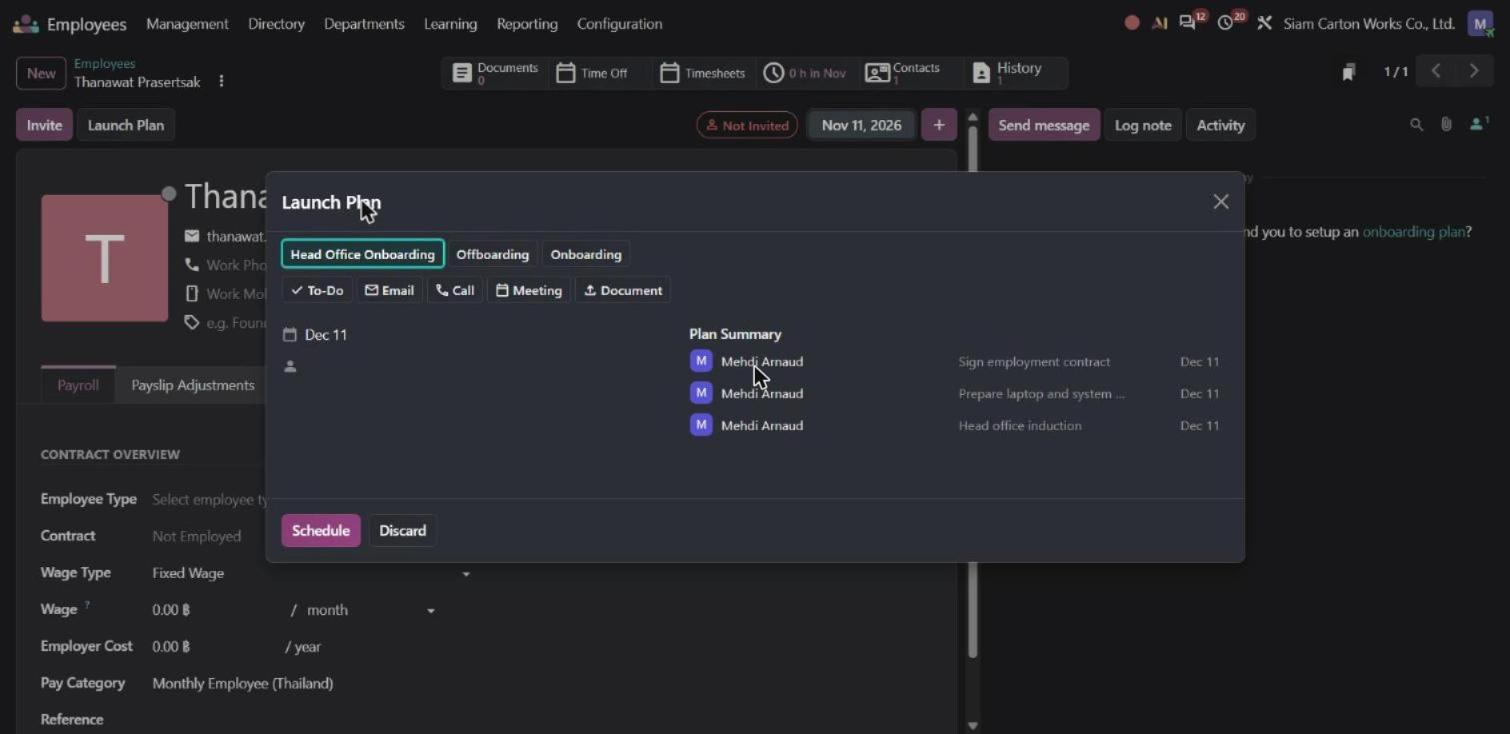
In Odoo 20, a signature request can be part of an activity or an activity plan. As soon as the plan starts, the employment contract goes out to Thanawat and the HR manager. The employee's chatter shows which document was sent and to whom.
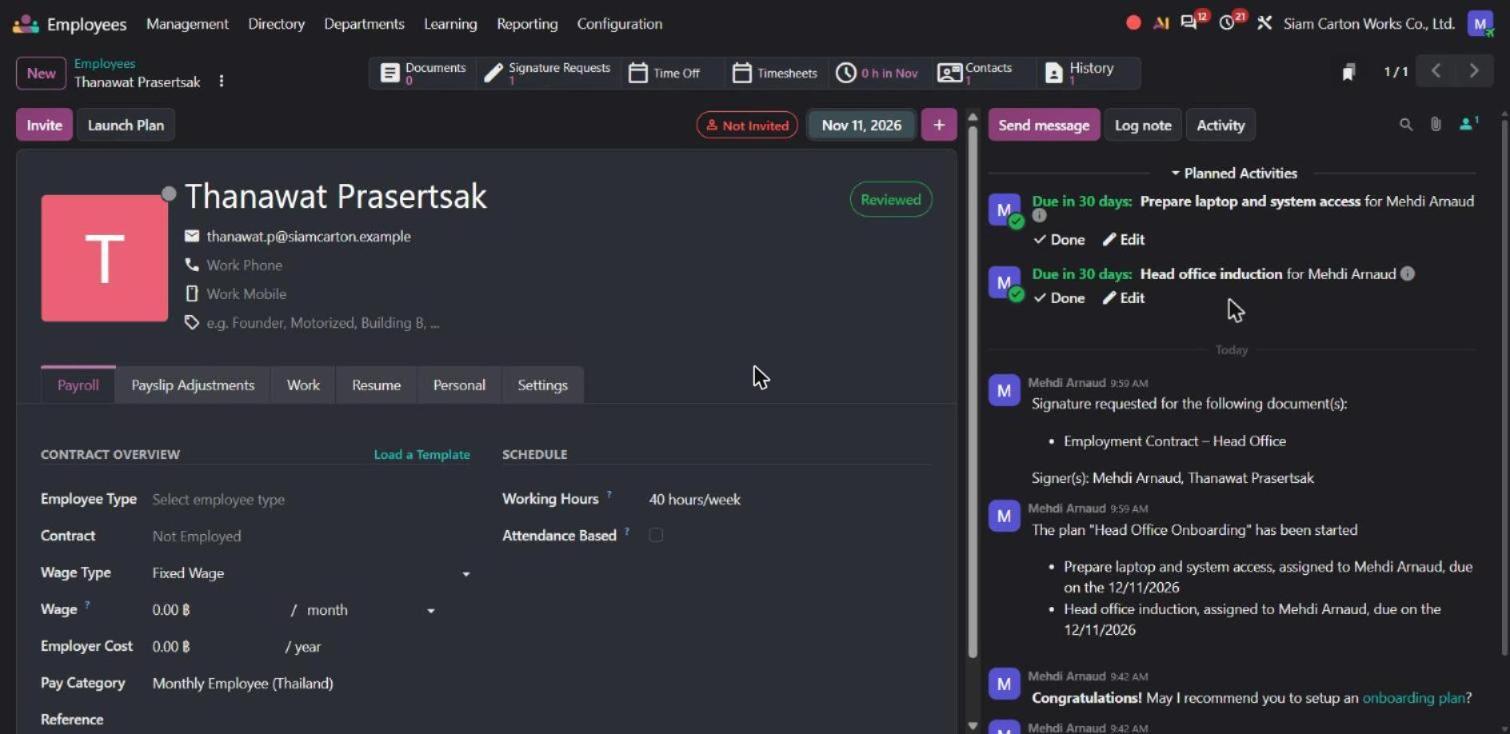
Nobody has to remember to send the contract. It is part of onboarding, like ordering the laptop.
2. The employee signs, and HR's record fills itself
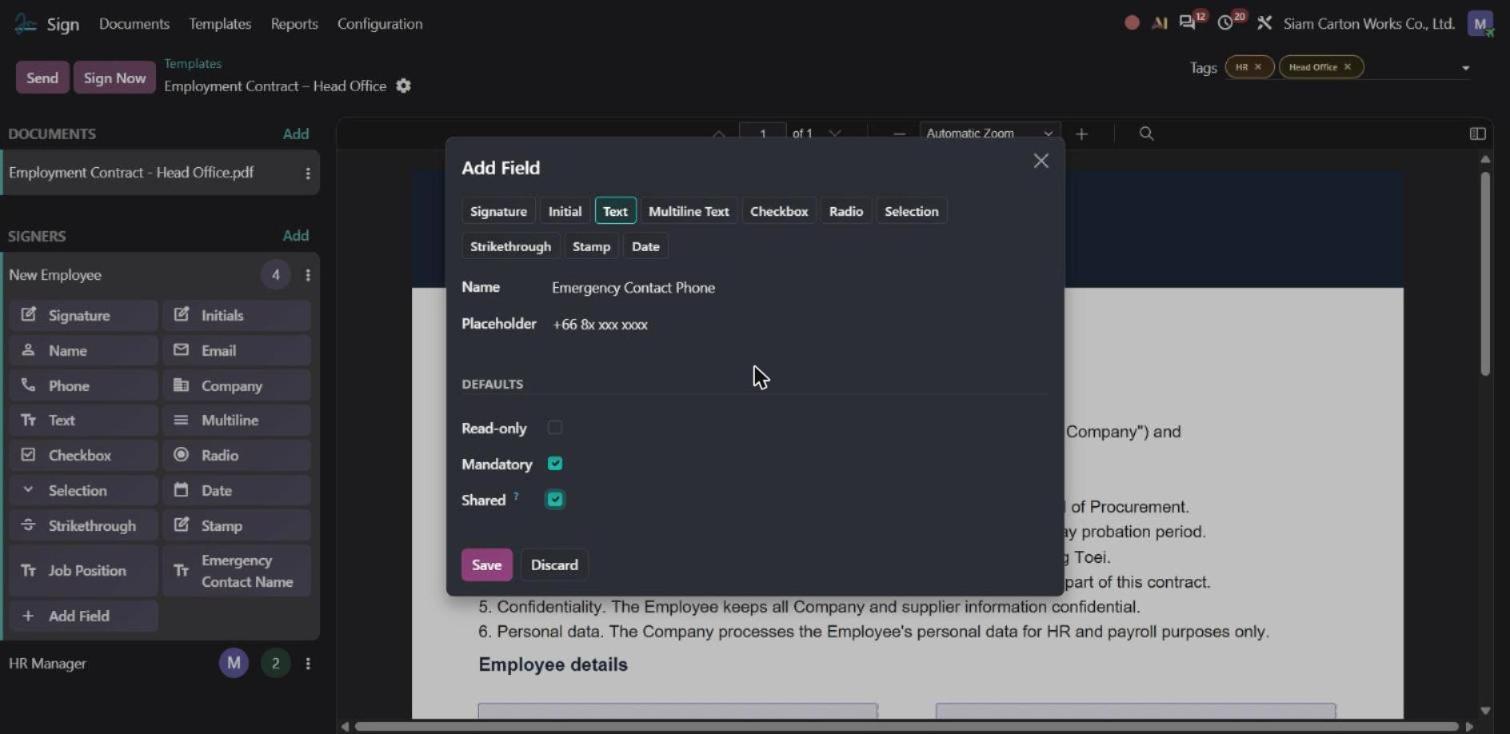
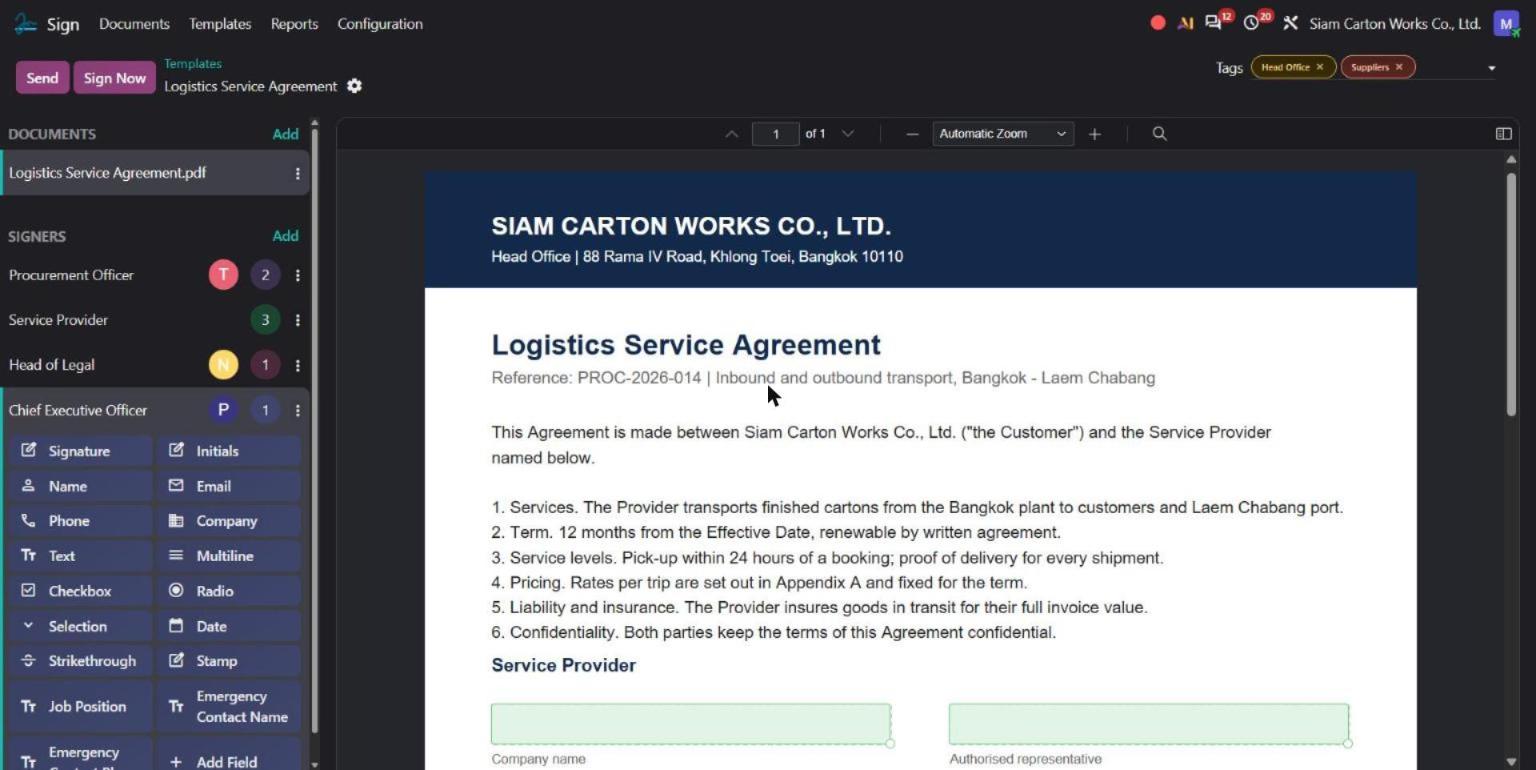
The contract asks the employee for an emergency contact. Before sending it, HR added a field for the phone number straight from the template editor. In Odoo 20 you can create a new Sign field while you prepare a document, and choose whether other users can reuse it.
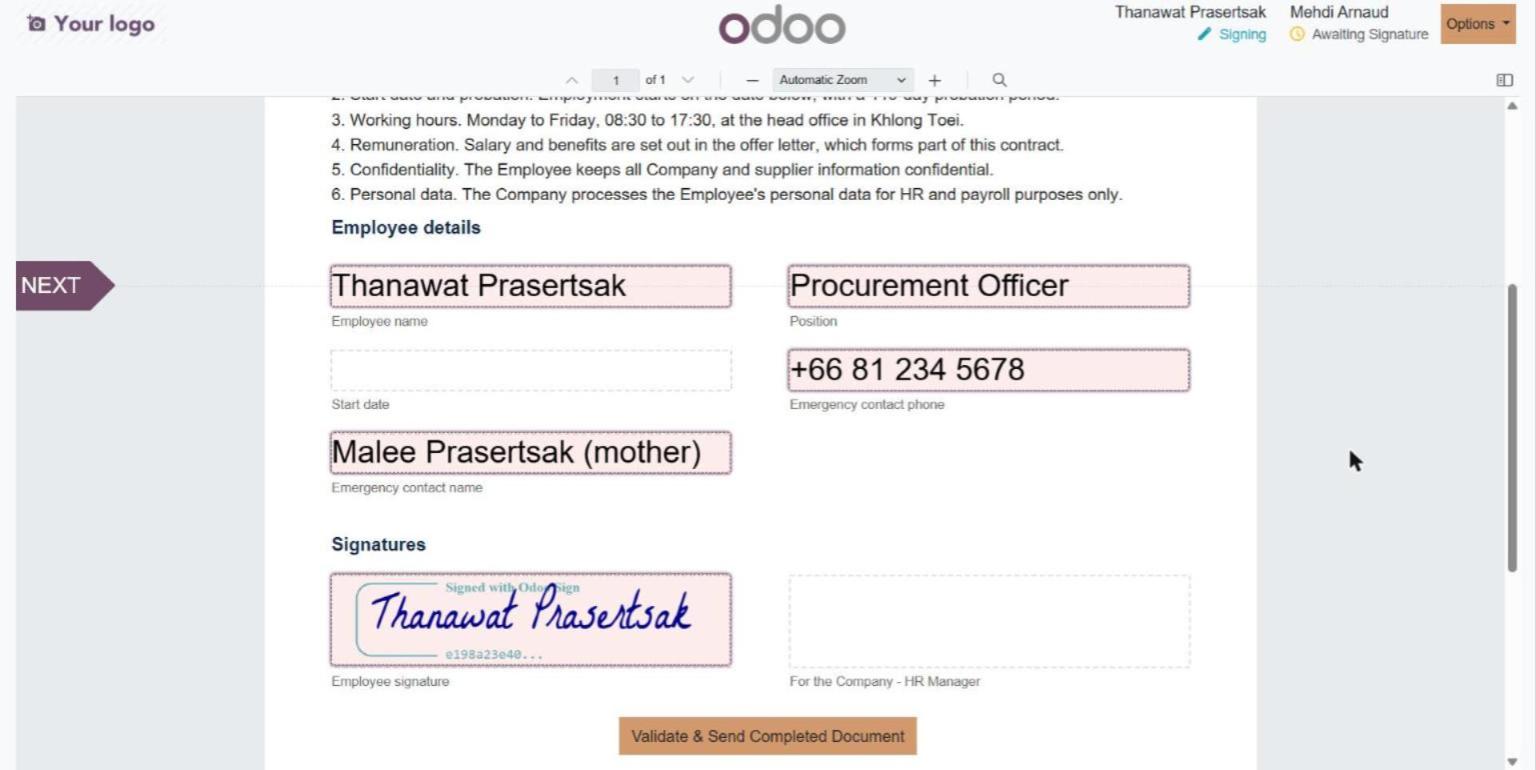
Thanawat opens the link, checks his name and position, enters his emergency contact (Malee Prasertsak, his mother, on +66 81 234 5678) and signs.
Once the HR manager has added the start date and signed too, Odoo does two things. It posts the signed PDF in the employee's chatter. And because the template is linked to the employee record, it copies the emergency contact name and phone into Thanawat's file. The chatter shows exactly which fields changed.
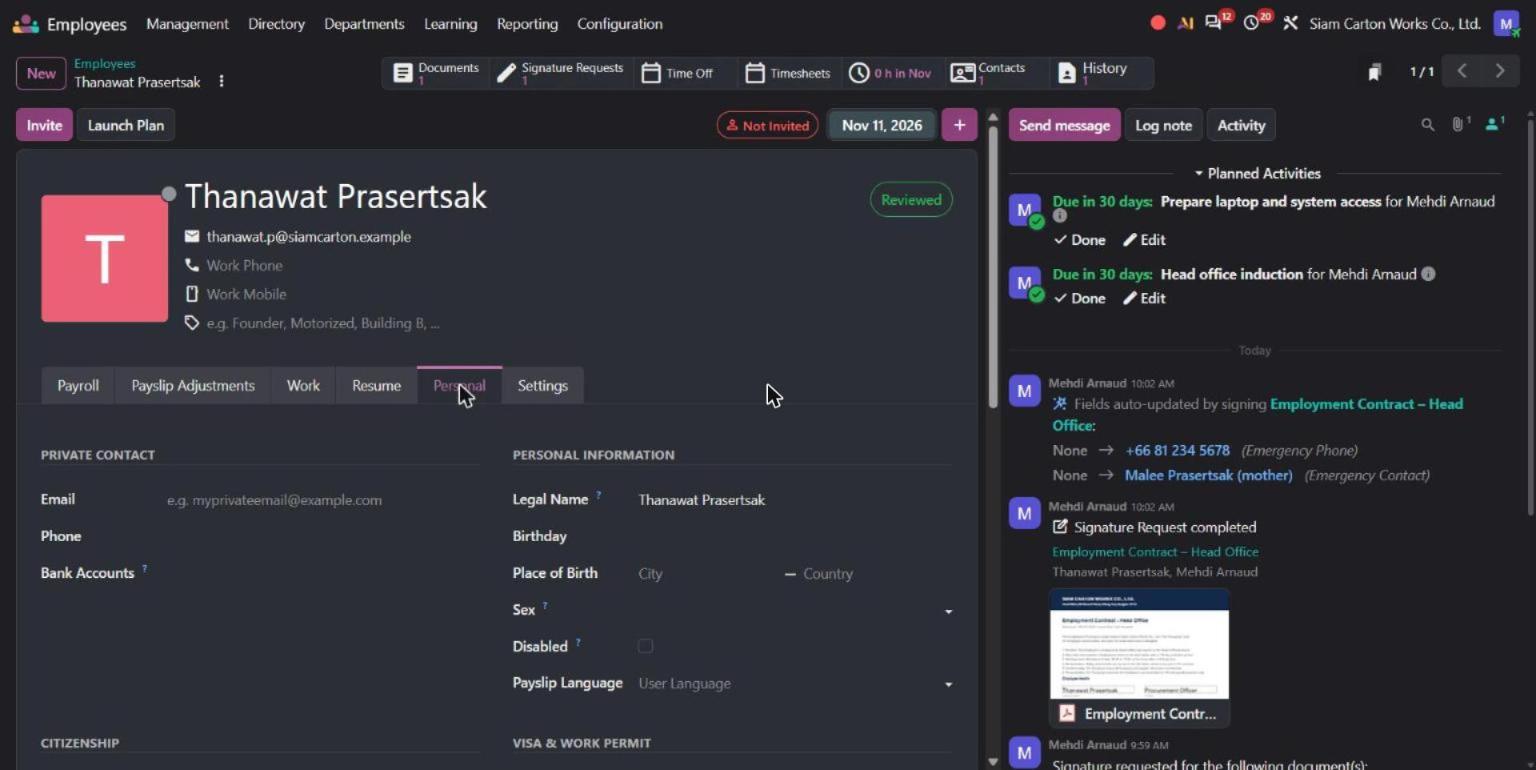
No retyping, and no gap between what the employee signed and what HR holds.
3. A contract with an outside partner: four signatures, in order
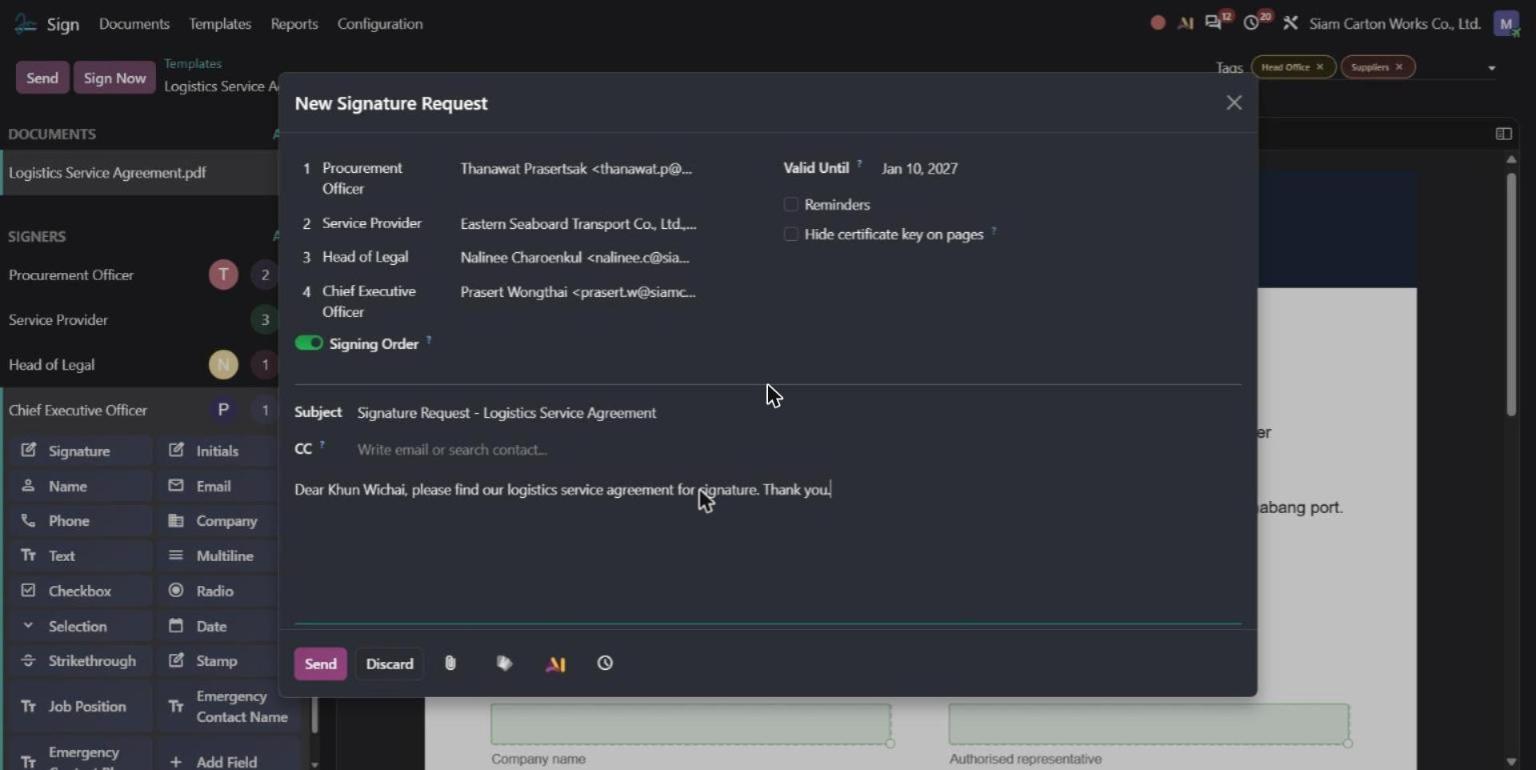
Now Thanawat is the one sending. Procurement has agreed a 12-month logistics contract with Eastern Seaboard Transport Co., Ltd. It needs four signatures: Procurement, the transport company, the Head of Legal and the CEO.
The template editor lists the four signers in that order. In Odoo 20 you can reorder signers right in the editor.
When sending, Thanawat switches on Signing Order. Each person only receives the document once the previous one has signed, so the CEO never signs a contract the supplier hasn't accepted yet.
With more than three signers, Odoo 20 shows the full list and each person's status in a dropdown. When Wichai, the key account manager at the transport company, opens the document, he can see that Procurement has signed and that Legal and the CEO are still waiting.
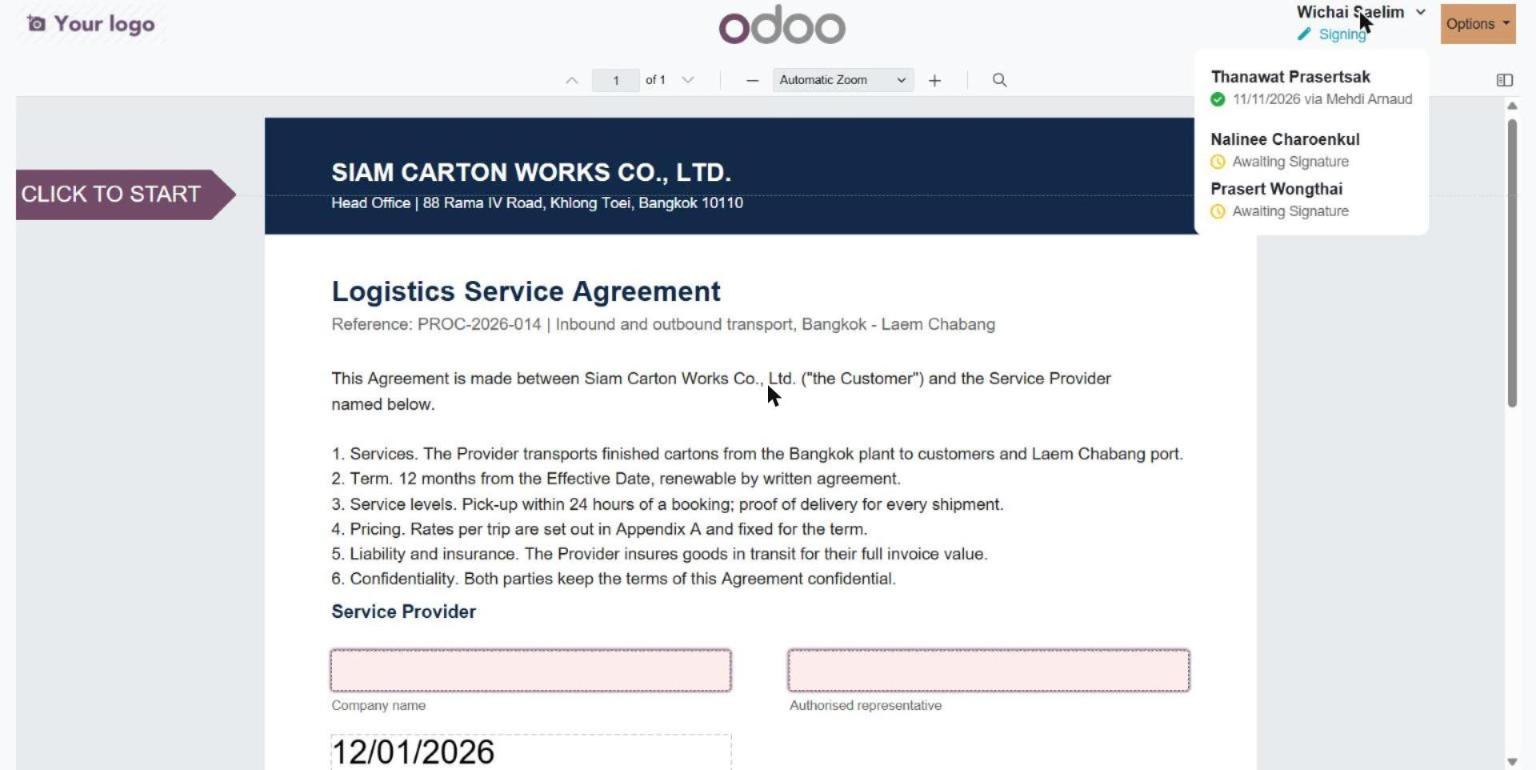
Wichai isn't the right person to sign for his company. From the new Options menu he can decline, download, or delegate. He delegates to his Managing Director, Somsak Ruangrit, who receives the request and signs.
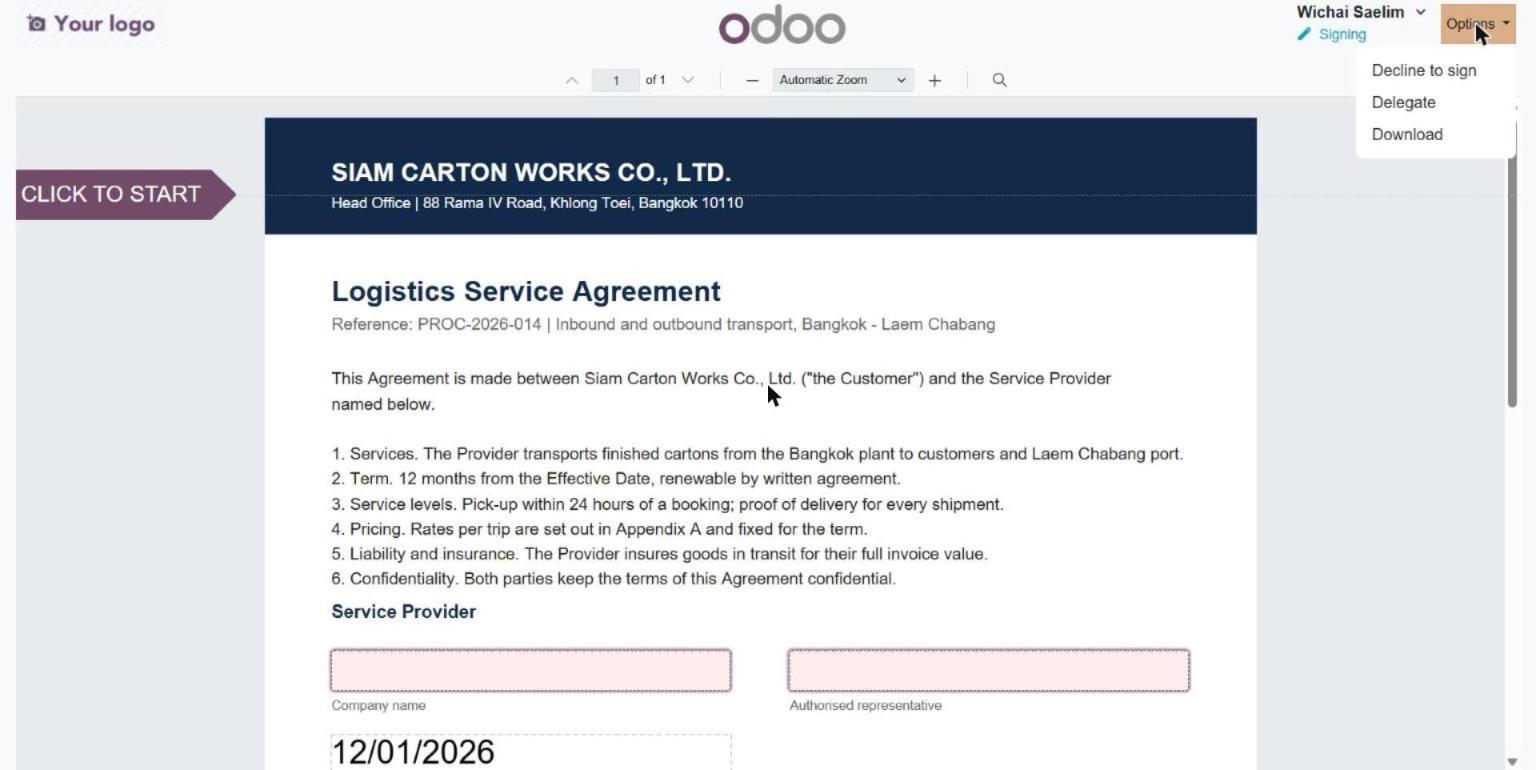
The Head of Legal and the CEO sign next. The agreement is complete the same day, with no paper going back and forth between Bangkok and Chonburi.
4. New supplier? The NDA goes out by itself
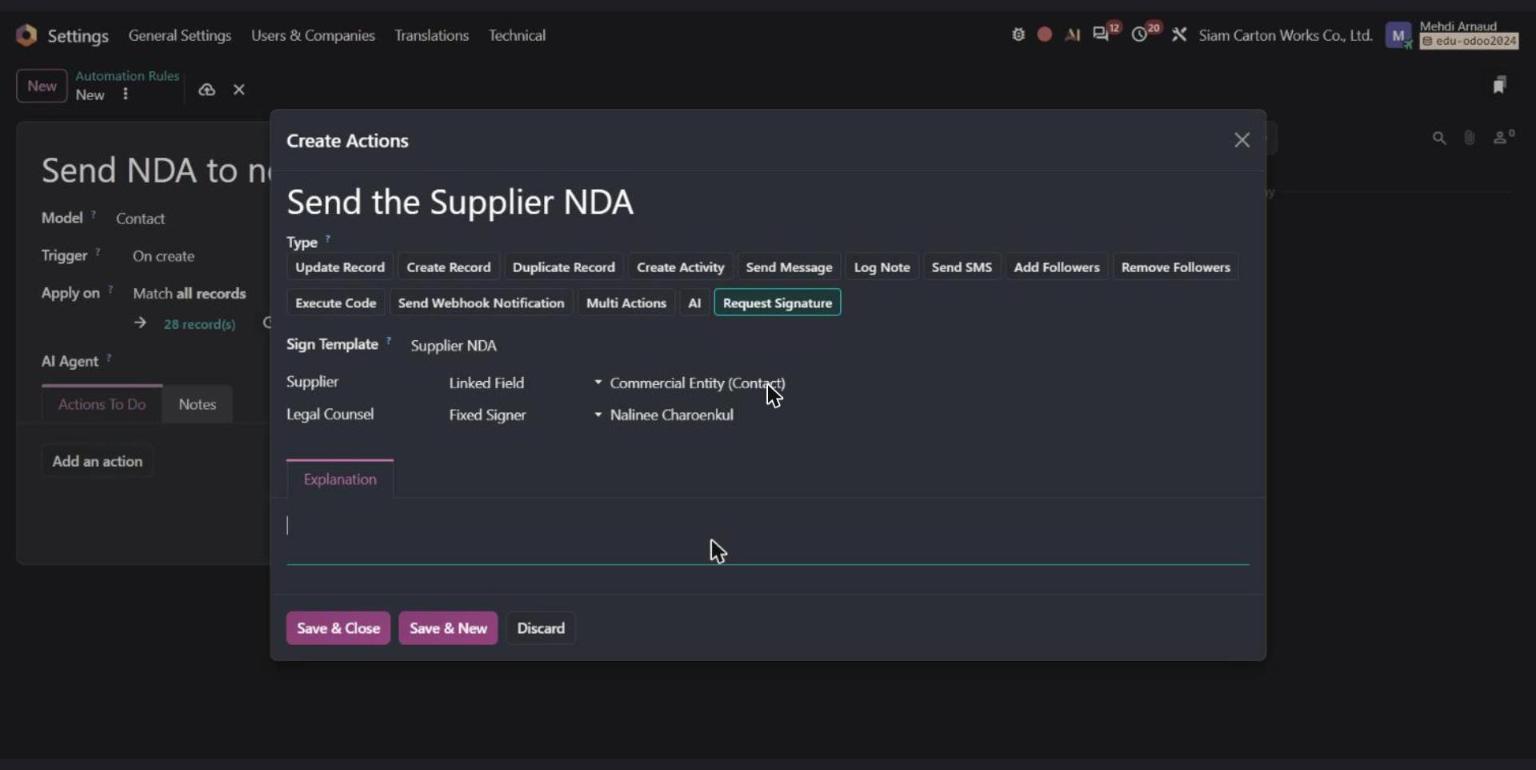
The head office has a rule: no prices are shared with a new supplier before an NDA is signed. In Odoo 20, signature requests can be sent by automated actions, with fixed signers and signers taken from the record.
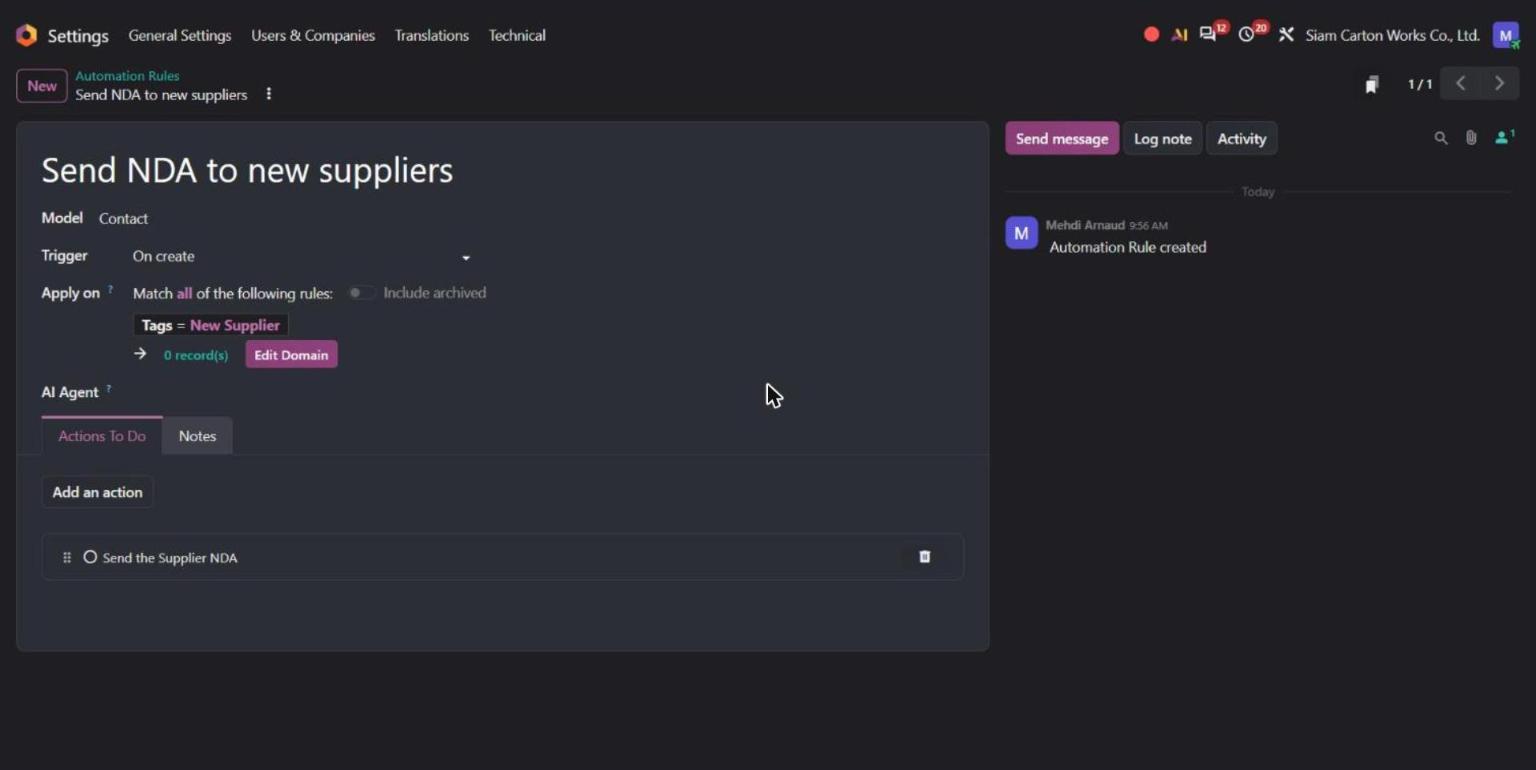
The legal team set up a simple automation rule. When a contact is created with the tag New Supplier, Odoo sends the Supplier NDA.
The action decides who signs. The supplier is a dynamic signer, taken from the contact itself. The Head of Legal is a fixed signer.
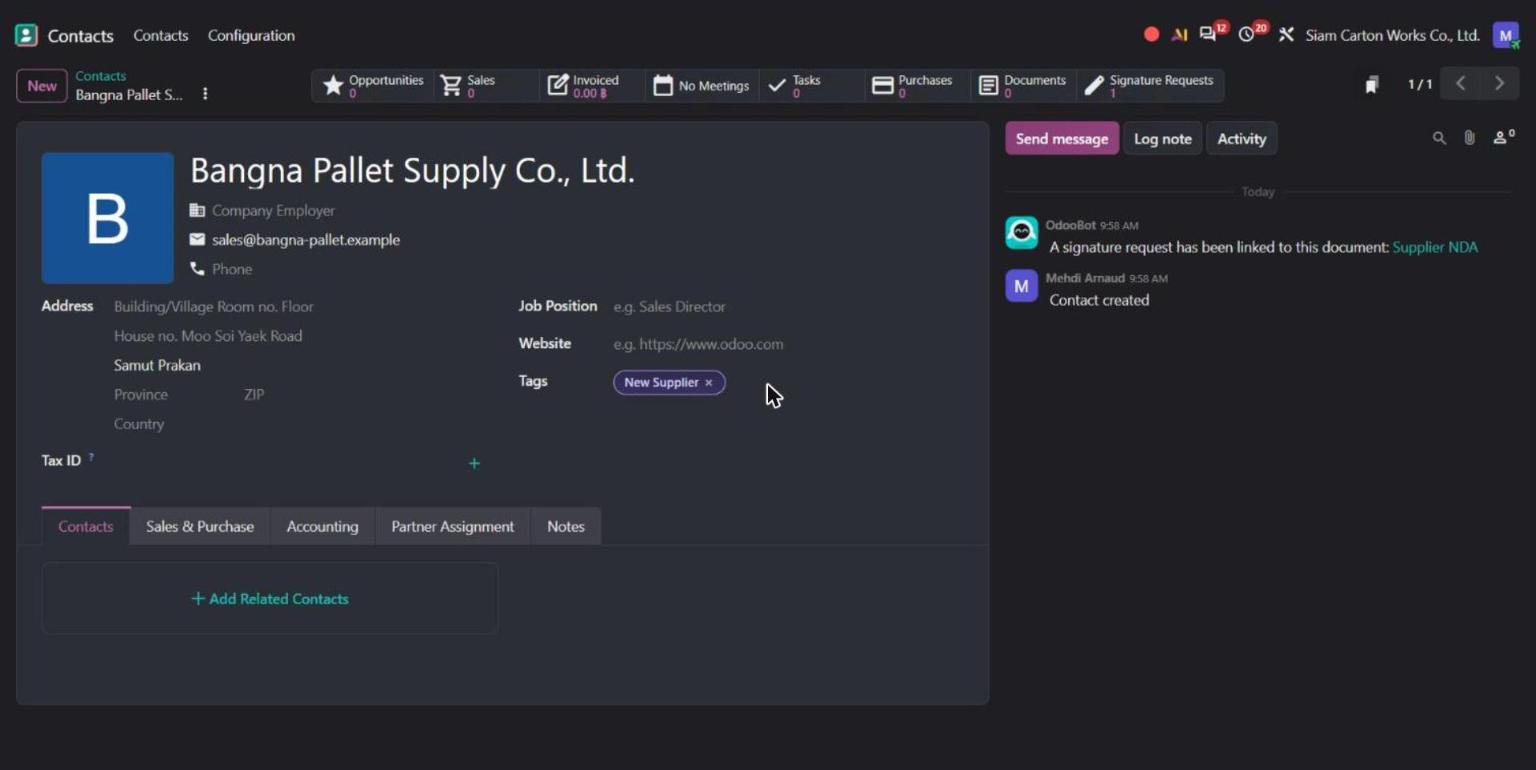
When the buyer creates Bangna Pallet Supply Co., Ltd. with the New Supplier tag, the NDA leaves immediately. The contact's chatter confirms it.
The rule no longer depends on someone remembering it.
5. Every contract in one place
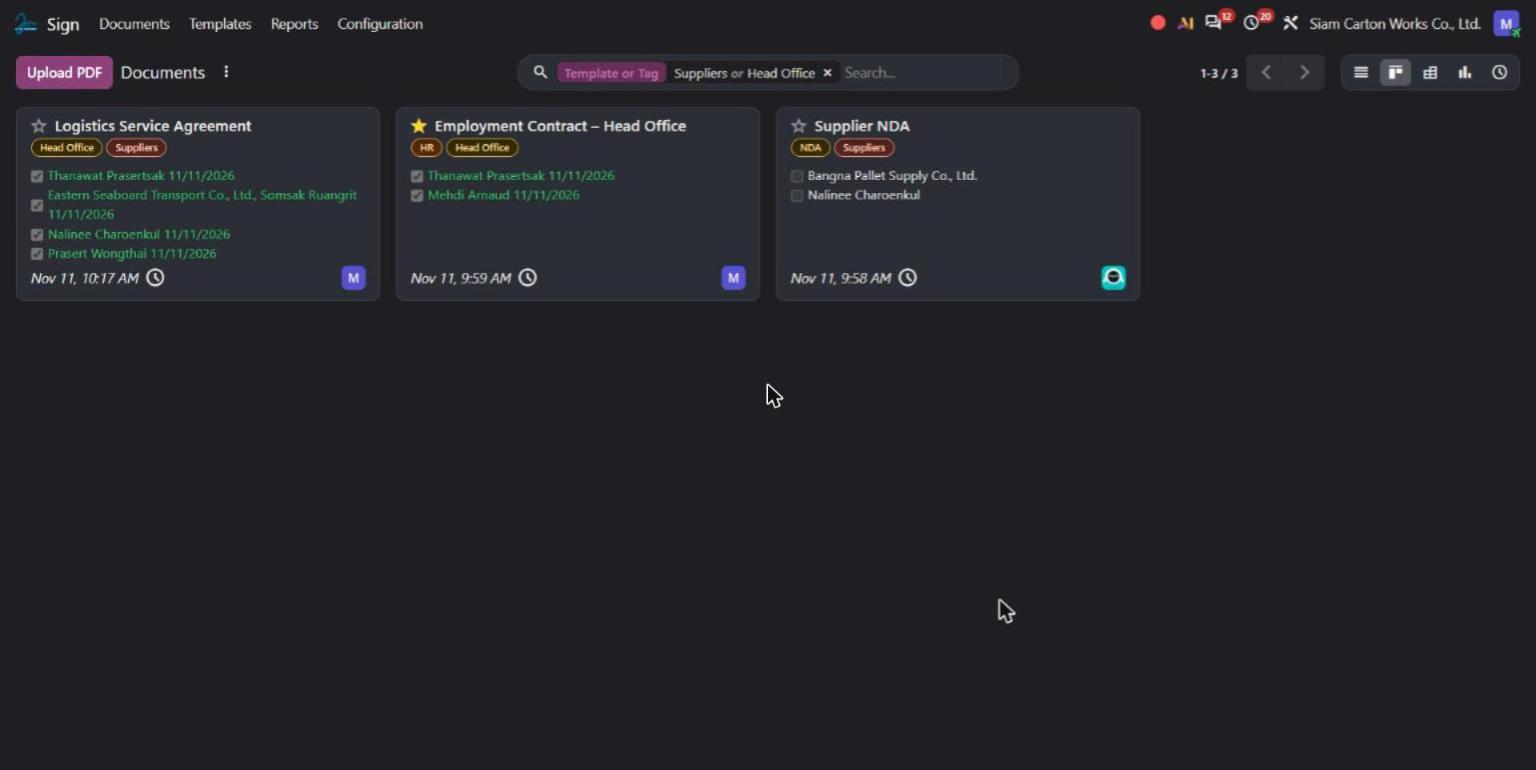
Each template carries tags: HR and Head Office for the employment contract, Suppliers and Head Office for the logistics agreement, NDA and Suppliers for the NDA. Odoo 20 lets you see and edit these tags on templates and on sent requests, in both the list and Kanban views.
One search on the Suppliers and Head Office tags brings up all three documents, with who has signed and who hasn't.
What this means for your head office
- Contracts start from the work itself: an onboarding plan, an activity or a new supplier record, not a separate tool.
- Signed data lands in your records: what the employee fills in updates their HR file.
- Multi-party contracts stay under control: signing order, a clear progress list and delegation for external partners.
- Rules run on their own: NDAs go out as soon as a supplier is created.
- Everything is easy to find: tags on templates and requests, and the signed PDF in each record's chatter.
Want contracts signed without the paper chase?
At Stenas Digital, we help Thai businesses set up Odoo around the way they actually work: your onboarding steps, your approval chain, your supplier rules. We handle implementation, migration and support, in Thai and English.
Book a free demo with our team: Hello@stenasdigital.com