
At Siam Carton Works, the quality team is one inspector short. Orders for printed boxes are picking up, and someone has to check every batch before it leaves the factory in Bang Na.
You probably know how hiring usually goes. CVs arrive by email, LINE and Facebook. Interview notes sit in a notebook. The contract is printed, signed, scanned and sent back, and HR types the new employee into the system by hand.
Odoo Recruitment puts all of that in one flow: one job post, one pipeline, one place for interviews and one click to send the contract for e-signature. We ran the whole process in an Odoo demo database for our fictional packaging company. Here is how it went, step by step.
1. Write the job once, publish it on your website
The quality manager created a Quality Inspector position in the Recruitment app. She added the department, a salary range of 18,000 – 24,000 ฿ per month, the expected degree (Diploma) and the interviewer.
She also listed the expected skills: visual inspection, measuring tools, ISO 9001, Thai, basic English and teamwork. This list matters later: it is what Odoo uses to rank the applicants.
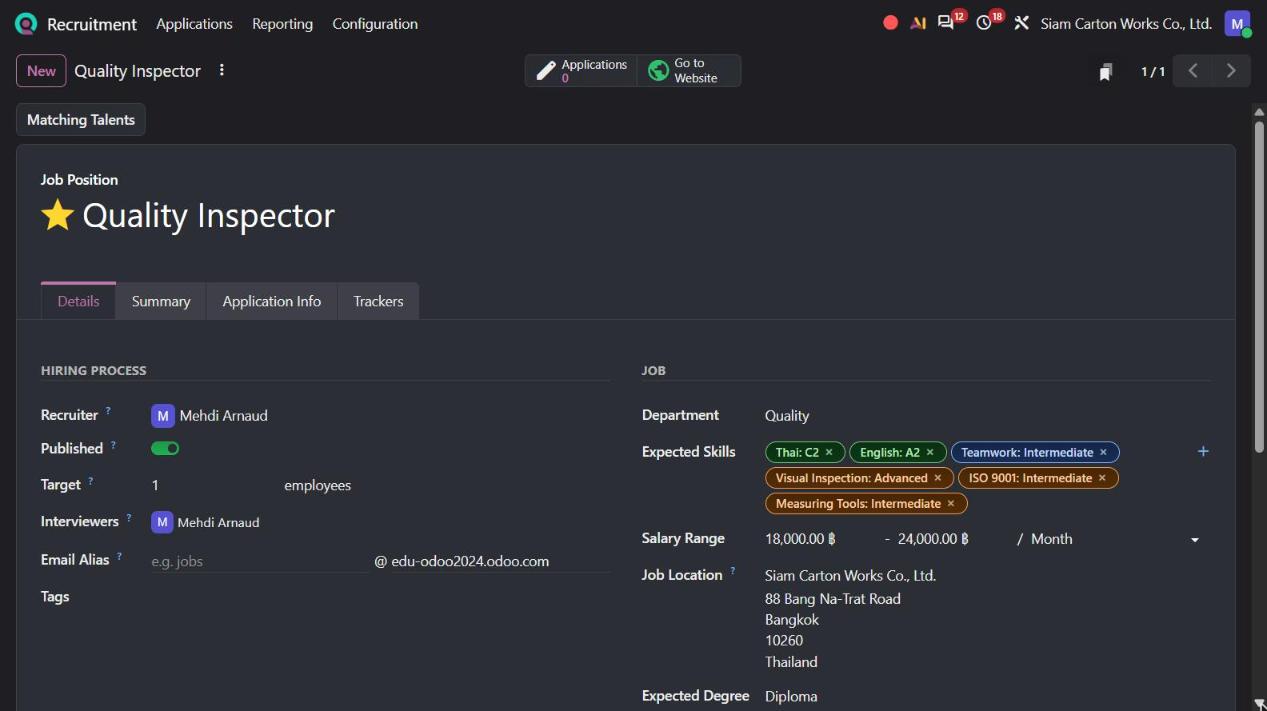
Odoo Recruitment job position form for a Quality Inspector with expected skills and salary range
One switch, Published, and the job appeared on the company's careers page, with the description, the location and an Apply Now button.
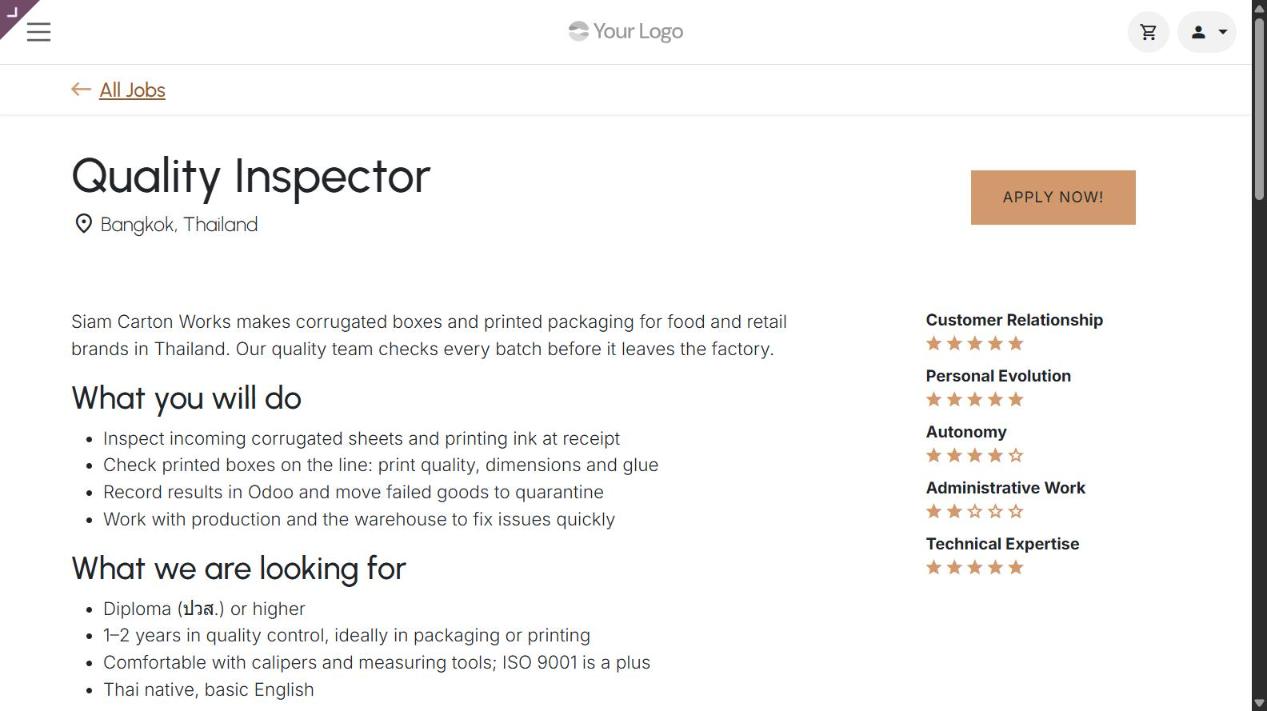
Quality Inspector job published on the company careers page built with Odoo Website
2. Every application lands in one pipeline
Kanokwan Thongdee, a QC technician with three years in a printing and packaging plant, applied from the website. She filled in her name, email and phone, attached her CV and added a short introduction.
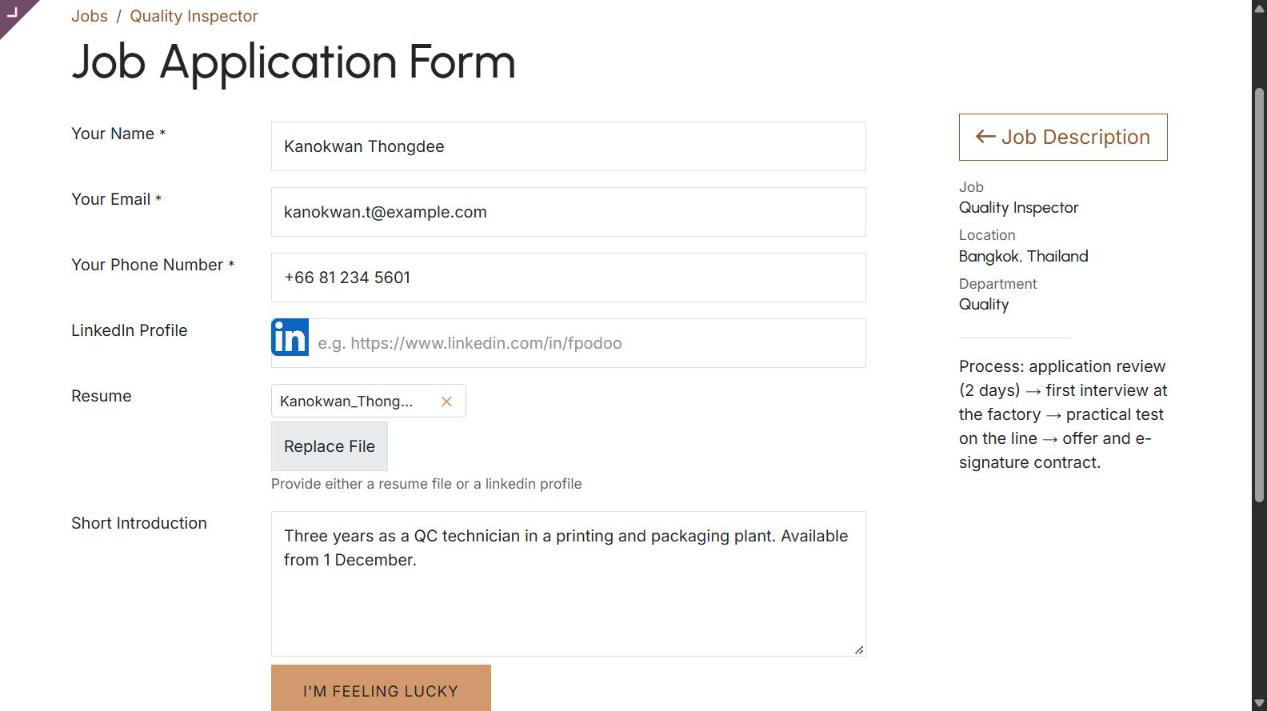
Odoo job application form on the website with CV attached
Odoo created her application automatically and sent her an acknowledgement email. Four more candidates came in from LinkedIn, Facebook and an employee referral. All five now sit in the New column of the same pipeline, with their CVs attached.
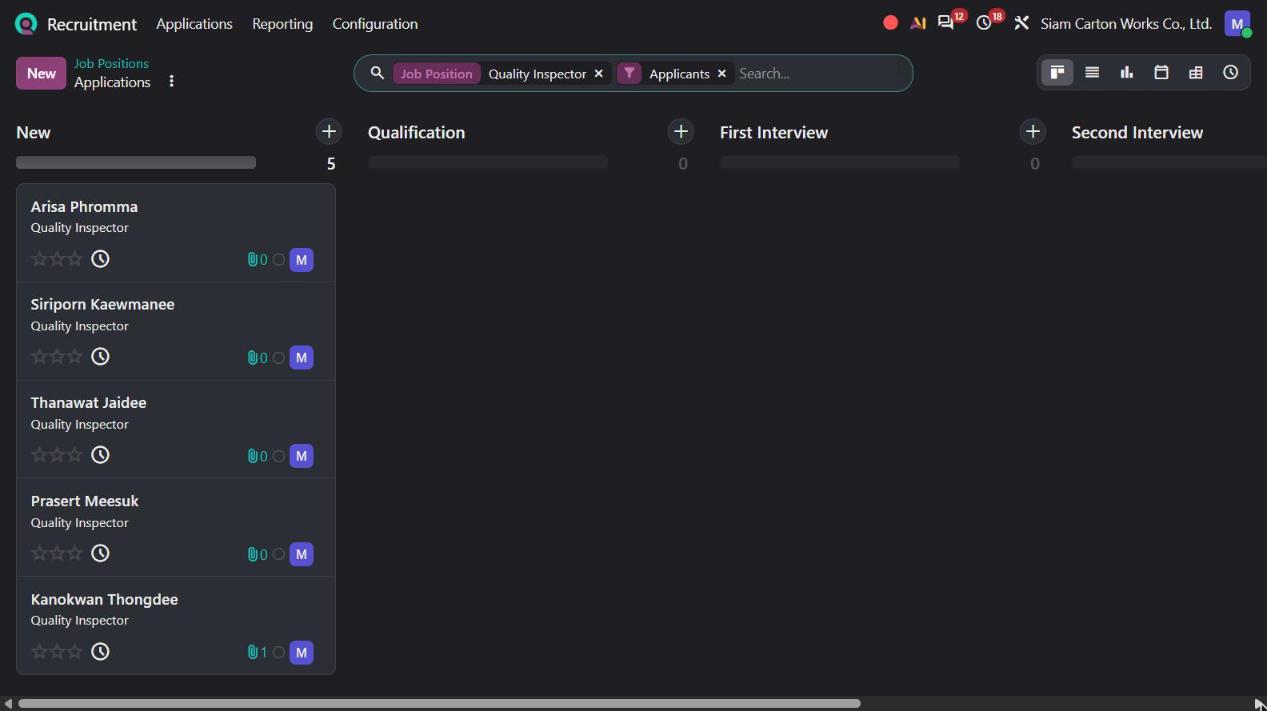
Odoo Recruitment Kanban pipeline with five new applications for the Quality Inspector job
No more digging through inboxes and chat groups. If your team receives CVs by email, you can also give the job its own email alias, and every CV sent to it becomes an application.
3. New in Odoo 20: find the best matches in seconds
After reading the CVs, the recruiter recorded each applicant's skills. Odoo then compares them with the skills expected for the job, and with the expected degree, and gives every applicant a Matching Score.
Odoo 20 adds a Matching Score filter to the search. The recruiter opens the filters and picks a threshold: 80%, 70%, 60% or 50%.
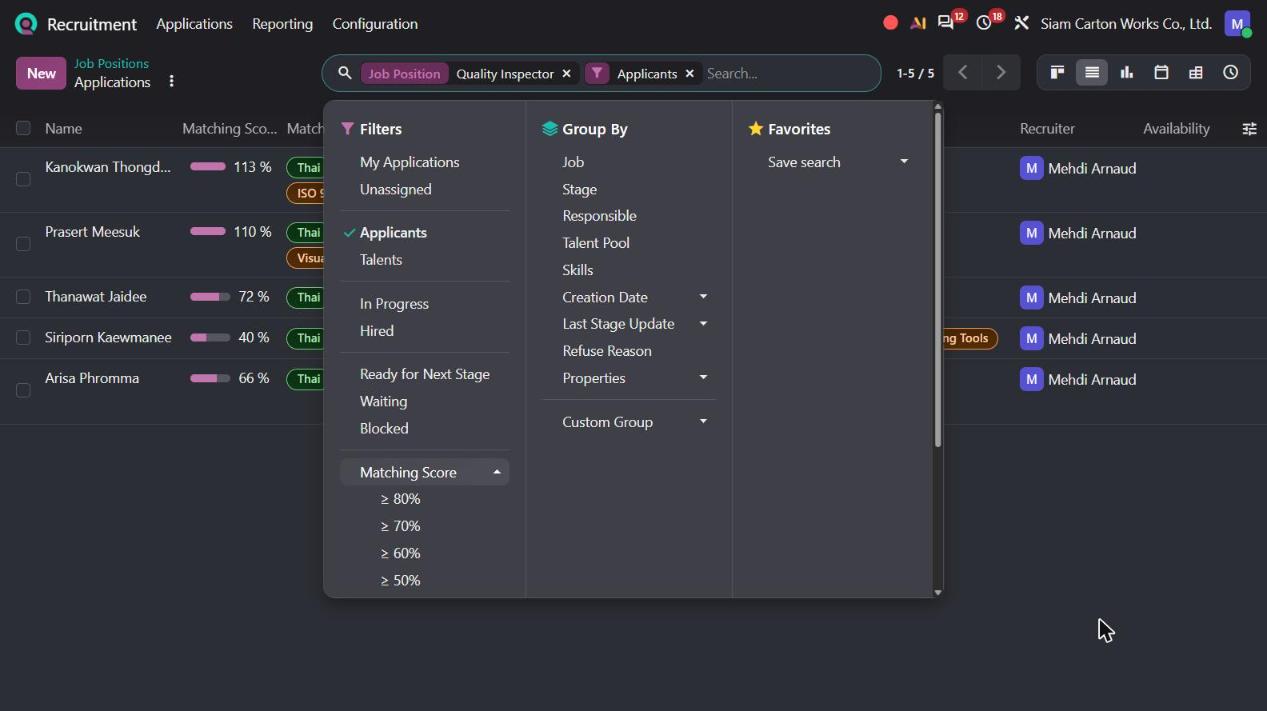
Odoo 20 Recruitment search filters with the new Matching Score options
With ≥ 80%, the list drops from five applicants to two: Kanokwan at 113% and Prasert at 110%. A score above 100% simply means the applicant meets every expected skill and the expected degree. The list also shows which skills match and which are missing.
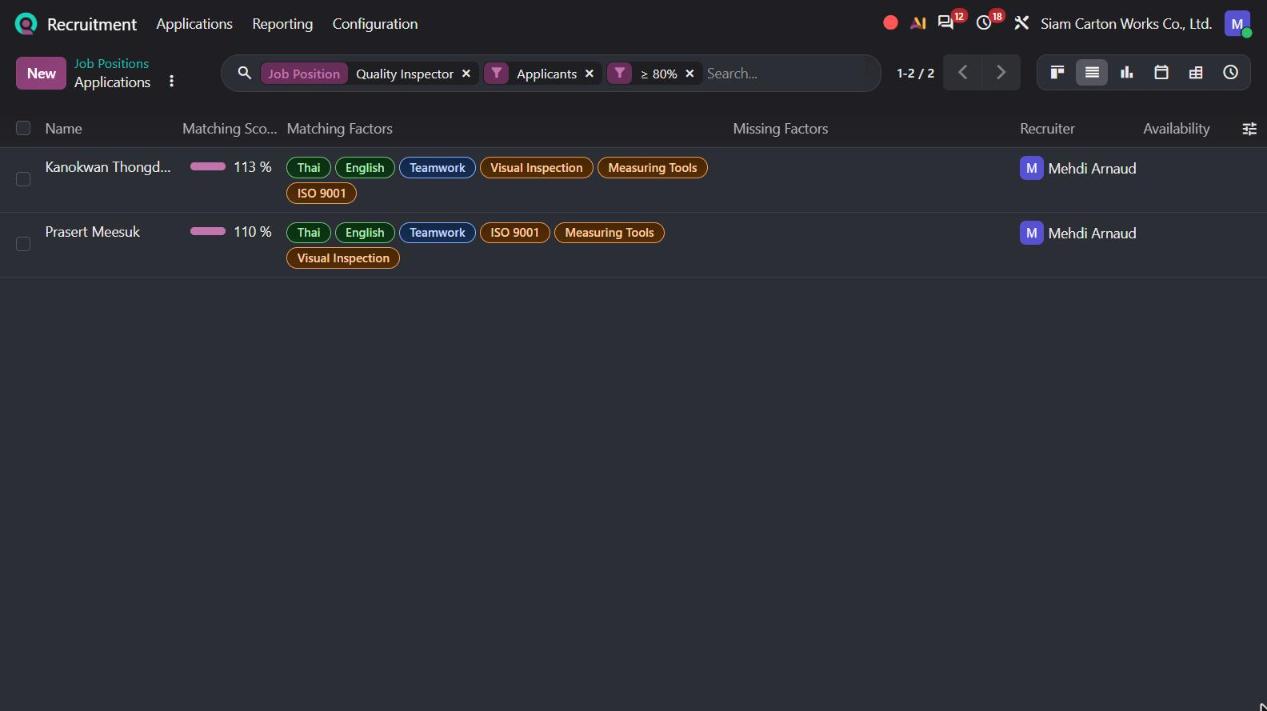
Odoo 20 applicant list filtered on a matching score of 80% or more, with matching skills
The other three scored 72%, 66% and 40%. They are not lost: the recruiter can keep them in a talent pool for the next opening. And from the job position itself, the Matching Talents button (also new in Odoo 20) shows people already in your talent pool who fit the role.
4. Interviews and notes on the same card
The recruiter moved Kanokwan and Prasert to First Interview and booked the meetings from the applicant card. The invitation goes to the candidate and the interviewer, and the meeting stays linked to the application.
Kanokwan had her first interview on 6 November, then a one-hour practical test on printing line 2 on 9 November.
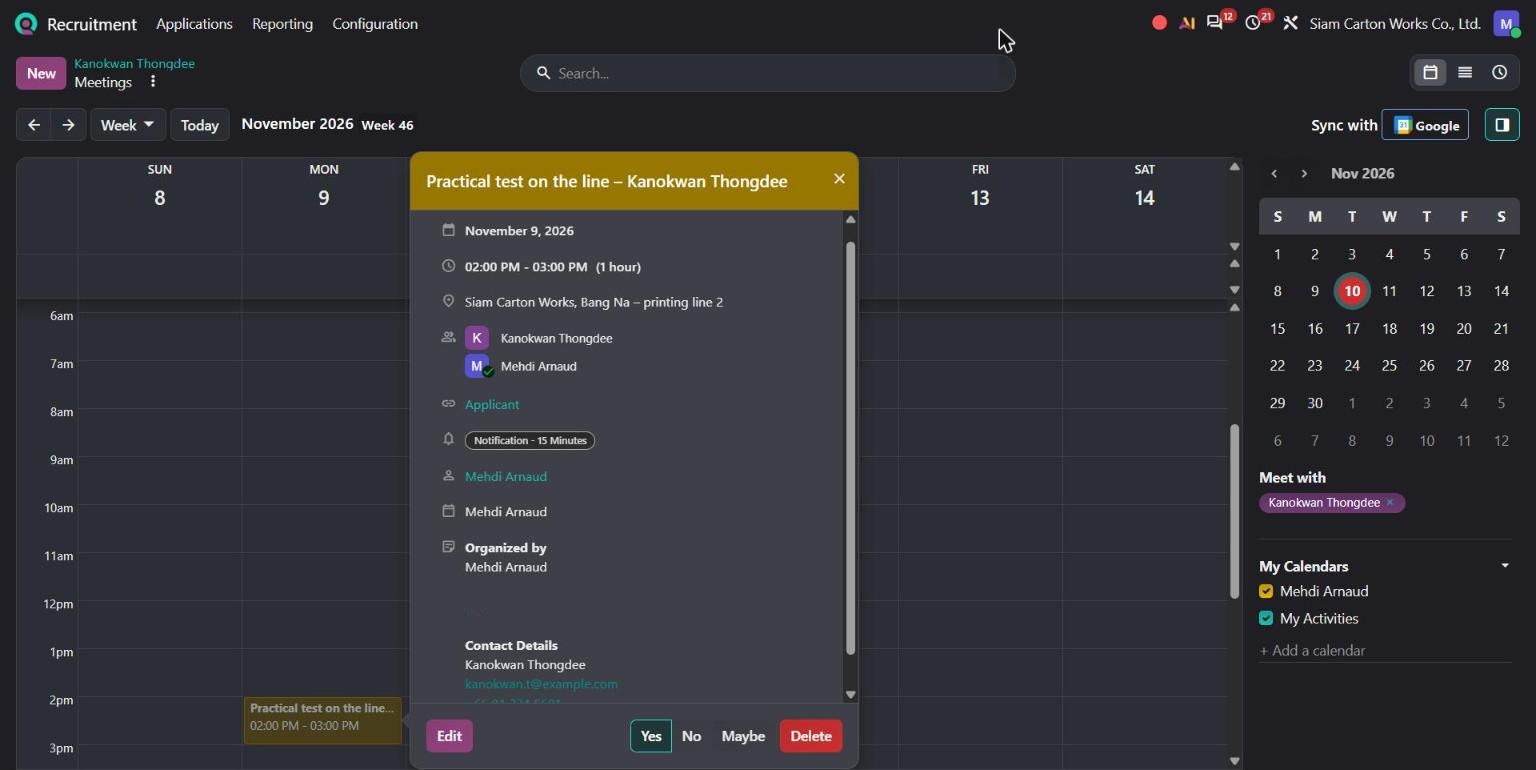
Odoo calendar event for a practical test interview linked to the applicant
After each step, the interviewer wrote her notes directly on the application. Her CV is open right next to them. During the practical test, Kanokwan checked 50 printed boxes and found all 3 defects the team had planted. Decision: make an offer at 21,000 ฿ per month, starting 1 December.
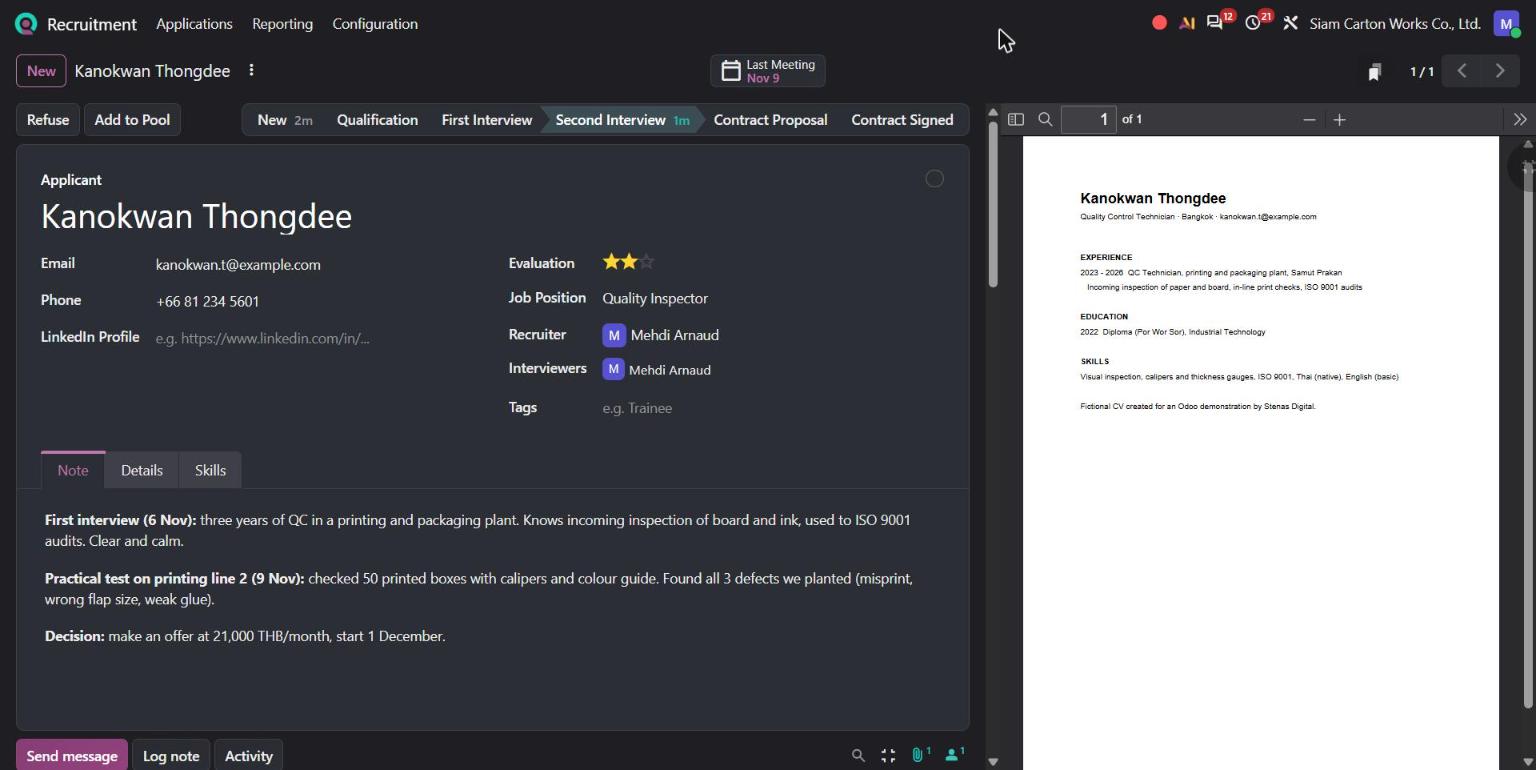
Odoo applicant form with interview notes, evaluation stars and CV preview
Anyone involved in the hiring decision now sees the same information, in the same place.
5. Send the contract and sign it online
At the Contract Proposal stage, the recruiter sent the employment contract from the applicant. She picked the contract template, set Kanokwan as the employee signer and herself as the company signer, and added a short message.
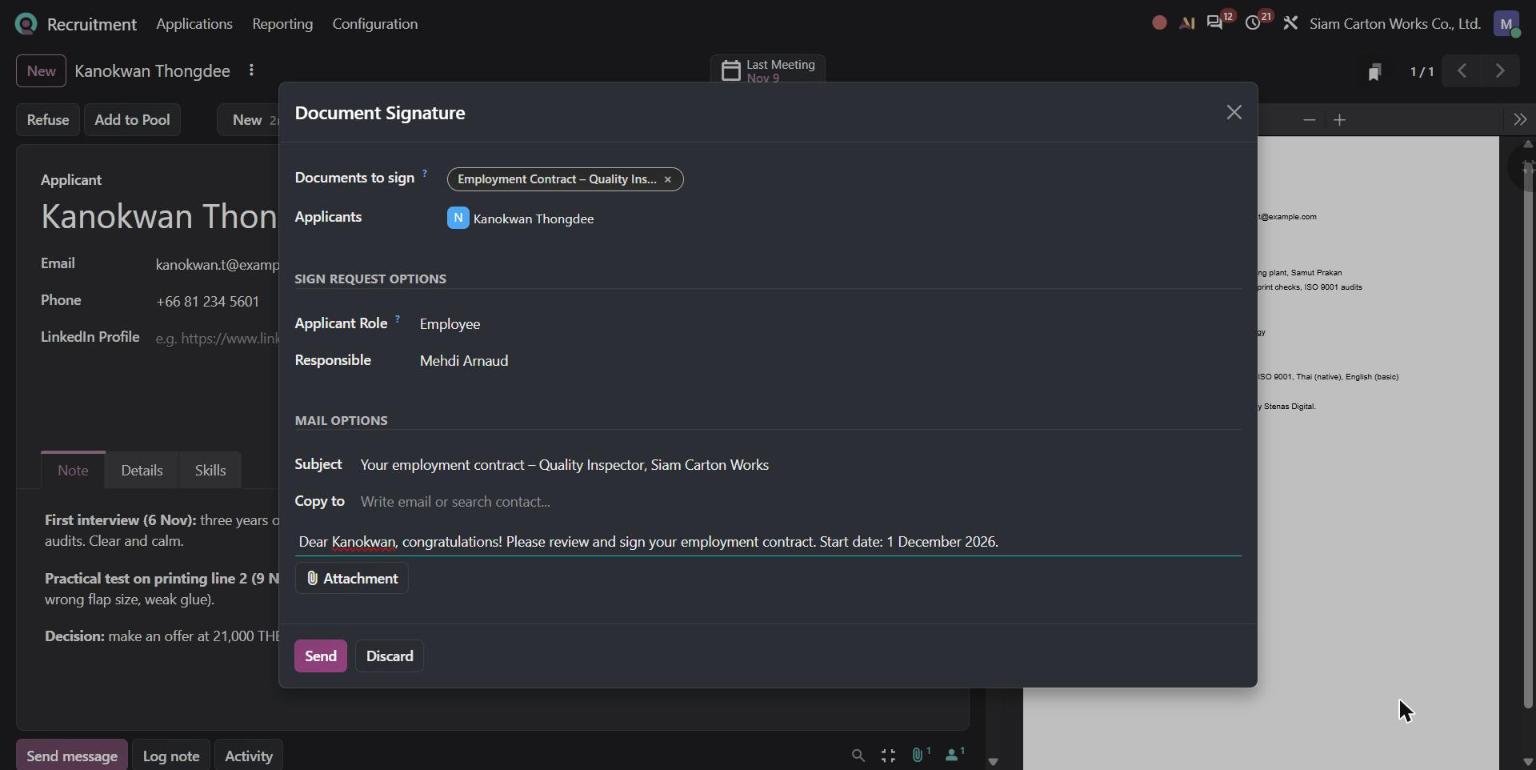
Odoo Recruitment Document Signature dialog sending an employment contract to an applicant
The contract states the position, the start date of 1 December 2026, the 119-day probation many Thai companies use, the 21,000 ฿ monthly salary and the working hours.
Kanokwan received an email with a link. She opened the contract on her screen, adopted her signature and filled in the date. No printer, no scanner.
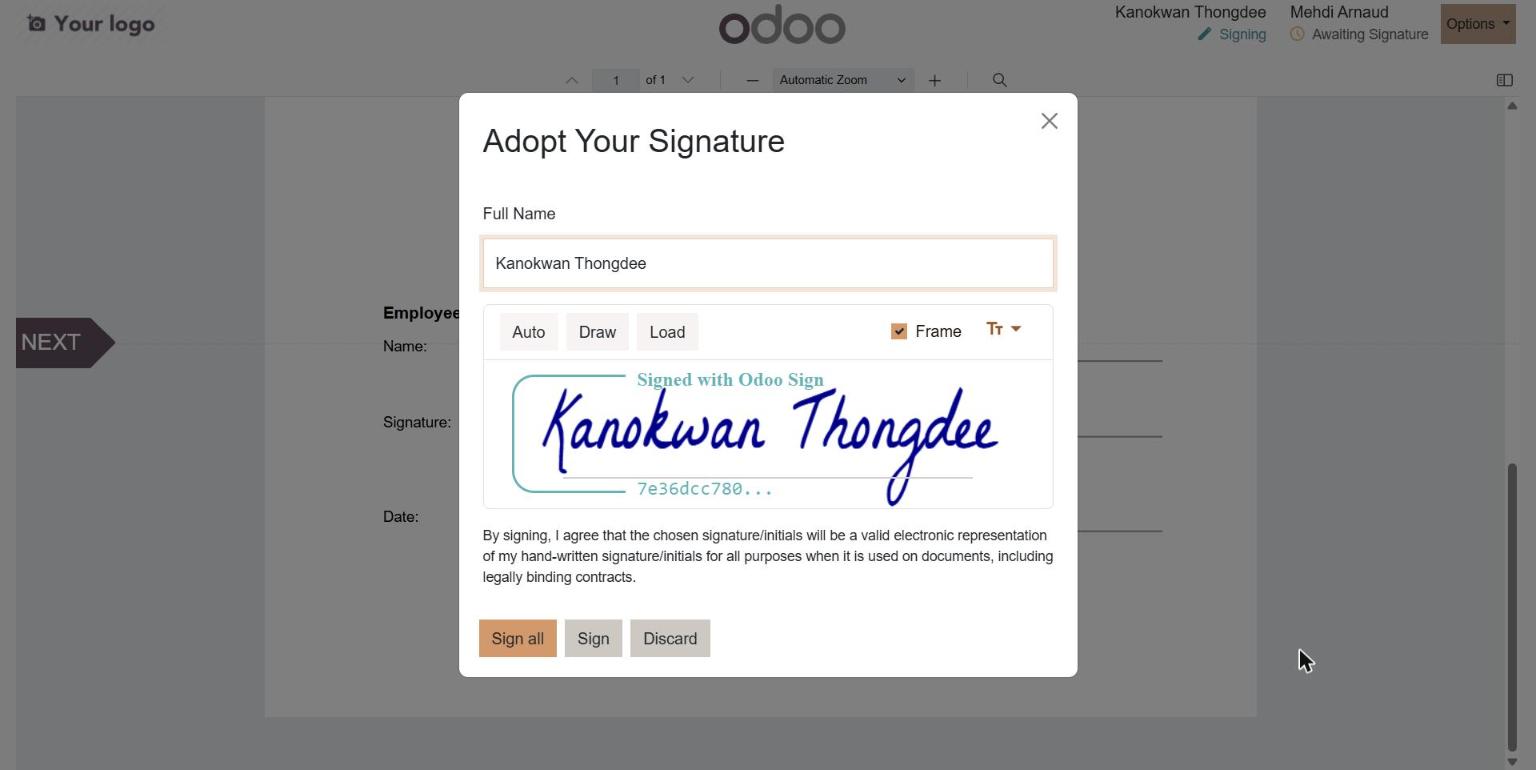
Applicant adopting an electronic signature on an employment contract in Odoo Sign
The company then counter-signed on the same document. Both parties receive the signed PDF, and a copy stays linked to the application.
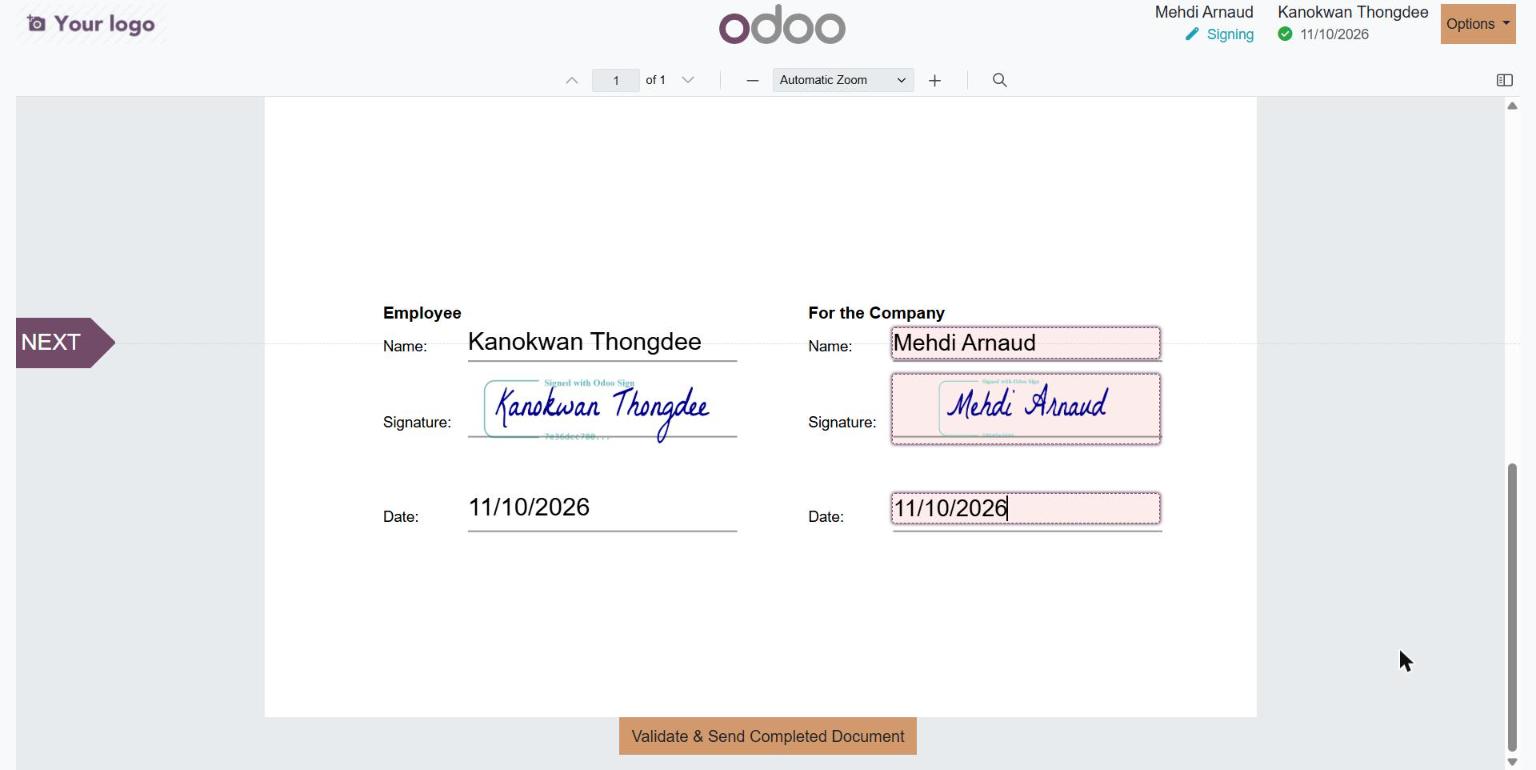
Employment contract signed electronically by the employee and the company in Odoo Sign
6. Hired: the employee record is ready
The recruiter moved Kanokwan to Contract Signed. Odoo marked her as Hired, recorded the hire date and kept a link to the signature request.
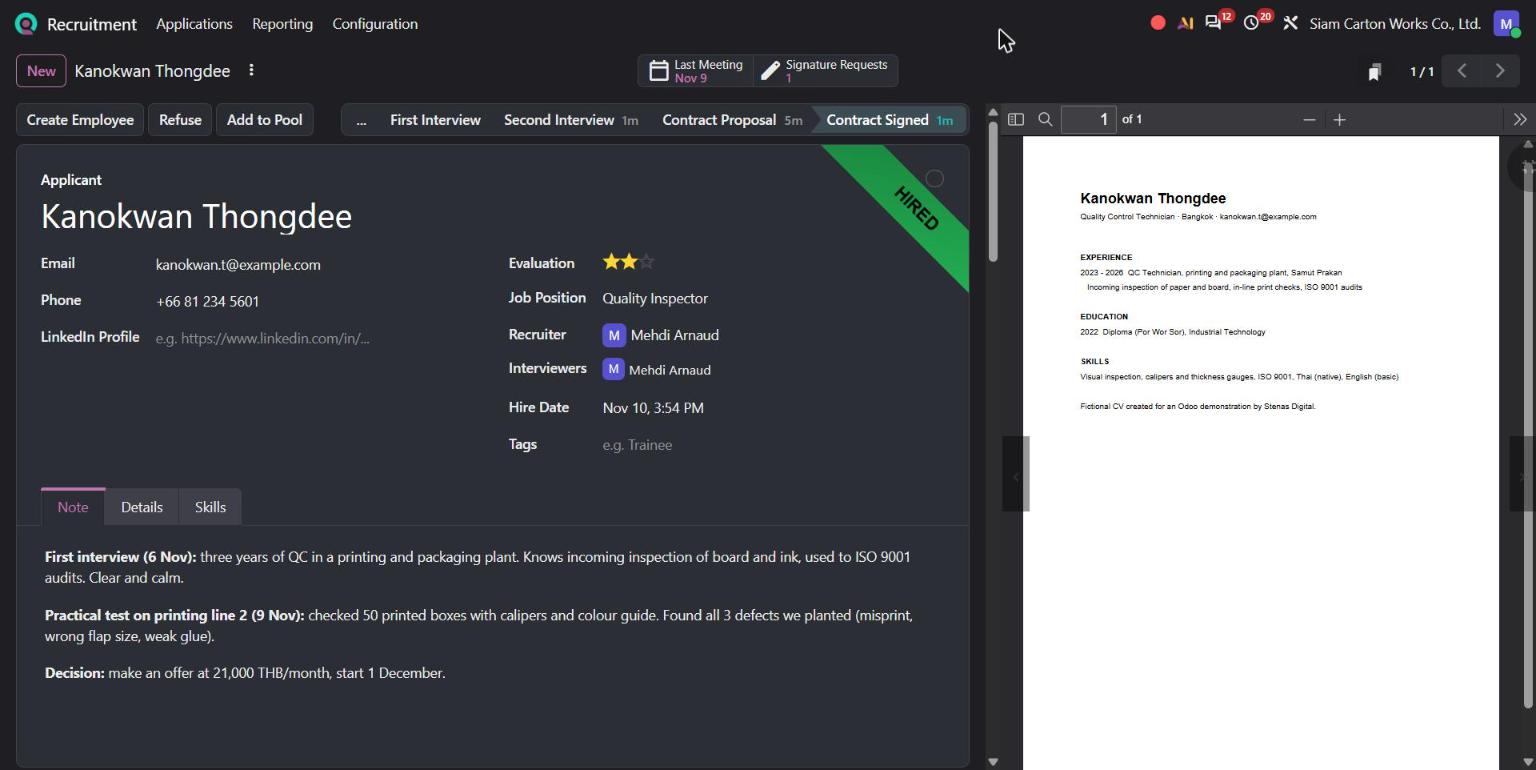
Odoo applicant marked as hired at the Contract Signed stage, with Create Employee button
One click on Create Employee created her employee record. Her name, phone, job position (Quality Inspector) and department (Quality) came straight from the application. HR only added the contract start date and the monthly wage of 21,000 ฿.
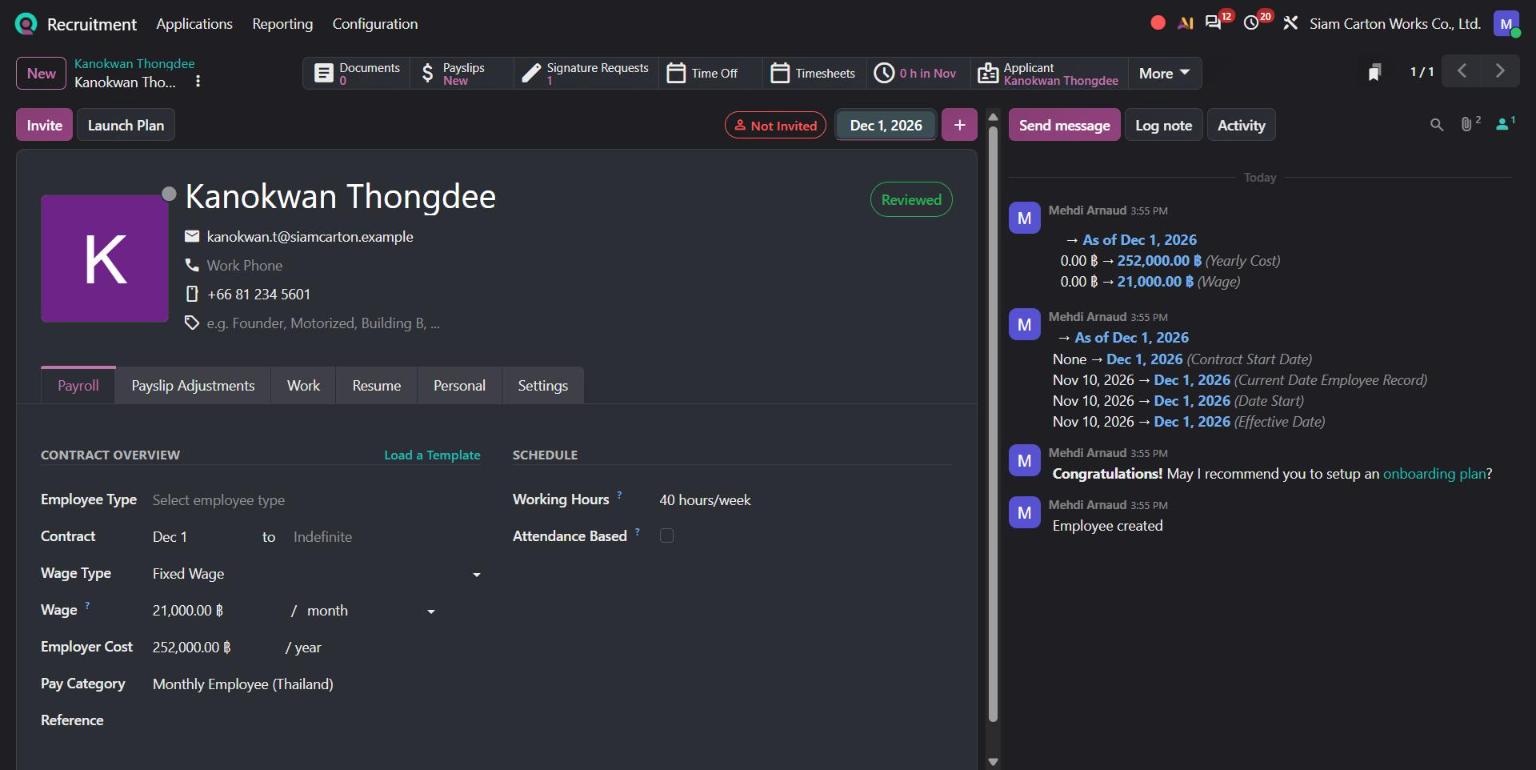
Odoo employee record created from the applicant, with contract start date and monthly wage
From here, Kanokwan is ready for the rest of the HR suite: time off, expenses, planning, appraisals and payroll. Nobody typed her details twice.
What this means for your team
- One job post feeds your website and your pipeline.
- One pipeline replaces CVs scattered across email, LINE and Facebook.
- Matching Score shows the best candidates first, and Odoo 20 lets you filter on it in one click.
- Interviews and notes stay on the application, next to the CV.
- E-signature gets the contract signed in a day, not a week.
- Create Employee turns the hired applicant into an employee without retyping anything.
Want to hire this way in your company?
At Stenas Digital, we help Thai businesses set up Odoo around the way they actually work: your hiring steps, your contract templates, your approval rules. We handle implementation, migration and support, in Thai and English. And when your new employee is hired, our Thai Payroll Module takes over for monthly payroll, withholding tax and social security.
Book a free demo with our team: Hello@stenasdigital.com