
On 24 September 2026, Odoo released version 20. The release notes are long, covering AI, sales, inventory, manufacturing, accounting, phone, marketing and more. If you run a business in Thailand, you don't need to read all of it. You need to know three things: what is useful for you, what it will cost, and when to upgrade.
This article covers exactly that. We have gone through the Odoo 20 new features and kept the ones we think Thai SMEs will feel in their daily work.
1. Selling on Lazada and TikTok from Odoo
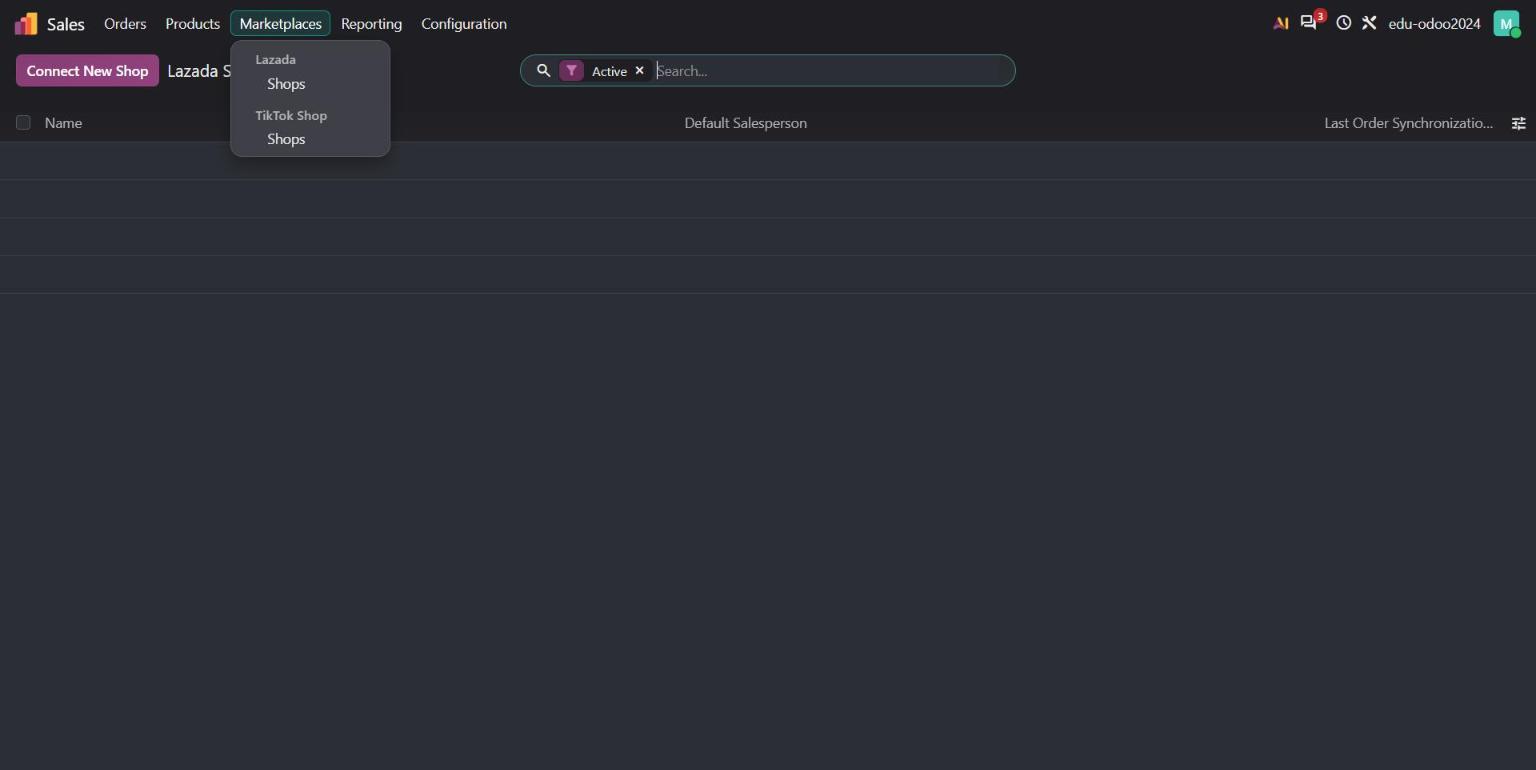
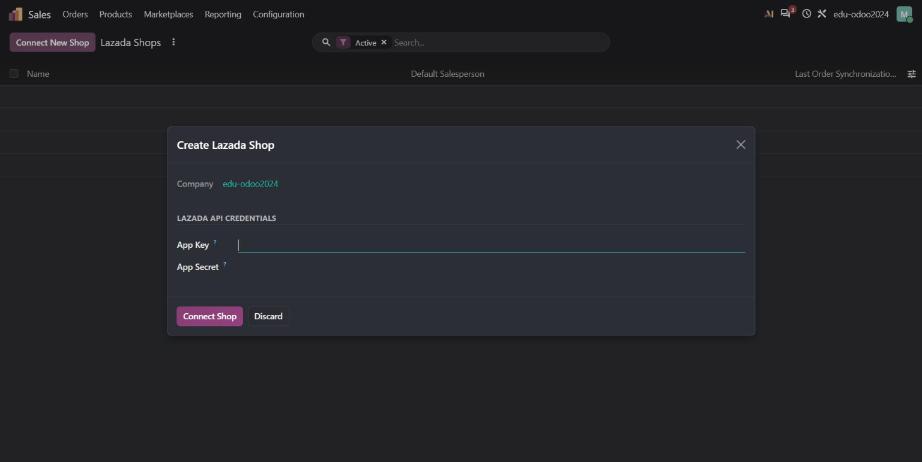
For Thai online sellers, this one stands out. Odoo 20 adds Lazada and TikTok marketplace integrations in the Sales app.
Sales also gets a set of practical upgrades:
- A performance dashboard above your quotation list.
- Order lines you can create from a description, without picking a product first.
- Margins you can edit directly on the line, and the price updates for you.
- Any quotation, or any section of it, saved as a reusable template.
- Pricelist rules for specific periods or weekdays, for example a weekend price.
- Commissions calculated on what the customer actually paid.
On the eCommerce side, you can now set minimum order quantities, let customers pick a preferred delivery date, handle returns from the customer portal, and follow up abandoned carts on WhatsApp.
2. Accounting: fewer typing errors, fewer double payments
Accounting teams will spend less time on manual entry in Odoo 20:
- Bill line suggestions. Odoo proposes the product, account, tax and analytic distribution from your history.
- Duplicate bill warnings. A red flag for a likely duplicate, a yellow one for a possible duplicate.
- Pay bills from Odoo, one by one or in batches, through a payment initiation service.
- Tax-included or tax-excluded prices switchable on quotations, purchase orders and invoices.
- Automatic invoice reminders with a simpler workflow.
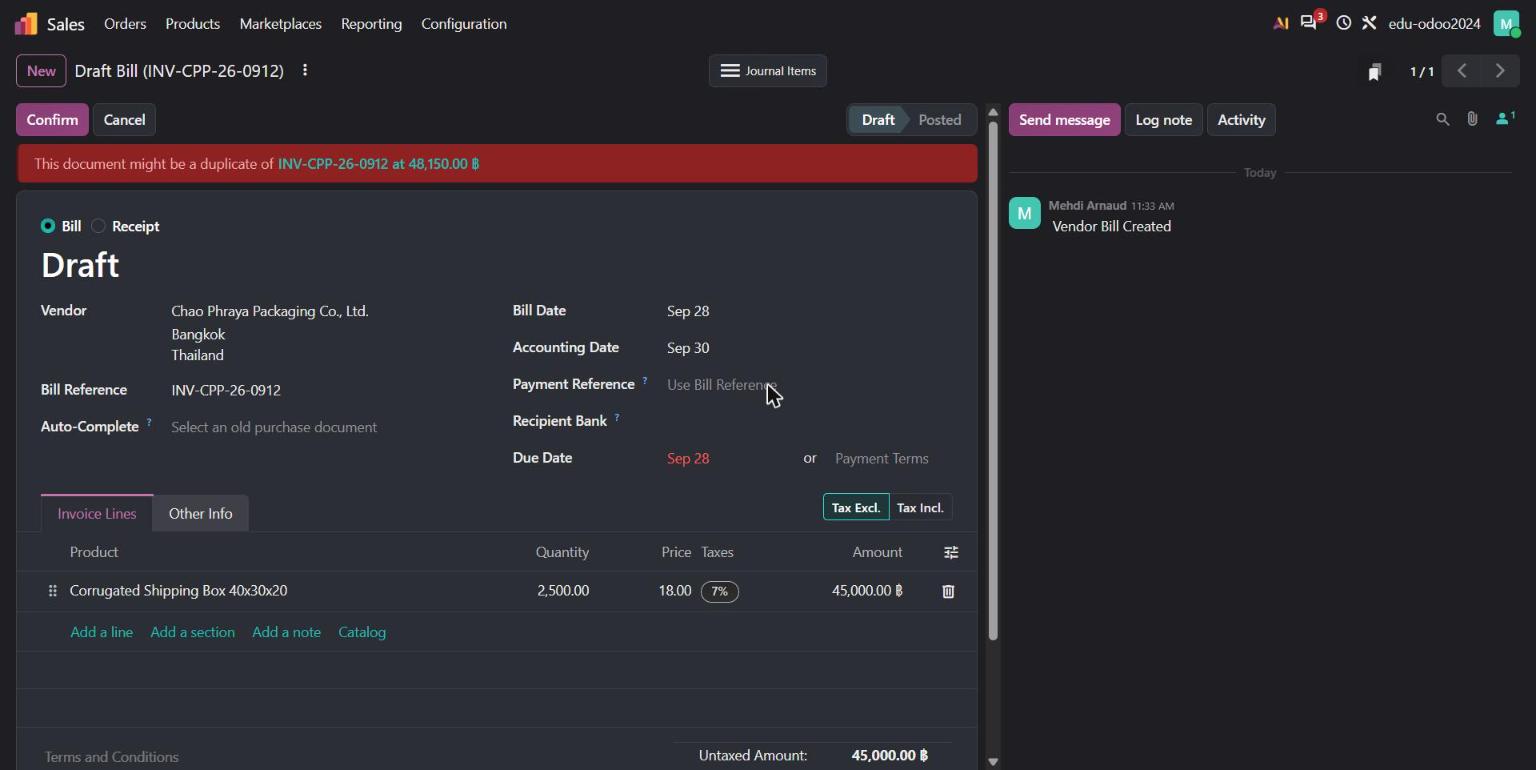
In our demo, a second bill from Chao Phraya Packaging Co., Ltd. with the same reference (INV-CPP-26-0912, 48,150.00 ฿) is flagged in red before anyone confirms it.
Two changes need attention before an upgrade. Account groups are replaced by parent accounts, and account codes become optional. Payment statuses are also renamed: "In Process" becomes "Paid", and "Paid" becomes "Reconciled". If your team or your reports rely on these names, plan for it.
3. Inventory and manufacturing: better planning, clearer history
For distributors and factories, Odoo 20 brings:
- Reordering suggestions for minimum and maximum stock, based on your real demand.
- A stock aging report and the ability to see your stock at any past date.
- Traceability that shows upstream and downstream lots and serial numbers in one view.
- Landed costs applied per product.
- Continuous production in Manufacturing: the next operation can start as soon as quantities are ready, instead of waiting for the full order.
- New Kanban and drag-and-drop Gantt views to plan work orders.
- A provisional cost while production is running, and the actual cost when the order is closed.
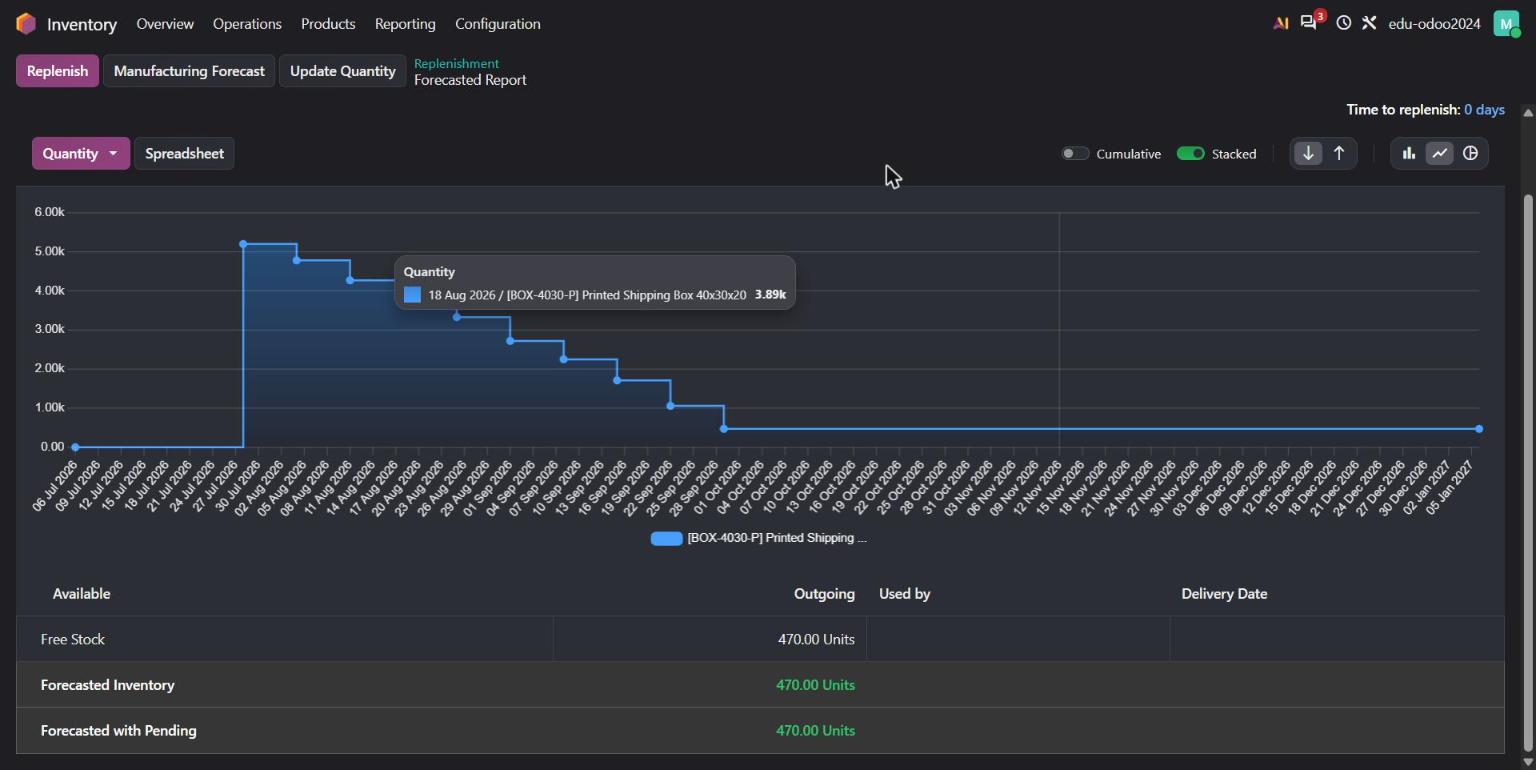
Here is what that looks like in our demo. A packaging maker sells a printed shipping box (BOX-4030-P) to Siam Fresh Mart. Its stock has dropped from 5,200 boxes at the end of July to 470 today, after nine weekly deliveries.
The team launches a manufacturing order for 1,000 boxes. The overview shows a provisional cost of 15.80 ฿ per box before anything is finished.
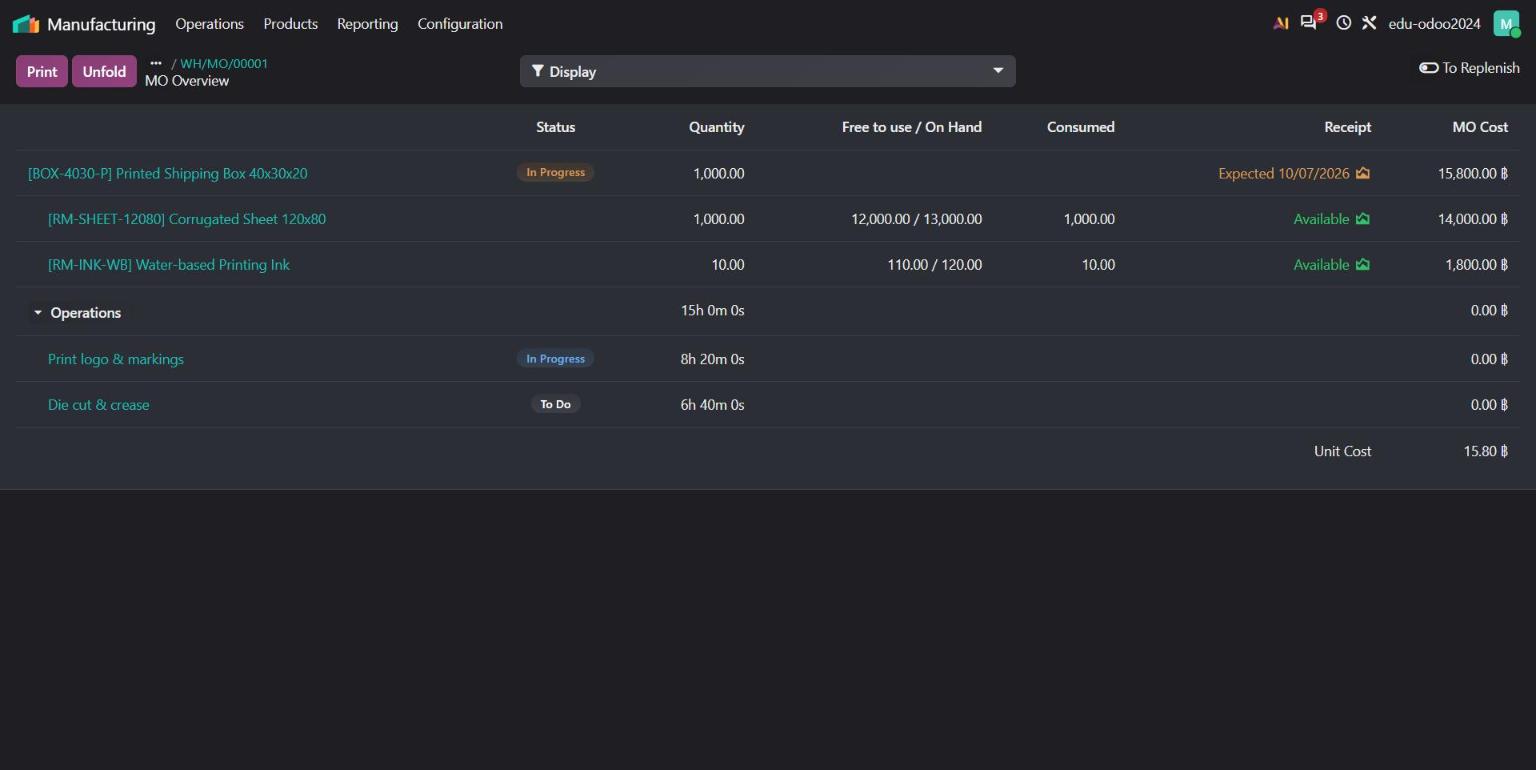
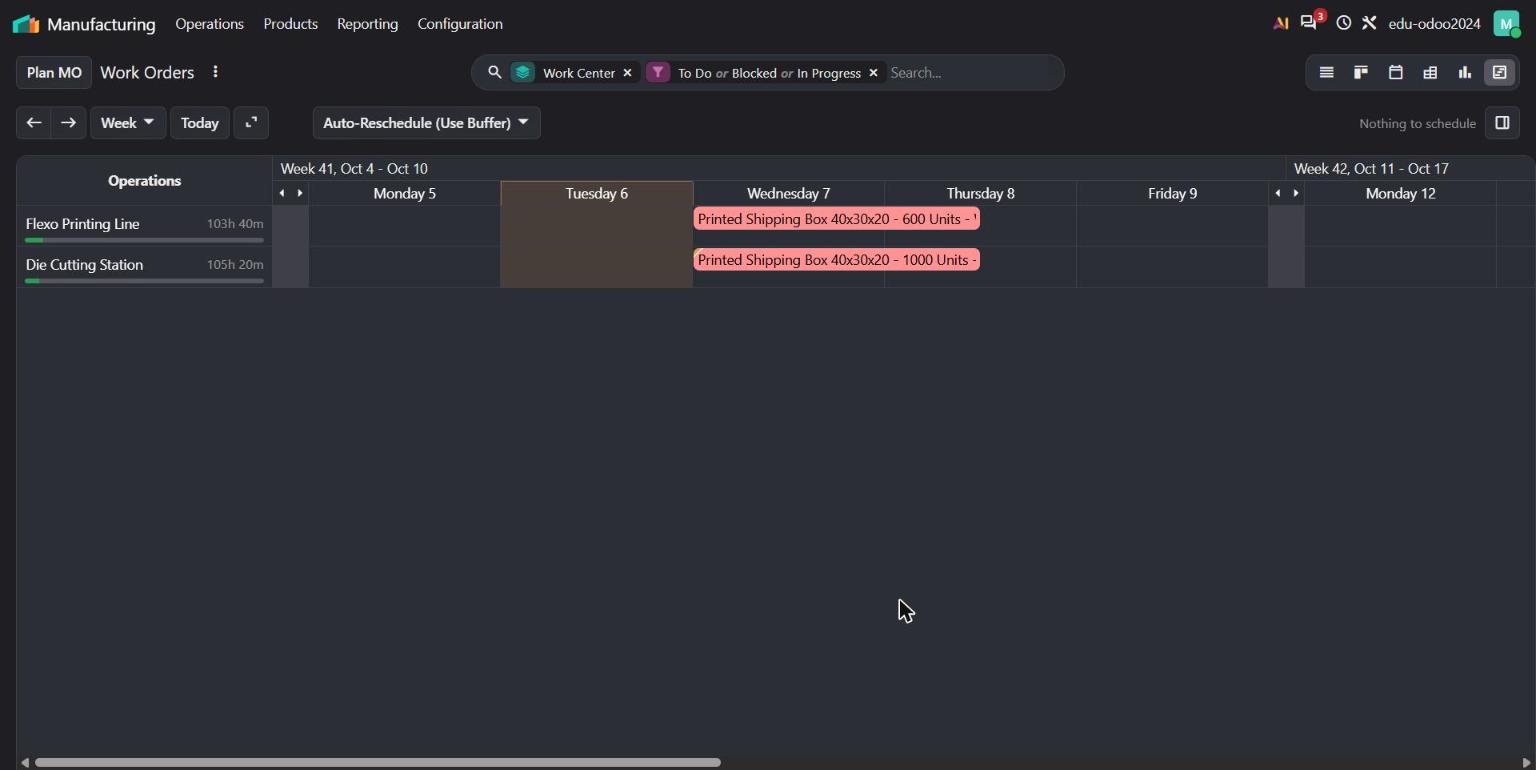
With continuous production switched on in the bill of materials, die cutting does not wait for all 1,000 boxes to be printed. As soon as the first 400 are printed, the second operation is ready, so both lines run side by side.
4. Smart reordering: Odoo calculates the demand for you
Setting minimum and maximum stock levels used to be guesswork. In Odoo 20, the Replenishment screen looks at your real sales history first.
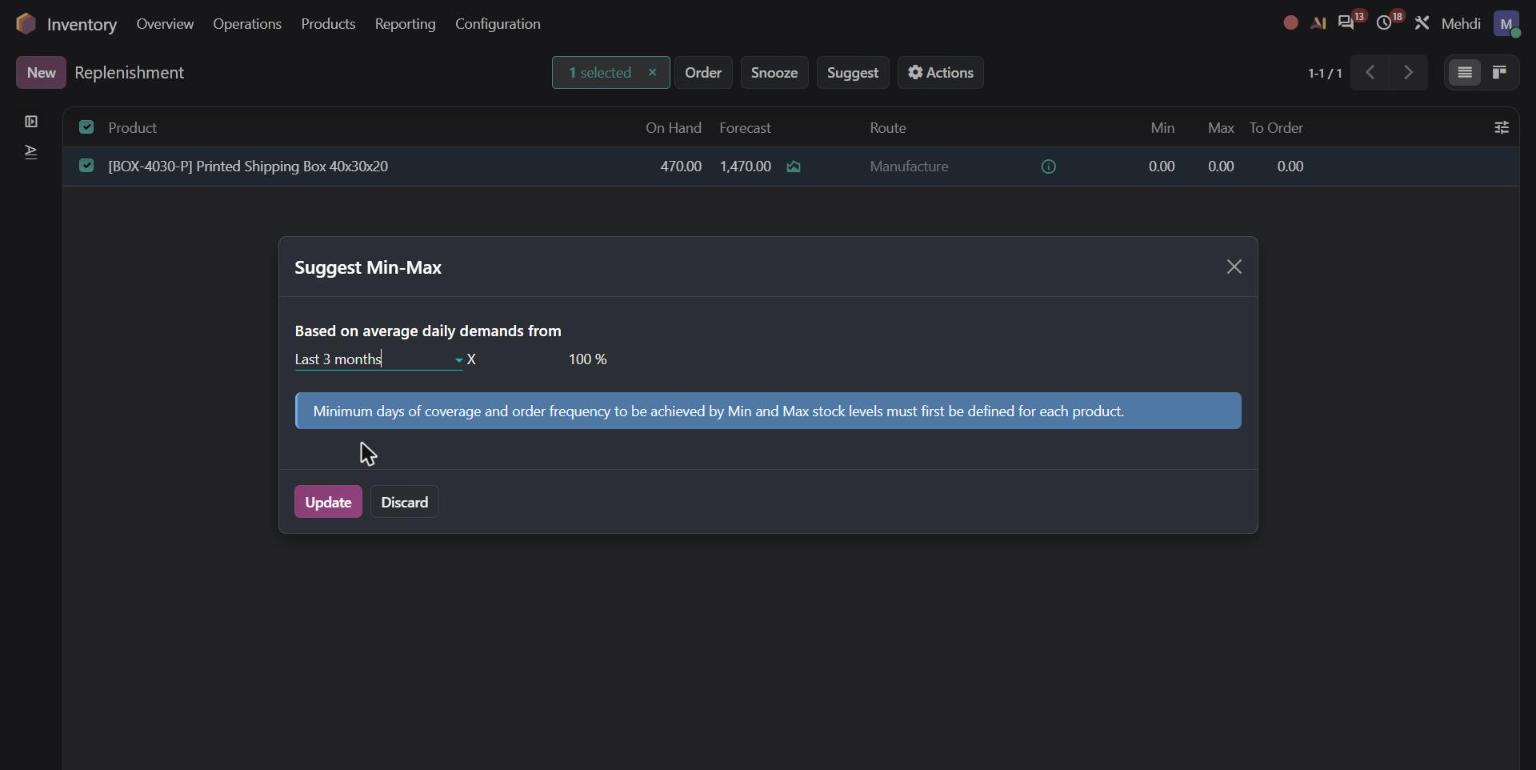
In our demo, the planner selects the reordering rule for the printed box and clicks Suggest. She chooses to base the calculation on the last 3 months of deliveries.
Odoo works out an average demand of 51.41 boxes per day and shows the full replenishment time: 5 days of manufacturing lead time. The planner sets a minimum of 360 boxes, and Odoo immediately shows that this covers 7 days of demand, in green because it is longer than the 5-day replenishment time. The maximum of 1,080 boxes adds another 14 days of stock on top.
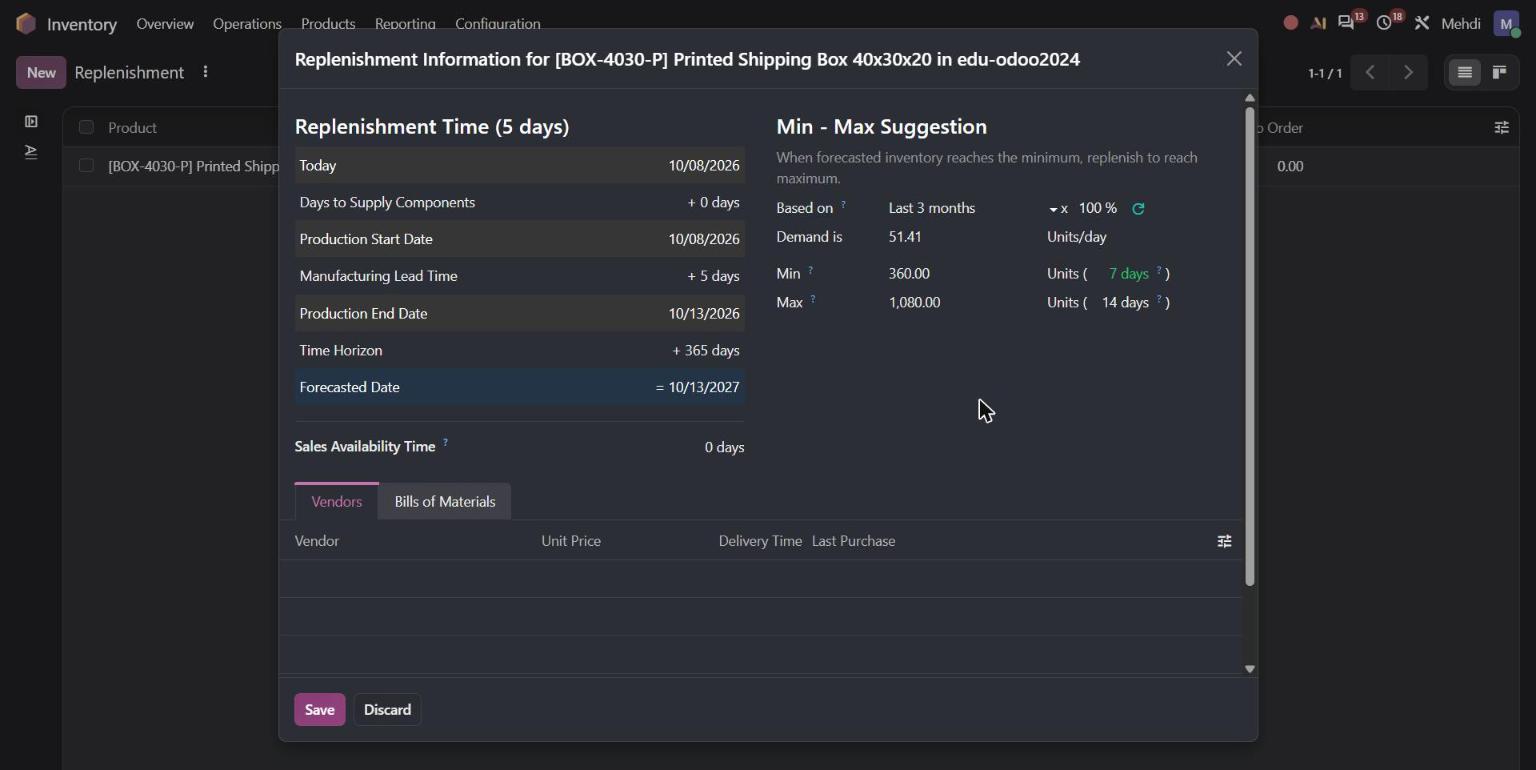
Why it matters: your stock levels are now based on what you actually sell, and you see straight away if a minimum is too low to cover the lead time. Once these coverage targets are set for your products, the Suggest button can recalculate minimum and maximum levels for many products at once.
5. Quality checks on receipts, with a quarantine location
Bad raw materials cost money twice: once when you pay for them and again when they spoil production. Odoo 20 makes it easier to stop them at the door.
In our demo, a quality control point asks the warehouse team to inspect every delivery of corrugated sheets. When 6,000 sheets arrive from Chao Phraya Packaging, the inspector finds wet patches and crushed flutes on one pallet. She clicks Fail, enters 500 sheets, and Odoo proposes the WH/Quarantine location set on the control point.
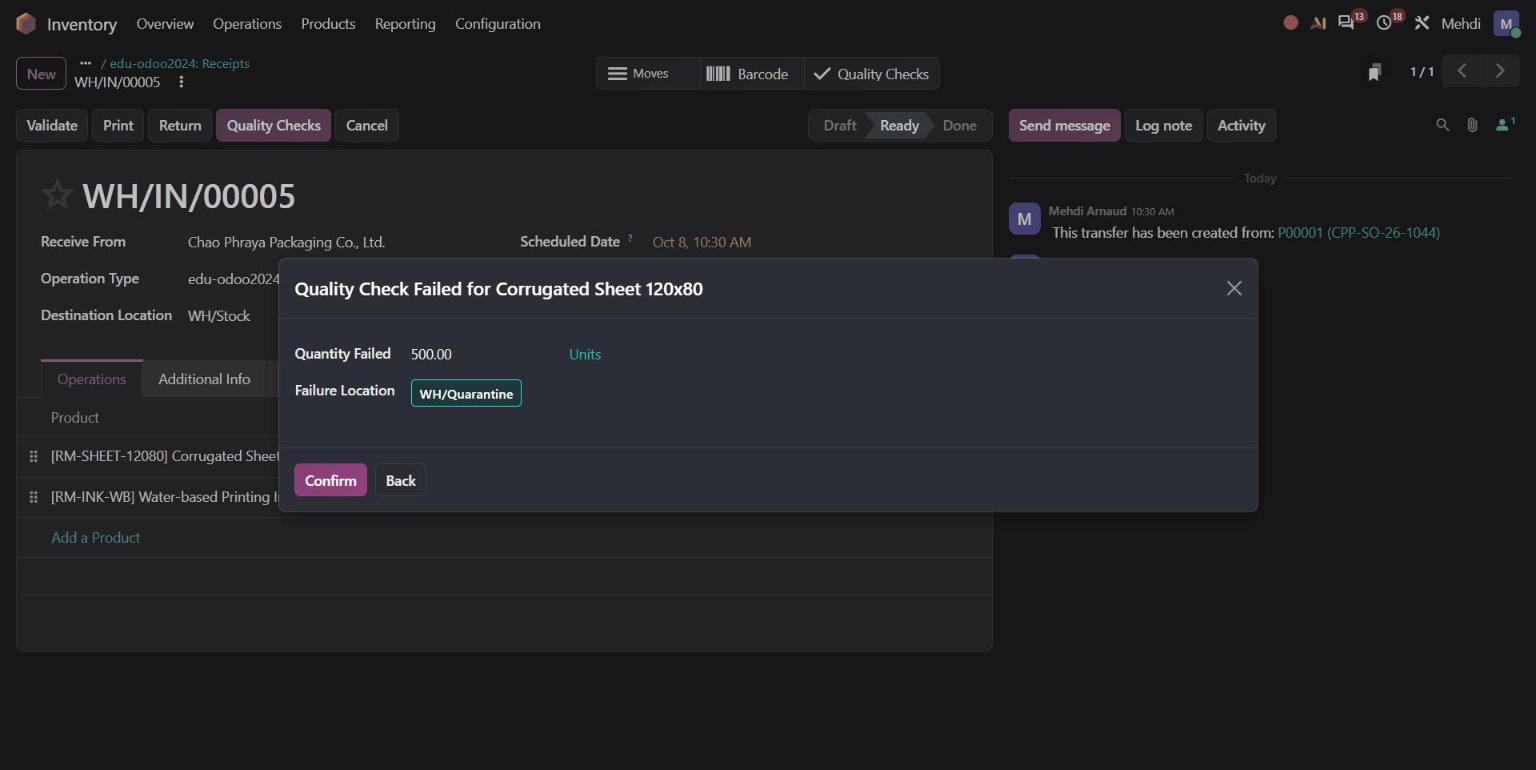
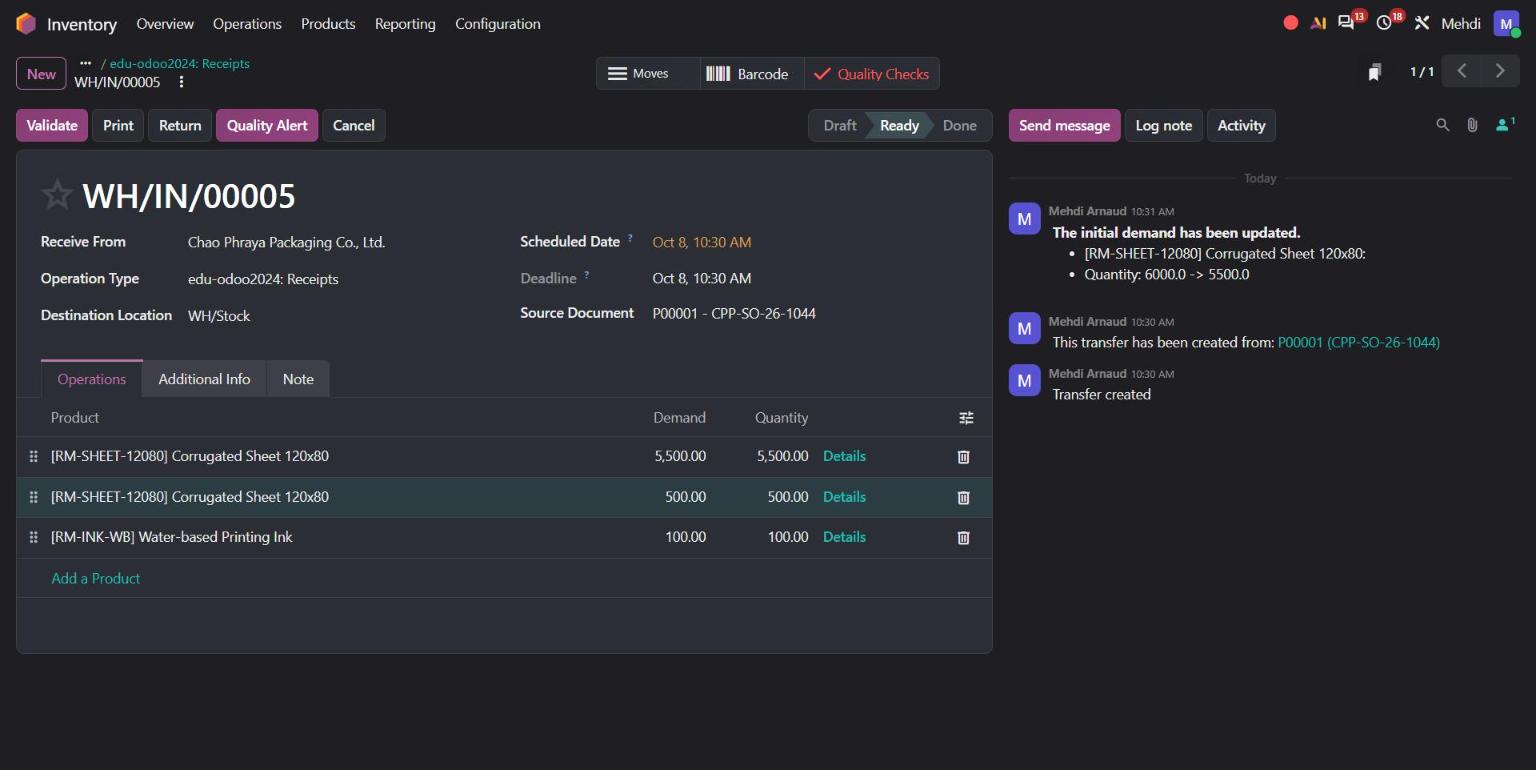
The receipt is split automatically: 5,500 good sheets go to stock and 500 go to quarantine. Nobody has to create an extra internal transfer.
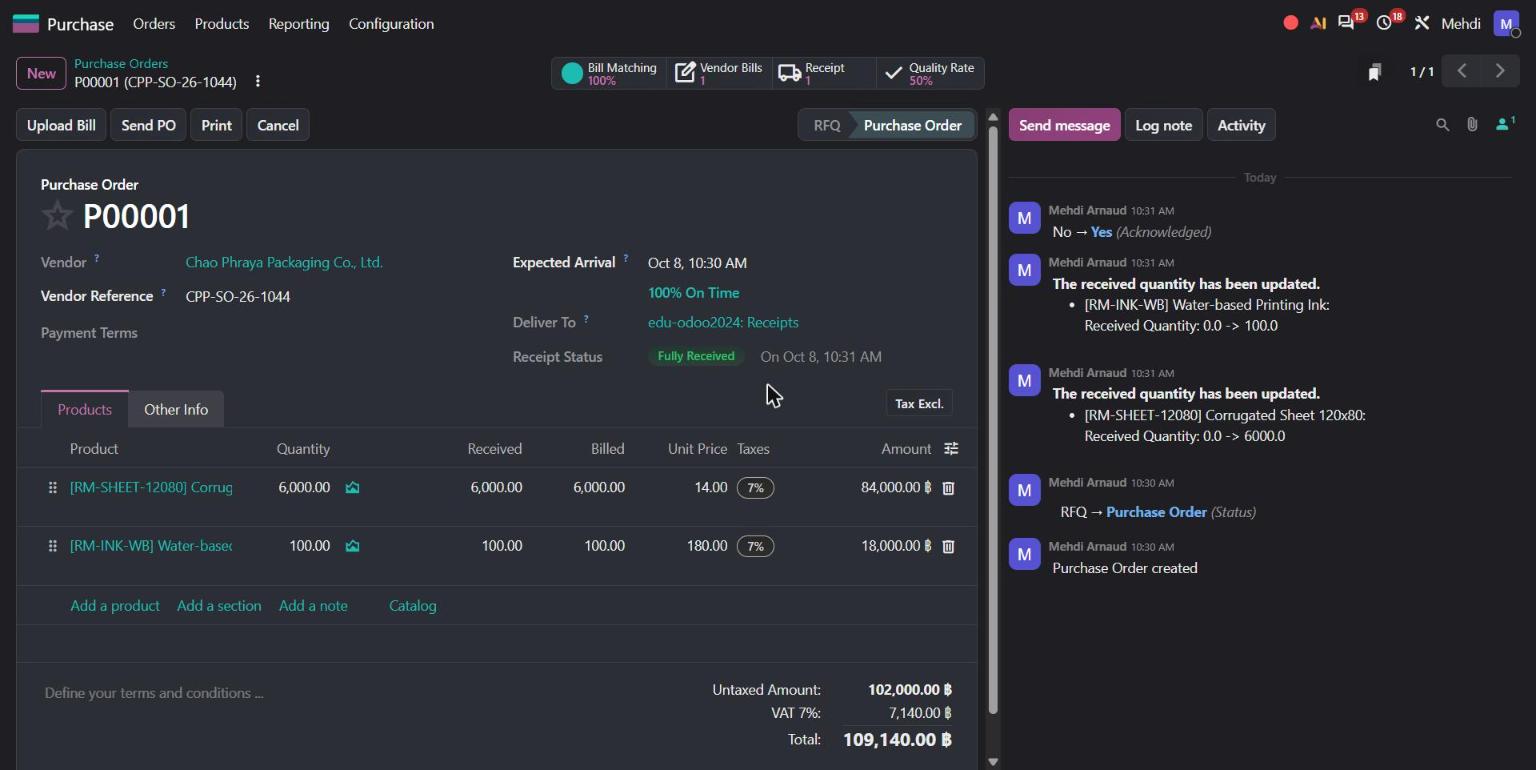
The buyer sees the result too. The purchase order now shows a Quality Rate of 50% for this vendor, next to the bill matching status and the on-time delivery rate.
Why it matters: failed goods are isolated before anyone uses them, and buyers can see which suppliers cause problems before they place the next order. Quality is a separate Odoo app. Talk to us if you would like to add it to your database.
6. Landed costs on the right products only
Thai importers often pay freight, customs or insurance for only part of a shipment. Before Odoo 20, a landed cost was spread across every product on the receipt. Now each cost line has an Apply On field.
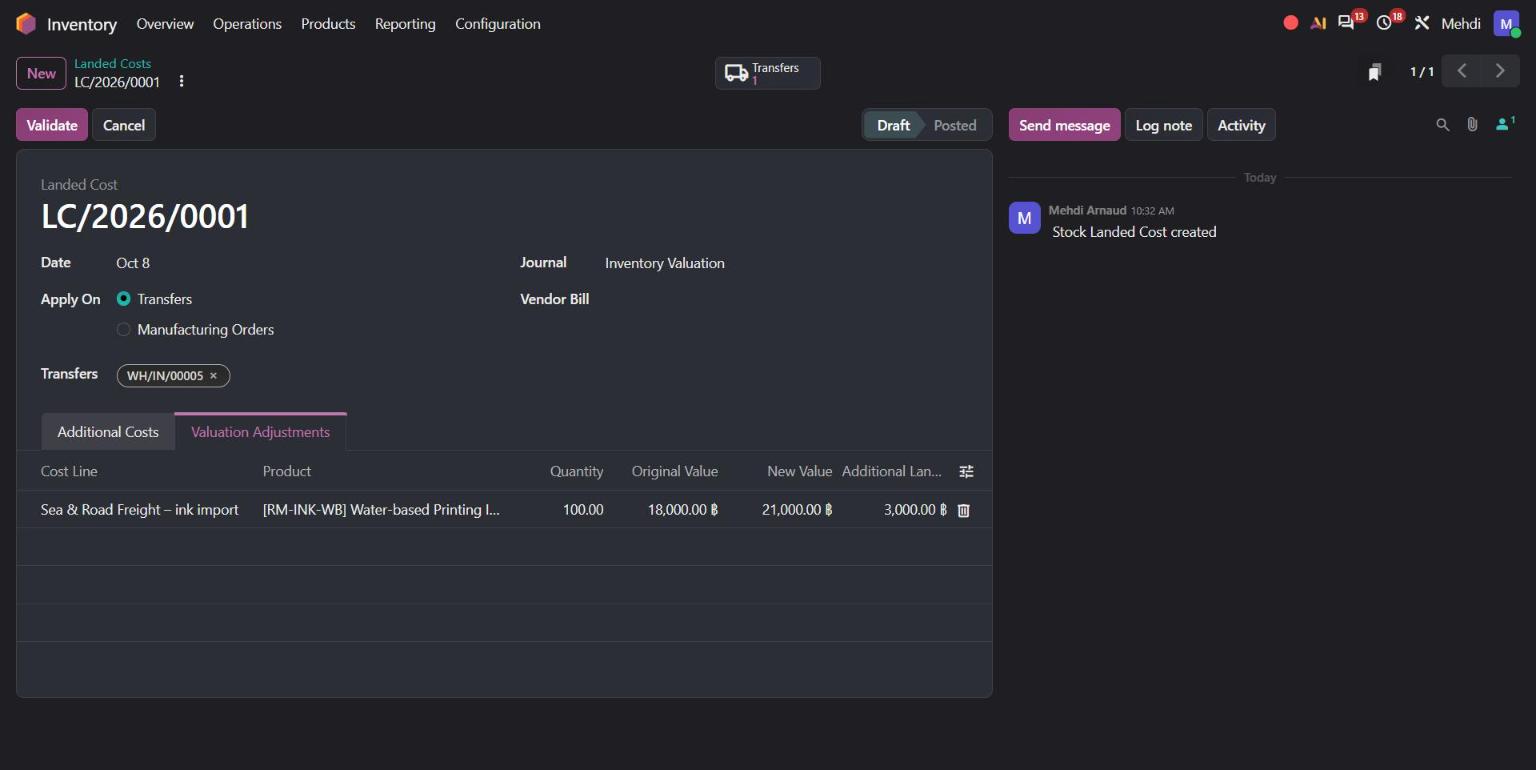
In our demo, the same receipt contains corrugated sheets and printing ink, but the sea and road freight of 3,000 ฿ only concerns the imported ink. The accountant selects the ink in Apply On.
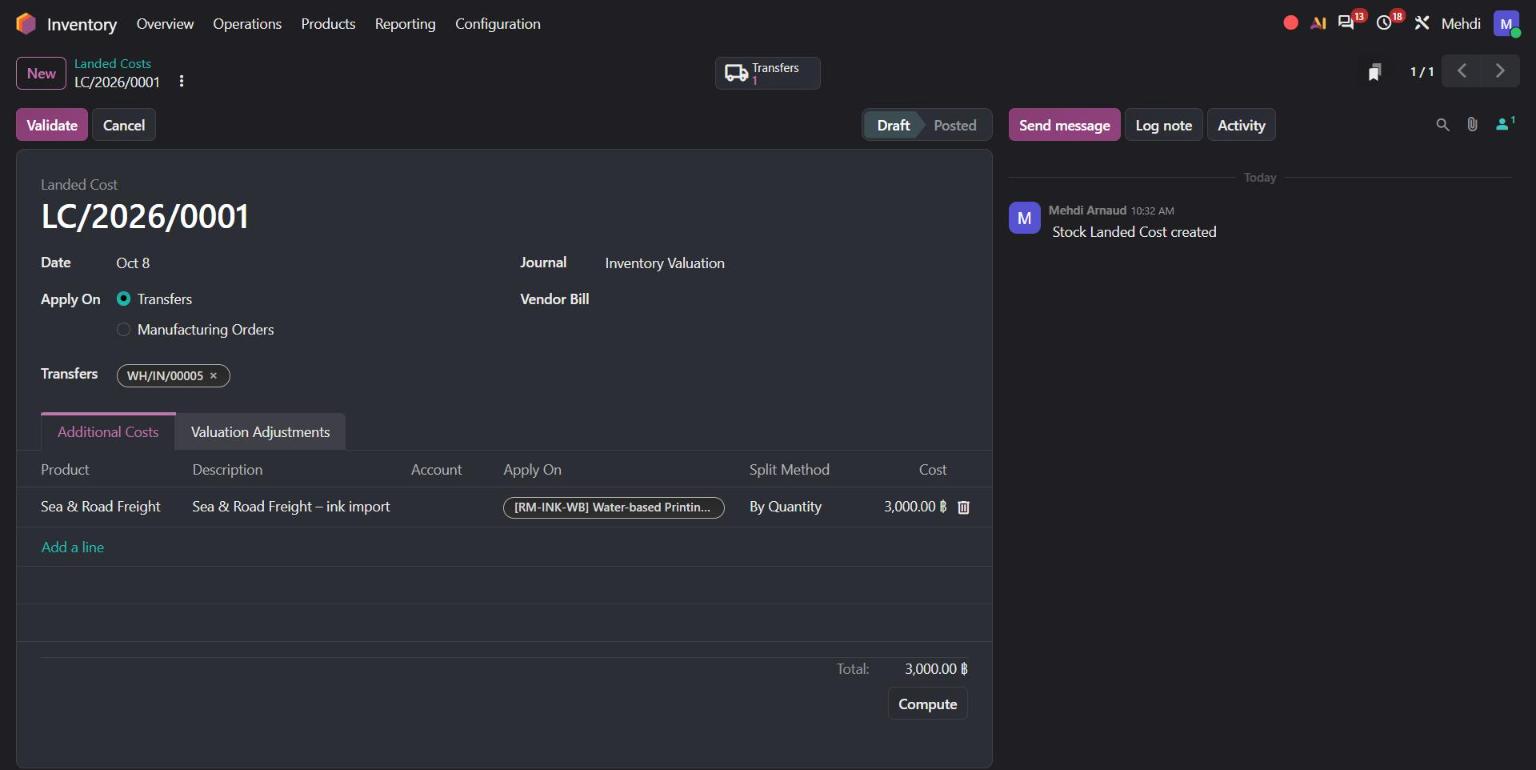
The valuation adjustment shows the result: the ink's value goes from 18,000 ฿ to 21,000 ฿, and the sheets are not touched.
Why it matters: your product costs and margins are correct, without manual spreadsheets. And if some of the goods were already delivered when the freight bill arrives, Odoo 20 now updates the cost of goods sold for those deliveries too.
7. Vendor bills matched to purchase orders in one click
When a supplier invoice arrives, your accountant needs to check it against the purchase order. Odoo 20's Auto-Complete now matches the lines already on the bill to the purchase order lines, instead of adding new ones.
In our demo, the vendor bill INV-CPP-26-1102 is entered with two lines. The accountant selects purchase order P00001 in Auto-Complete, and Odoo confirms: 2 bill lines matched, 0 unmatched remaining. The PO Matching button shows 100%.
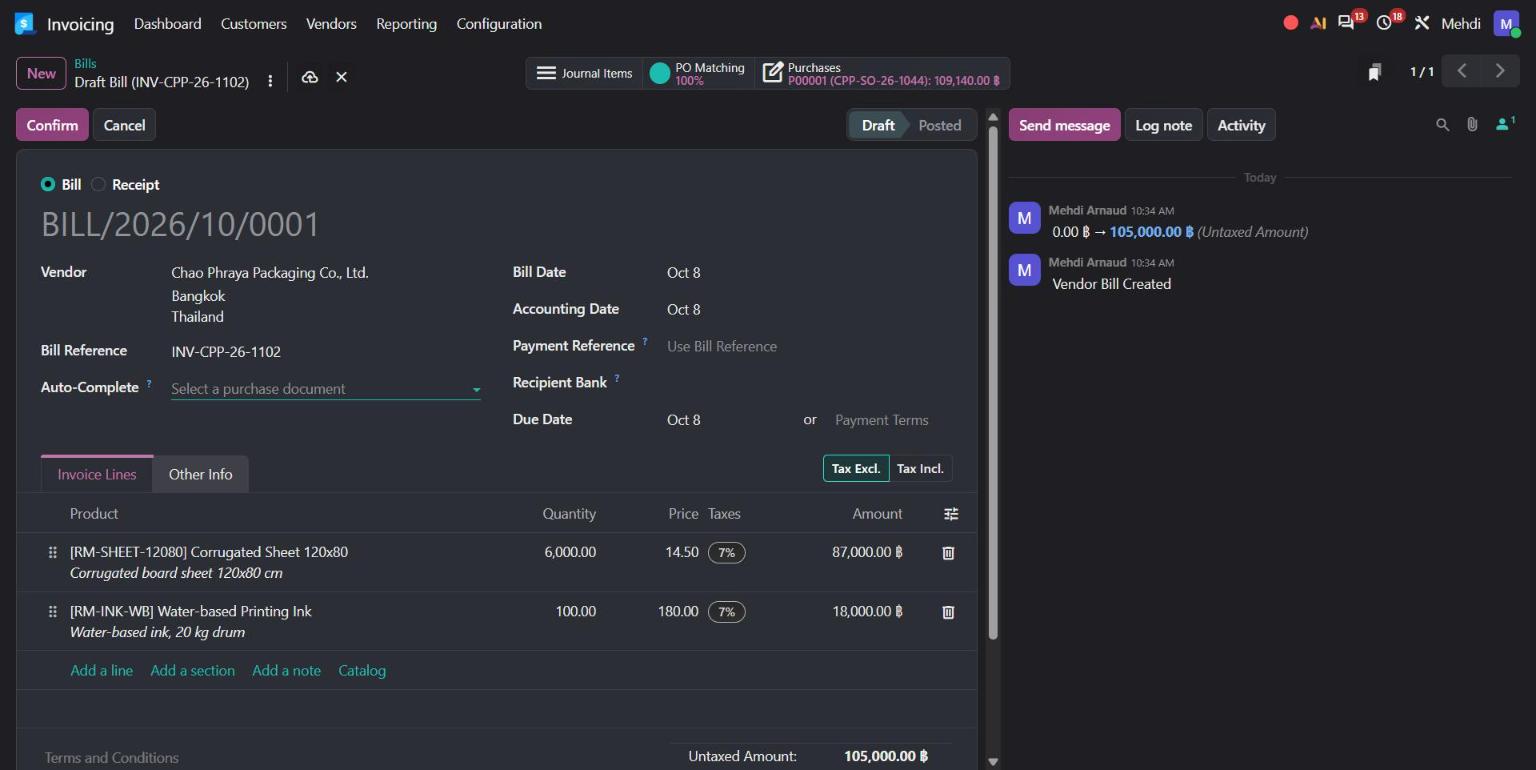
One click on PO Matching shows the bill and order lines side by side. The supplier charged 14.50 ฿ per sheet instead of the agreed 14.00 ฿, so the bill is 105,000 ฿ against 102,000 ฿ ordered, a 3,000 ฿ difference.
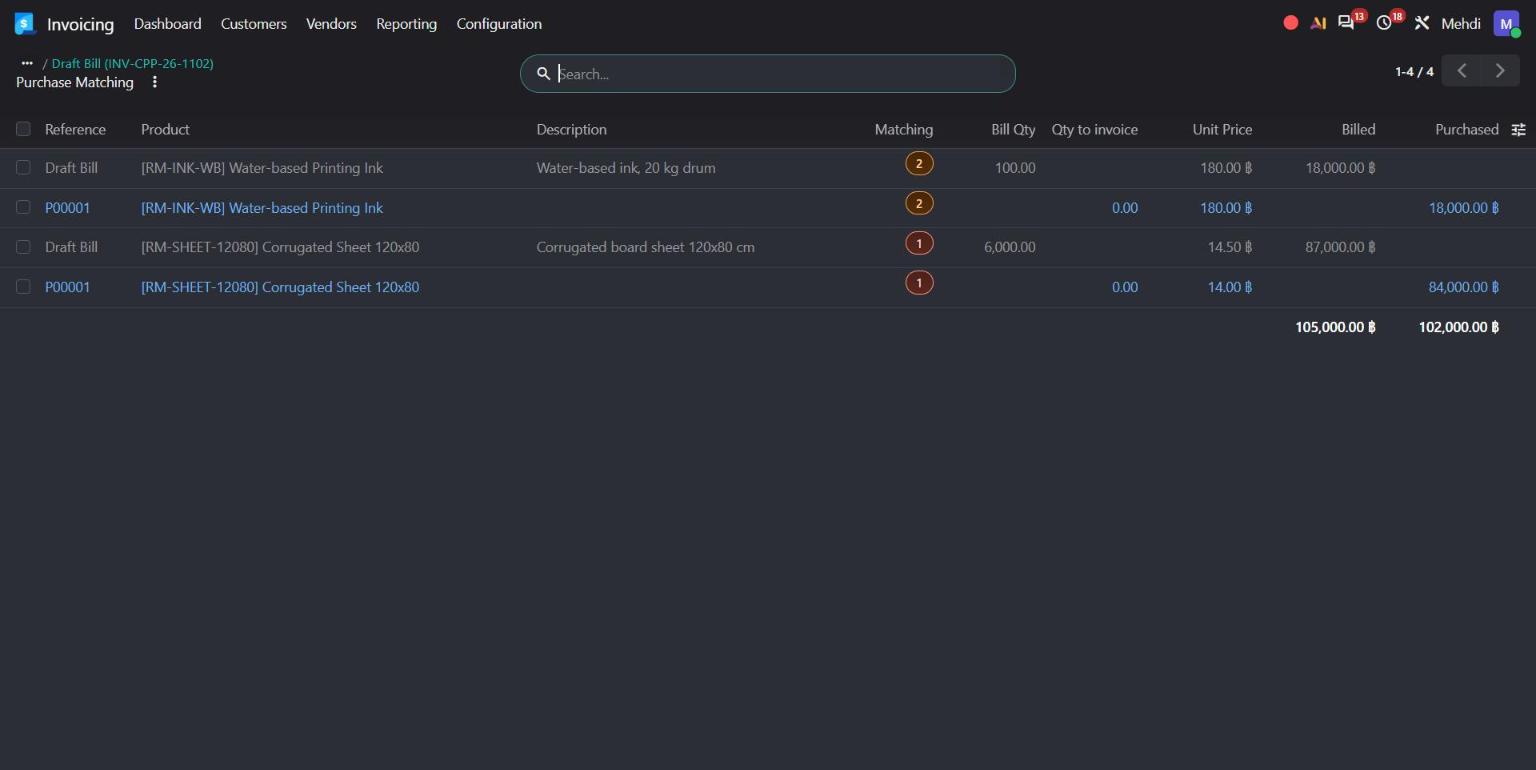
Why it matters: price and quantity differences are visible before the bill is paid. In our story, the accountant can also question the bill for 500 sheets that were sent to quarantine.
8. Payroll, timesheets and the people side
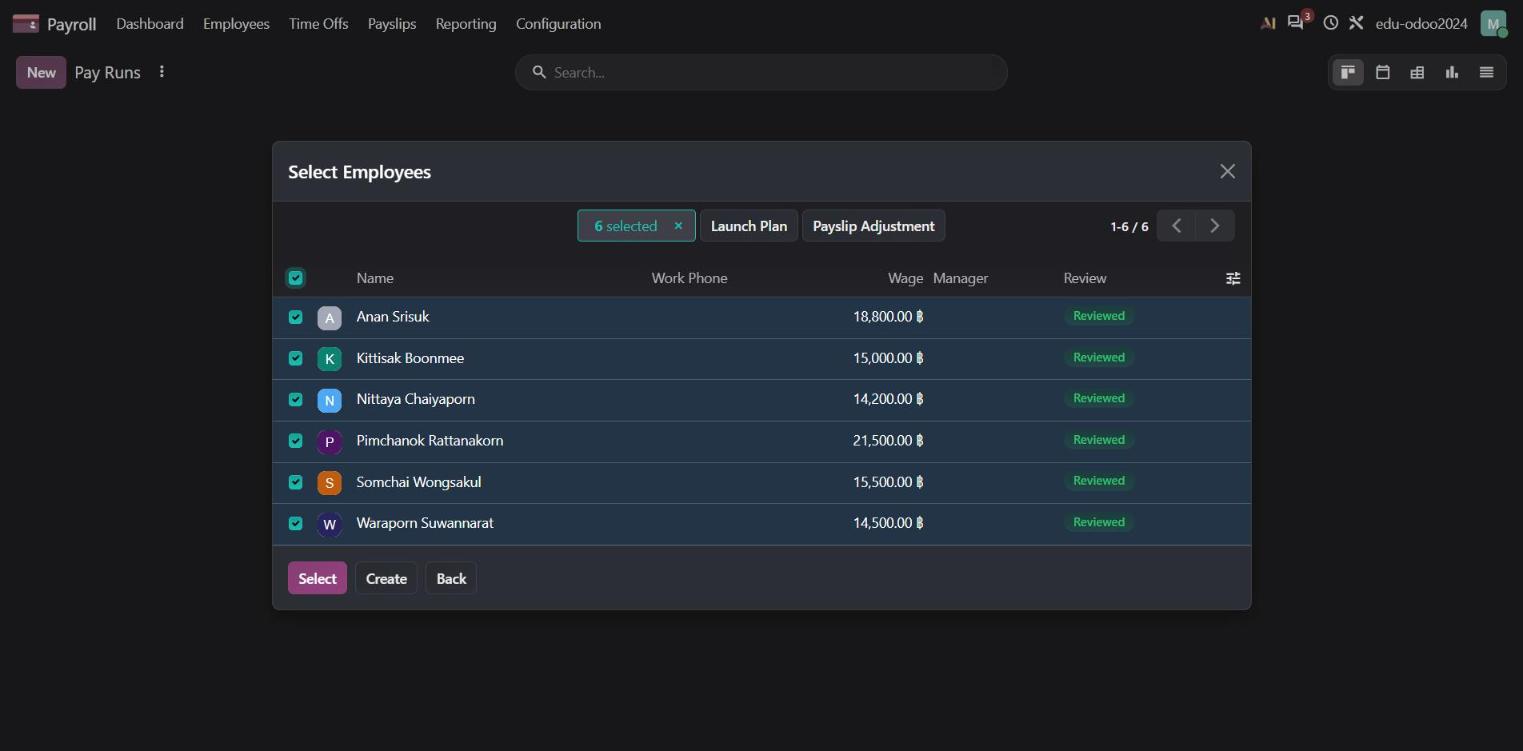
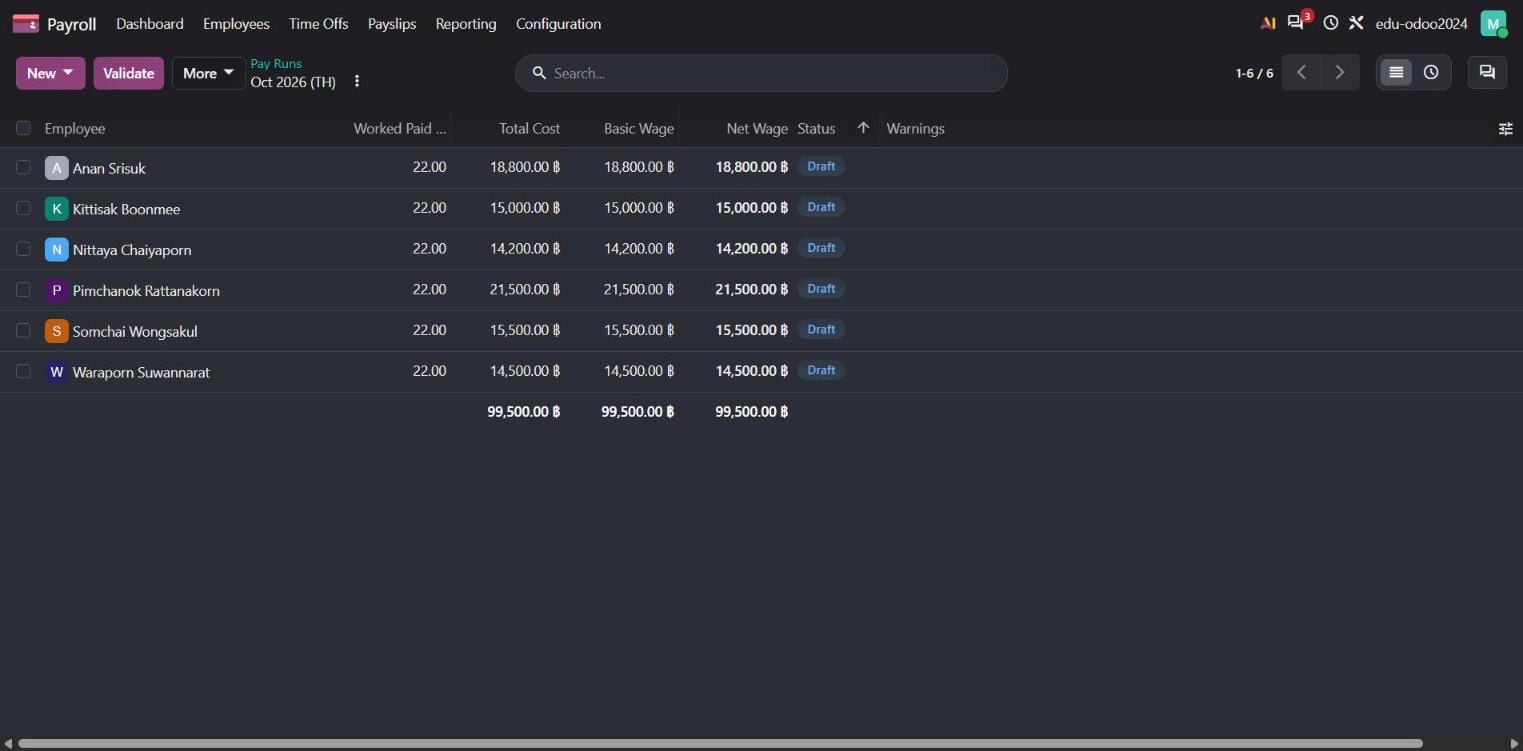
Payroll has been redesigned around a step-by-step pay run, with a new dashboard that shows setup warnings first. Odoo 20 also adds net-to-gross salary simulation and wage indexation. Work entries have been removed from Payroll.
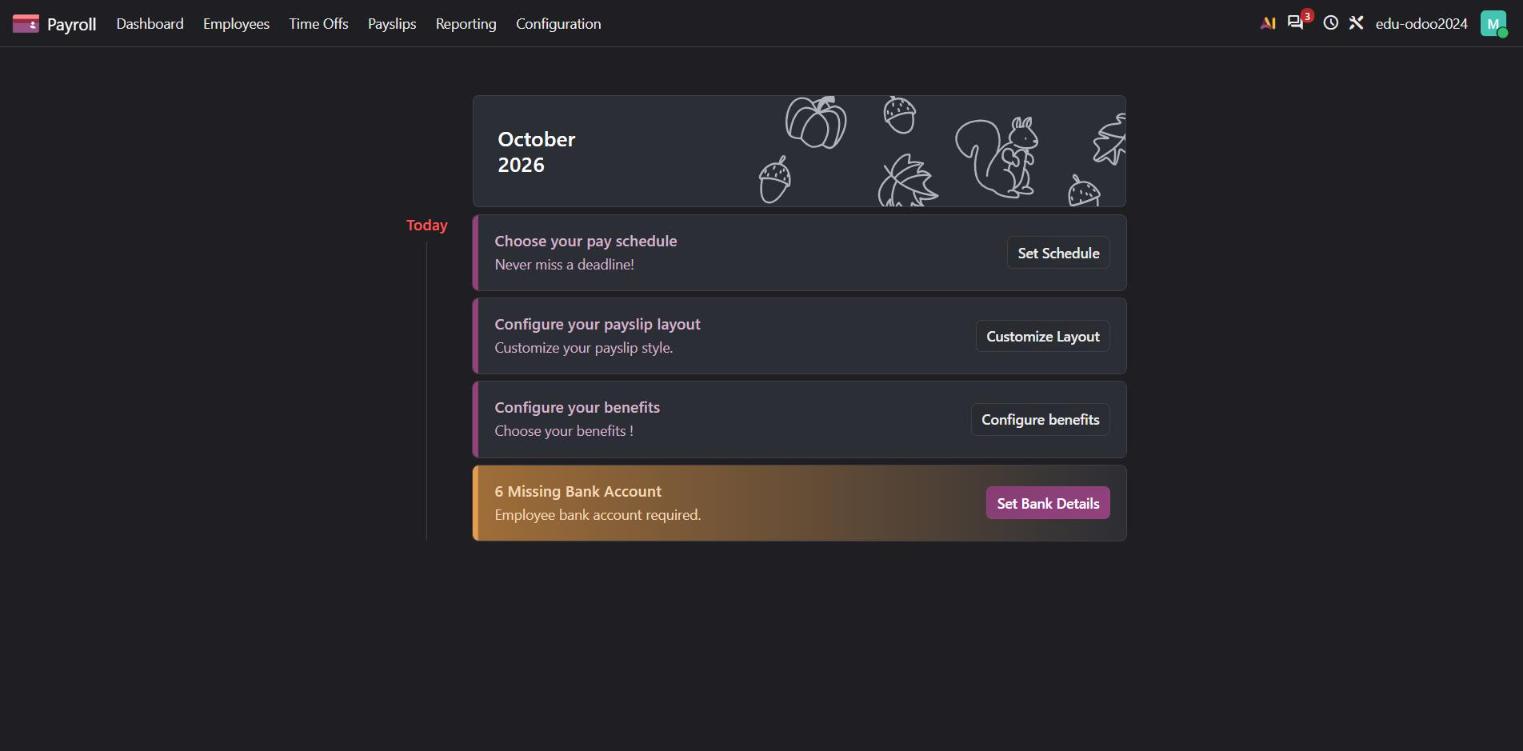
A pay run now guides you step by step: choose the period and structure, select the employees, then review every payslip in one list.
Timesheets get a timer in the top menu, so you can log time from any screen. Time Off can now load public holidays by country automatically.
9. Timesheet Assistant: your timesheets, filled in for you
Many teams forget to log their time, or fill in the whole week from memory on Friday. Odoo 20 adds a Timesheet Assistant that does most of this work for you.
It connects to ActivityWatch, a free app that runs on each employee's computer and records the apps, documents and websites they work in. In Timesheets > Assistant, Odoo turns this activity into suggested timesheet lines on the right project and task. The employee checks the suggestions and validates them in a few clicks.
- Rules you set once. For example: time spent in a customer's documents goes to that customer's project. A rule can be private, shared with a department or with the whole company.
- Clean suggestions. Activities shorter than a minimum duration are ignored, and short side activities can be grouped with the main task.
- Timer still available. The timer in the top menu still works for time you prefer to log yourself.
- Privacy first. The detailed activity stays on the employee's computer. Odoo only receives the timesheet lines the employee validates.
What you need: Odoo Enterprise with Timesheets, the Timesheet Assistant setting switched on, and ActivityWatch installed on each computer.
Why it matters: more complete timesheets with less effort, so your project costs and time-based invoices are more accurate.
10. New pricing and the Light User
Odoo updated its pricing on 24 September 2026:
- One-App free offer: no change.
- Standard Plan: no change.
- Custom Plan: 20% increase for new users. For users already in your contract, renewal increases follow your subscription agreement (up to 7% per year, depending on your agreement version).
The good news is the new Light User, a lower-priced user for people who only need limited access. Light Users can use My Time Off, My Expenses, My Appraisals, My Attendances, My Planning, Field Service, Inventory Barcode Operator and read-only Knowledge. Employees can also use their payslips, the Point of Sale and the Manufacturing Shop Floor.
This matters for Thai companies with many warehouse, shop or factory staff. You can give them access to Odoo at a lower cost.
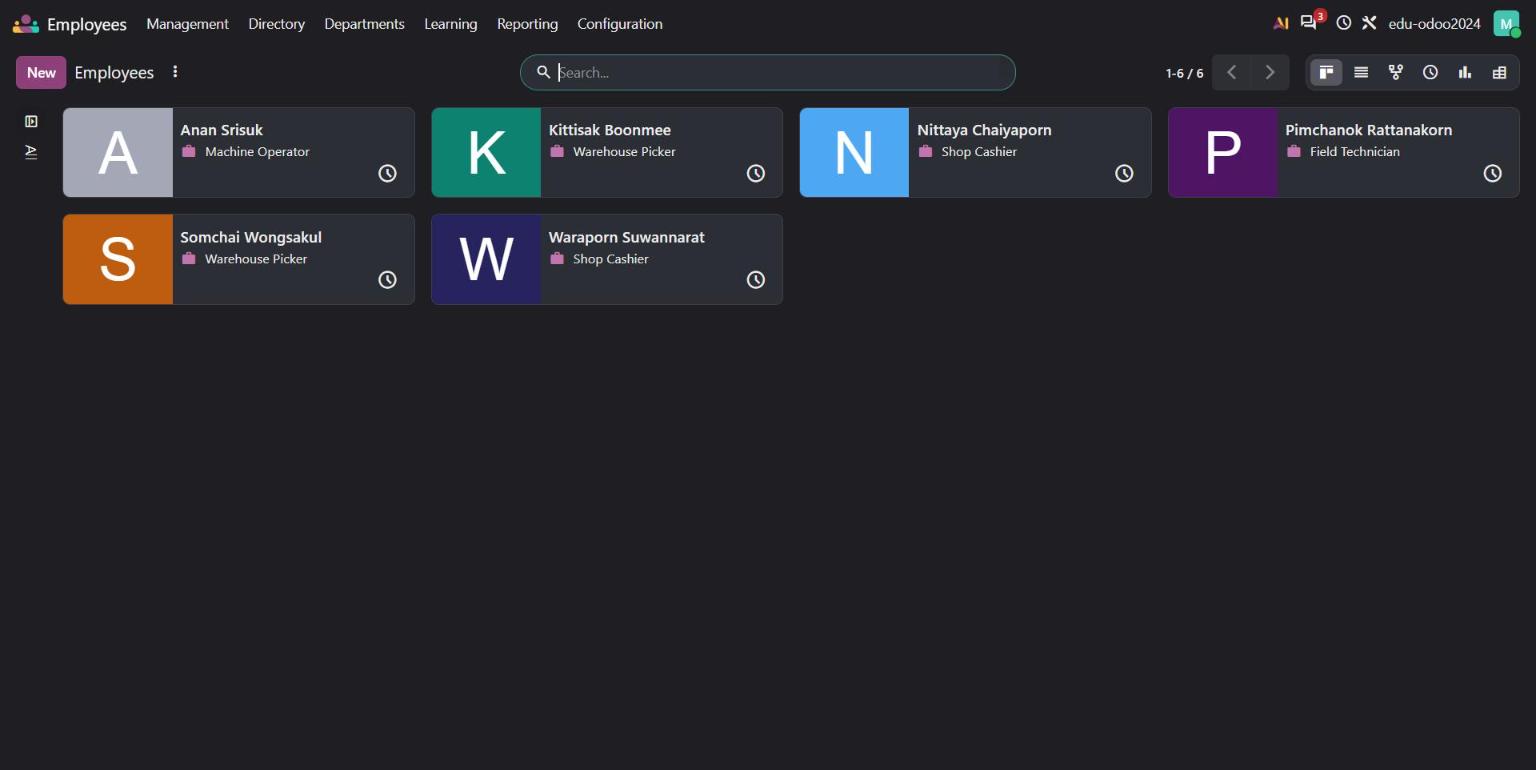
Under Odoo's definition, an active employee record that is not linked to a full user, like the warehouse pickers, cashiers and technicians above, counts as a Light User.
To get Light User pricing, you need two things: Odoo 20 or later, and a new Enterprise agreement. If you are on version 19 or earlier, all users stay on the Standard or Custom Plan price.
11. When should you upgrade?
Odoo 20 is available now for new databases on Odoo Online and Odoo.sh. Odoo expects its upgrade platform to be ready by the end of November 2026, with a test mode available earlier.
Our advice depends on where you are today:
| You are on… | Our recommendation |
|---|---|
| Starting a new project | Start directly on Odoo 20 |
| Odoo 19 | No rush. Upgrade when a feature brings clear value |
| Odoo 18 | Plan your upgrade within the next 12 months |
| Odoo 17 or older | Plan now. Odoo 17 support has ended |
Before any upgrade, test the parts that changed the most: access rights (record rules have been replaced), your chart of accounts, payment statuses, and any connector or report that reads Odoo data.
Talk to Stenas Digital about Odoo 20
Odoo 20 is a strong release, especially for inventory, manufacturing and accounting. But every business is different, and an upgrade touches your data, your custom modules and your team's habits.
Stenas Digital helps Thai businesses implement, migrate and support Odoo, in Thai and English. We can review your current database, tell you what Odoo 20 changes for you, and plan the right upgrade date.