LINE INTEGRATION
One of Thailand's most widely used messaging platforms.
Connect your Line OA, automate customer communication, send order status notifications, manage communication templates directly through LINE for a faster and more convenient customer experience.

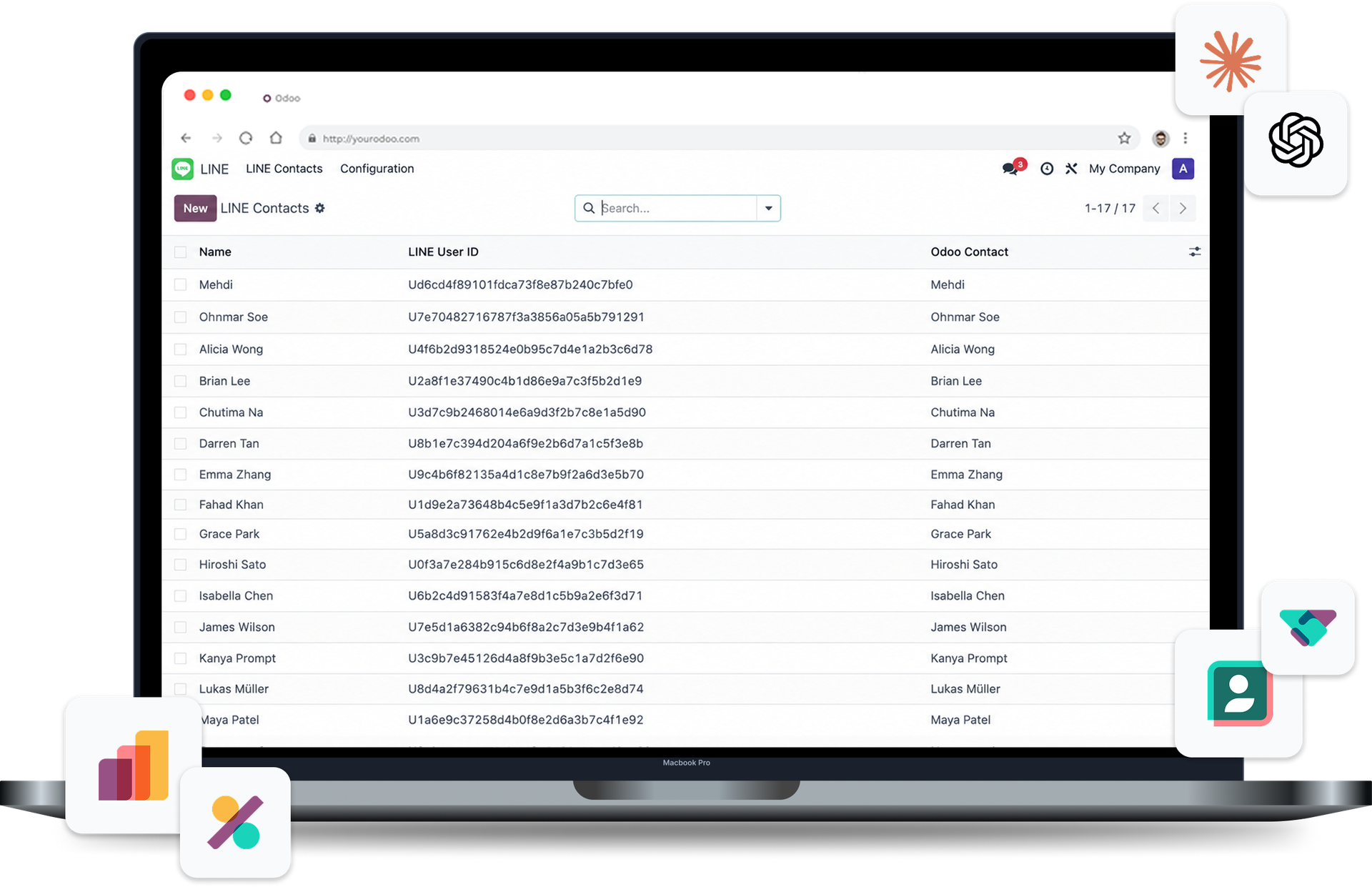
One of Thailand's most widely used messaging platforms.
LINE INTEGRATION

Connect your Line OA, automate customer communication, send order status notifications, manage communication templates directly through LINE for a faster and more convenient customer experience.
LINE Notifications
Real-Time
Delivery
Notifications
Document
Creation
Order Status
Updates
Message
Templates
Customer
Data
Manage customer conversations
Alongside business operations
Customers can open their Odoo Customer Portal directly from a shared LINE link. No need to log in, create an account, use email, or download an additional application.
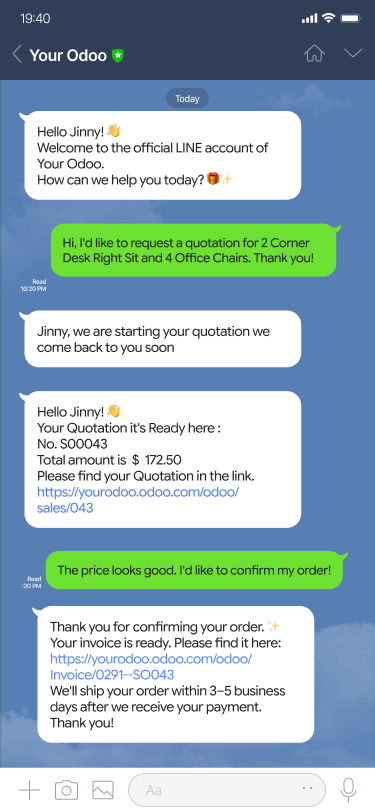
Manage customer conversations
Alongside business operations

Customers can open their Odoo Customer Portal directly from a shared LINE link. No need to log in, create an account, use email, or download an additional application.
Keep your entire LINE conversation history inside 
View customer messages, access contact information and manage ongoing conversations from a single interface,
and keep all communication organized within Odoo for faster and more efficient customer support.
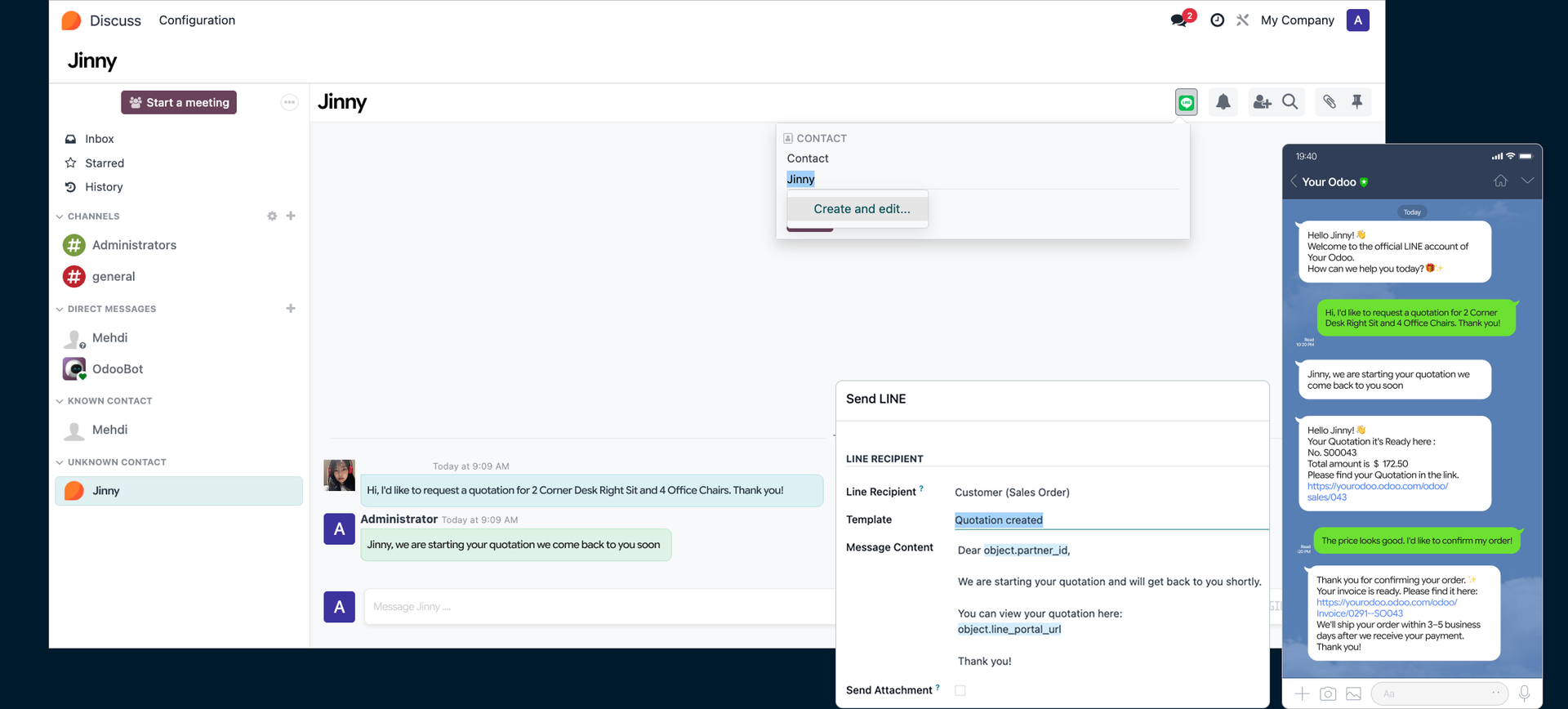

Keep your entire LINE conversation history inside
View customer messages, access contact information and manage ongoing conversations from a single interface.
and keep all communication organized within Odoo for faster and more efficient customer support.
A Simple Integration Process
Connect LINE with Odoo in Three Simple Steps
Connect Your LINE Official with Odoo
Configure API credentials and webhook settings to enable secure communication between both platforms.
Administrator Setup & Training
Configure system settings and train administrators to manage conversations, message templates and day-to-day operations.
Start Communicating
Begin interacting with customers directly from Odoo to manage all conversations in one place.
— FULLY CONNECT
Connect Odoo to LINE
Bring customer communication closer to your business operations by delivering real-time notifications, order updates, and support messages directly through LINE. Every interaction is linked with your business records through multiple applications for faster collaboration and better customer service.