
Month-end. The bank statement is open on one screen, the invoice list on the other. Line by line, you tick off who paid what. Then there's a ฿35 fee nobody remembers, and a transfer with a reference that doesn't quite match.
Bank reconciliation in Odoo takes that tick-box work off your desk. We continued the story of our demo retailer, Siam Fresh Mart Co., Ltd., from the bills and invoices created in our previous article, all the way to a fully reconciled bank statement.
1. Pay a vendor bill in two clicks
Remember BILL/2026/09/0006 from Siam Beverage Supply? After the credit note, ฿4,922 was left to pay.
The accountant clicked Pay on the bill. Odoo proposed the bank journal, the amount and the supplier's invoice reference as the memo. One more click on Create Payment.
Odoo Pay window on a vendor bill with bank journal, amount 4,922 baht and memo
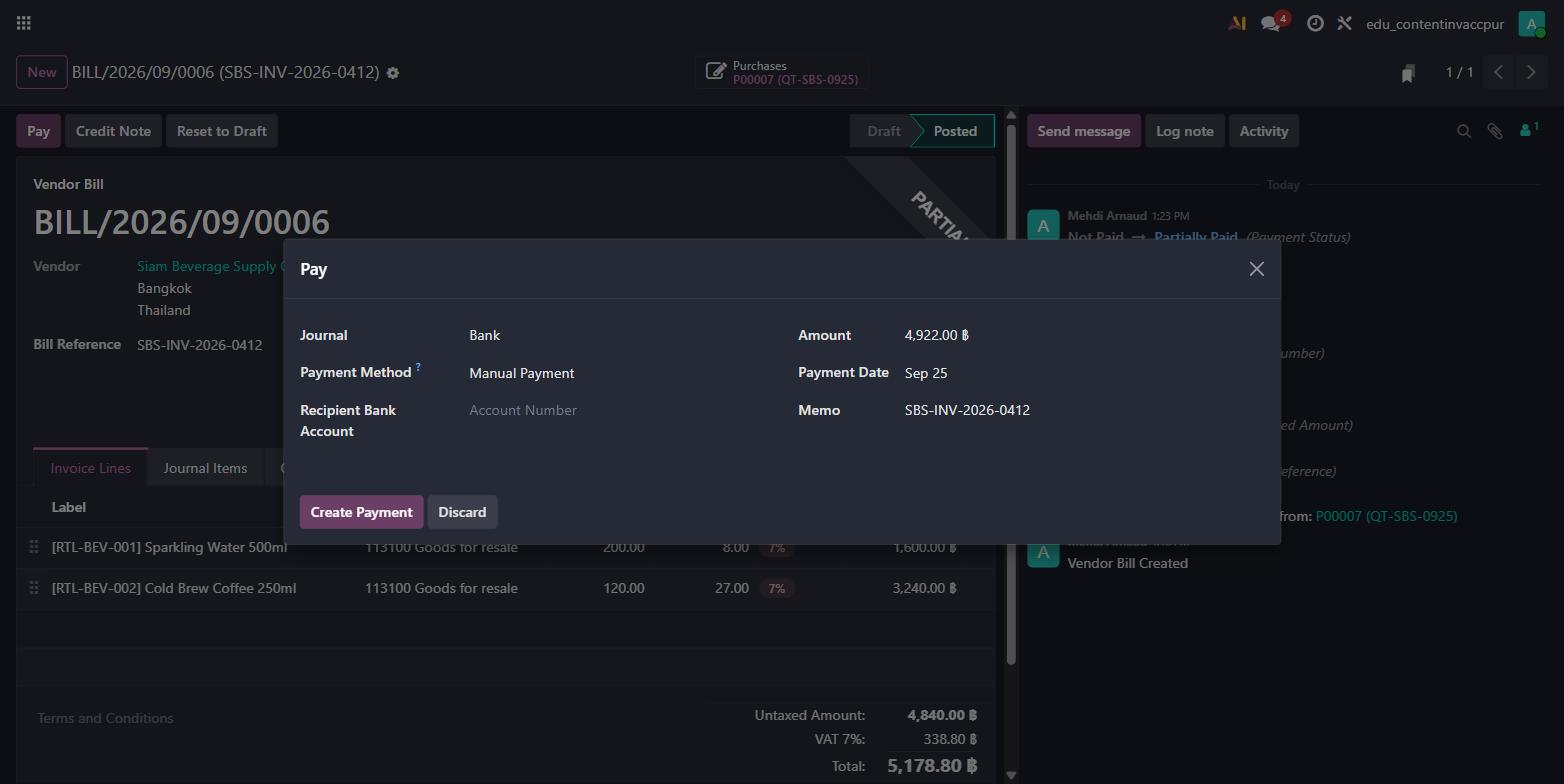
The bill switched to In Payment: the money is on its way, but it isn't confirmed by the bank yet.
Odoo vendor bill with an In Payment ribbon after registering the payment
That status matters. Your team can see at a glance which bills are paid, which are waiting for the bank, and which are still open.
2. The bank statement arrives
On 25 September, the bank statement showed five lines:
| Bank line | Amount |
|---|---|
| Sukhumvit Corner Café, INV/2026/00001 | +฿7,495.35 |
| Ari Garden Coffee Co., Ltd., INV/2026/00002 | +฿3,381.20 |
| Transfer to Siam Beverage Supply, SBS-INV-2026-0412 | −฿4,922.00 |
| Transfer to Chao Phraya Snack, BILL/2026/09/0005 | −฿1,444.50 |
| Interbank transfer fee | −฿35.00 |
Closing balance: ฿4,475.05.
In Odoo's Bank Matching screen, every line appears with the partner Odoo recognised and a Reconcile button. The number on the button shows how many open items Odoo found for that partner.
Odoo Bank Matching screen listing five bank statement lines with Reconcile buttons
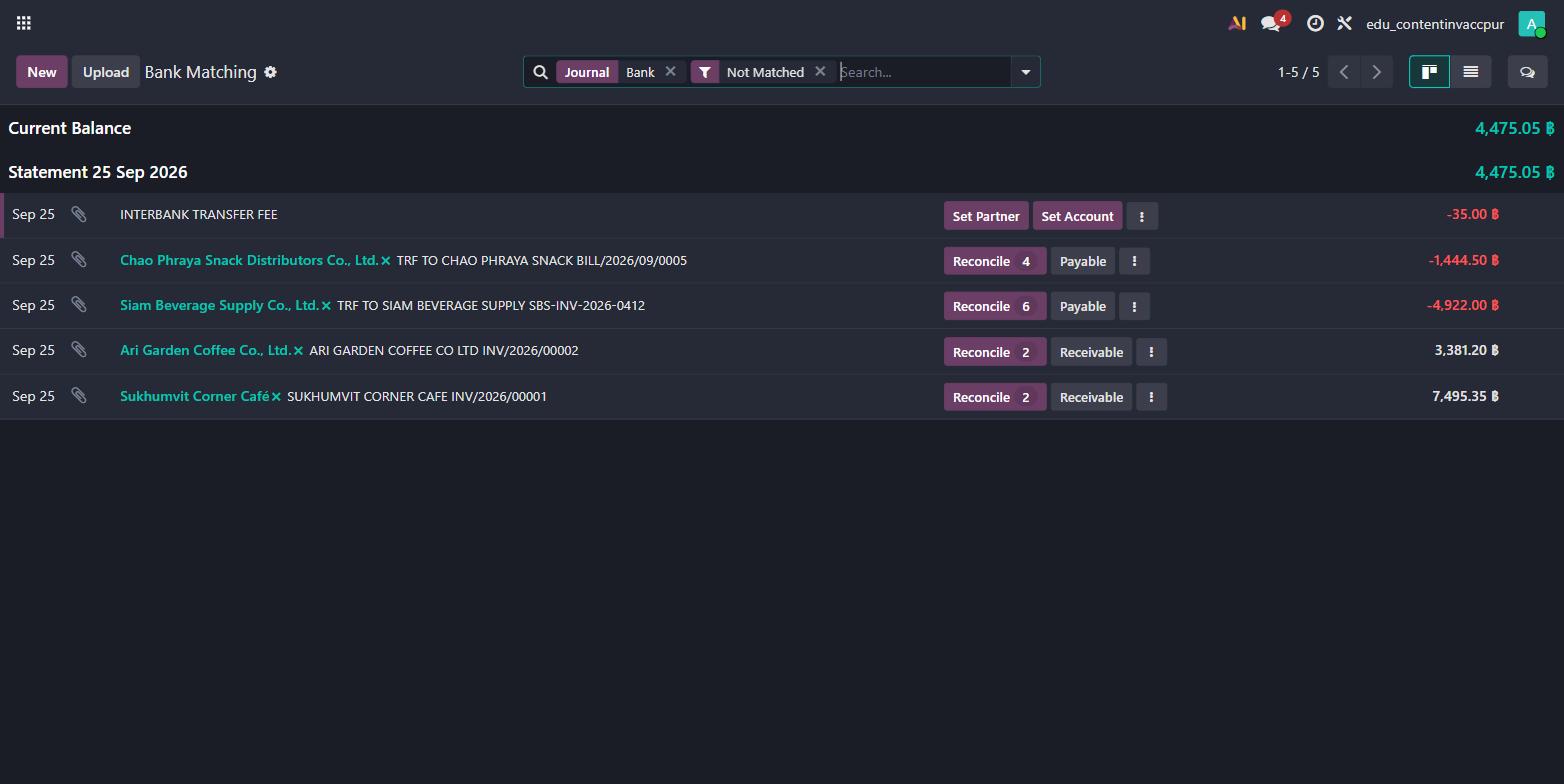
3. Match each line to its invoice or bill
The accountant clicked Reconcile on the Siam Beverage Supply transfer. Odoo listed that supplier's open items. Ticking BILL/2026/09/0006 brought the balance to ฿0.00: a perfect match.
Odoo matching window with the vendor bill selected and the remaining balance at zero
The same went for the two customer payments and the snack supplier. The ฿35 fee has no invoice, so it went straight to 622100 Bank fees with Set Account. You can also save a rule so Odoo proposes that account for every future fee line.
Five lines, five green ticks.
Odoo Bank Matching screen with all five statement lines reconciled
When a balance doesn't reach zero, Odoo shows you the gap before you validate. You find mistakes on the day, not at year-end.
4. Every match creates a balanced journal entry
Behind each green tick, Odoo writes the journal entry for you. For the Ari Garden Coffee payment, entry BNK1/2026/00002 debits the bank ฿3,381.20 and credits trade receivables ฿3,381.20.
Odoo journal entry with equal debit and credit of 3,381.20 baht between bank and receivables
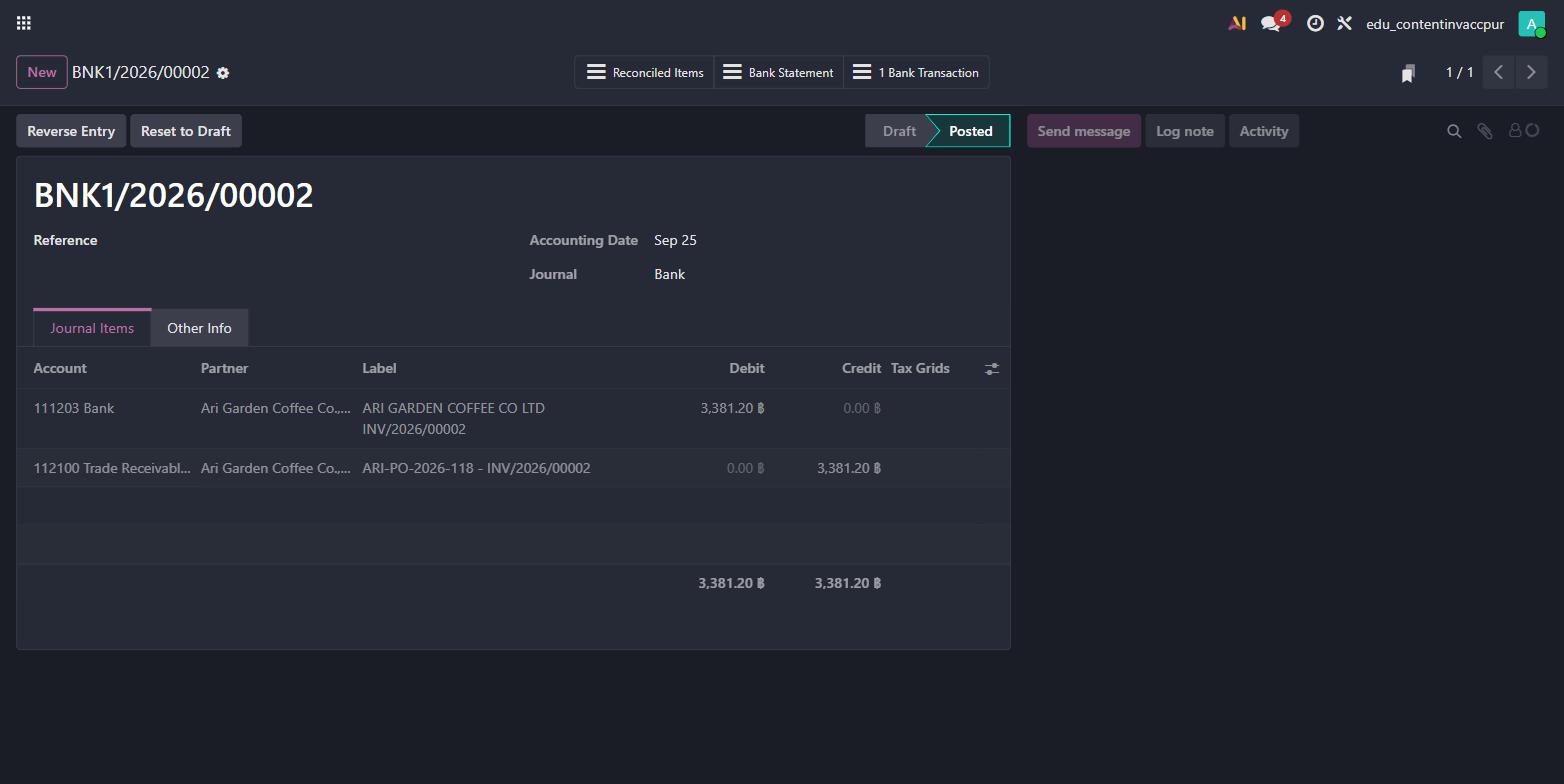
Debit equals credit on every entry, every time. Odoo won't post an entry that doesn't balance, so your trial balance stays clean.
5. Invoices and bills close themselves
Once matched, the documents update on their own. Customer invoice INV/2026/00002 now carries a Paid ribbon, with the payment date shown under the total.
Odoo customer invoice with a Paid ribbon after bank reconciliation
Your aged receivables and payables are always up to date. No separate "mark as paid" step, no spreadsheet to keep in sync.
What this means for your accounting team
- Payments from the bill: two clicks, with the right amount and reference
- Bank Matching: Odoo recognises the partner and lists their open items
- Fees and small items: posted to the right account, or proposed by a saved rule
- Balanced entries: every match creates a journal entry where debit equals credit
- Live status: invoices and bills move to Paid on their own
Ready to reconcile with your own bank statements?
At Stenas Digital, we help Thai companies set up Odoo accounting around their real bank accounts and payment habits. We handle implementation, data migration and ongoing support, in Thai and English.
Book a free demo with our team and we'll show you bank reconciliation running with your own statements.